
大家好,又见面了,我是你们的朋友全栈君。
在没使用flex之前,垂直居中最常用的方法就是将容器的line-height设置为和容器一样的高度,但这种方法很生硬,每次需要更改容器高度的时候都需要考虑line-height,使用以下这种方法可以实现自适应的垂直居中!
<style>
    .innner {

        display: flex;
        background-color: #ea4d22;
        height: 100px;
        /* line-height: 100px; */
        /* text-align: center; */
        justify-content: center;
        flex-direction: column;
    }

    .innner2 {

        display: flex;
        background-color: #18a0c2;
        height: 100px;
        /* line-height: 100px; */
        text-align: center;
        justify-content: center;
        flex-direction: column;
    }

    .innner3 {

        background-color: #20e64b;
        height: 100px;
        text-align: center;
    }
</style>
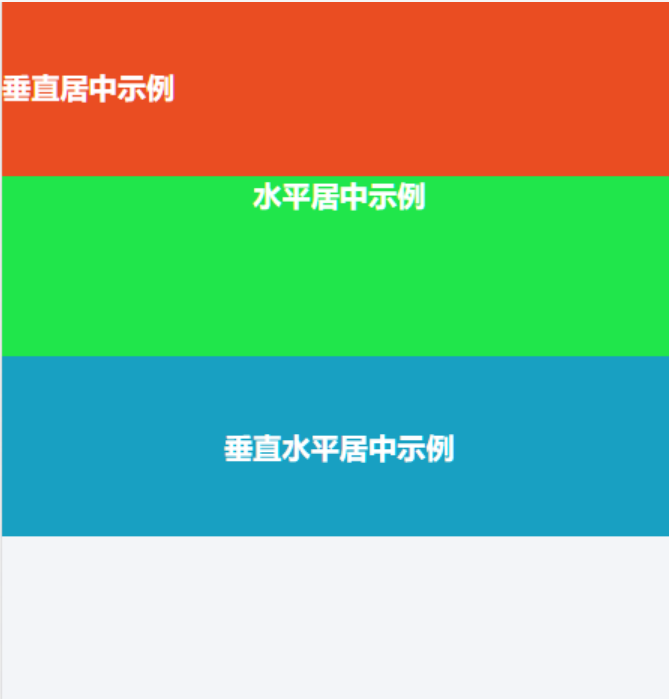
<div class="innner">垂直居中示例</div>
<div class="innner2">垂直水平居中示例</div>
<div class="innner3">水平居中示例</div>

版权声明:本文内容由互联网用户自发贡献,该文观点仅代表作者本人。本站仅提供信息存储空间服务,不拥有所有权,不承担相关法律责任。如发现本站有涉嫌侵权/违法违规的内容, 请联系我们举报,一经查实,本站将立刻删除。
发布者:全栈程序员-站长,转载请注明出处:https://javaforall.net/135229.html原文链接:https://javaforall.net



