
大家好,又见面了,我是你们的朋友全栈君。
Vue电商后台管理系统(1)
登录
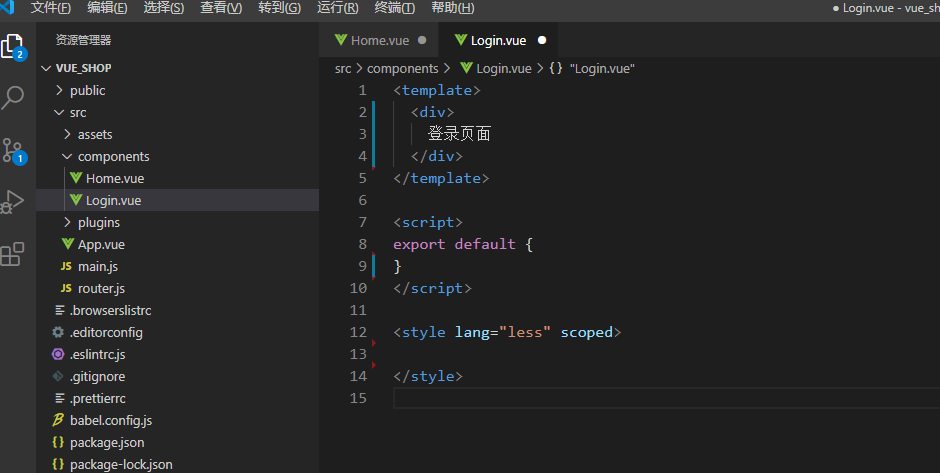
在components文件夹下创建登录组件,Login.vue,并快速生成template、script和style骨架。

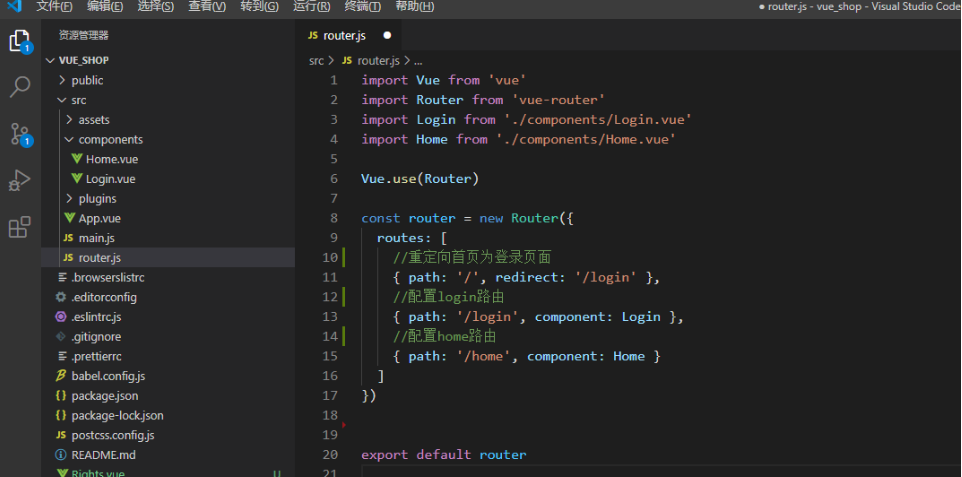
配置路由,进入router文件夹,导入Login组件,创建路由并重定向首页为登录界面,进入首页时会自动跳转至登录页面,配置如下:
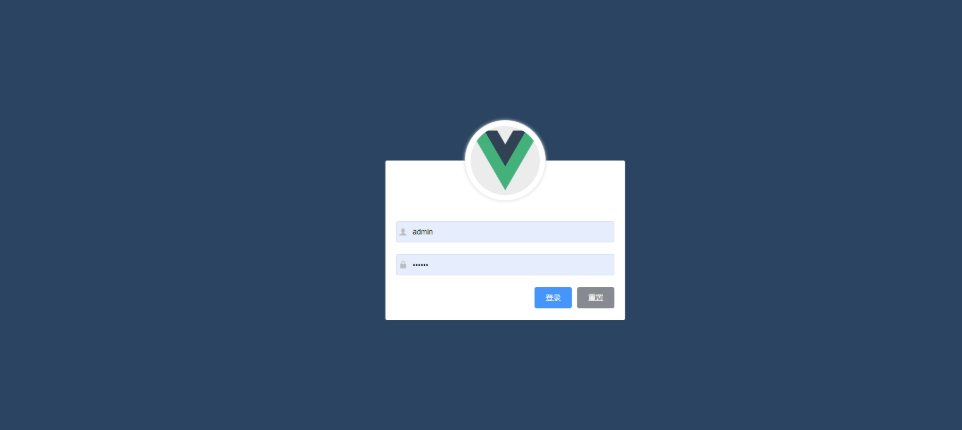
绘制页面:
<template>
  <div class="login_container">
    <div class="login_box">
      <!-- 头像区域 -->
      <div class="avatar_box">
        <img src="../assets/logo.png" alt />
      </div>
      <!-- 登录表单区域 -->
      <el-form
        ref="loginFormRef"
        :model="loginForm"
        :rules="loginFormRules"
        label-width="0px"
        class="login_form"
      >
        <!-- 用户名 -->
        <el-form-item prop="username">
          <el-input v-model="loginForm.username" prefix-icon="iconfont icon-user"></el-input>
        </el-form-item>
        <!-- 密码 -->
        <el-form-item prop="password">
          <el-input
            v-model="loginForm.password"
            prefix-icon="iconfont icon-3702mima"
            type="password"
          ></el-input>
        </el-form-item>
        <!-- 按钮区域 -->
        <el-form-item class="btns">
          <el-button type="primary" @click="login">登录</el-button>
          <el-button type="info" @click="resetLoginForm">重置</el-button>
        </el-form-item>
      </el-form>
    </div>
  </div>
</template>
css样式:
<style lang="less" scoped>
.login_container {

  background-color: #2b4b6b;
  height: 100%;
}

.login_box {

  width: 450px;
  height: 300px;
  background-color: #fff;
  border-radius: 3px;
  position: absolute;
  left: 50%;
  top: 50%;
  transform: translate(-50%, -50%);

  .avatar_box {

    height: 130px;
    width: 130px;
    border: 1px solid #eee;
    border-radius: 50%;
    padding: 10px;
    box-shadow: 0 0 10px #ddd;
    position: absolute;
    left: 50%;
    transform: translate(-50%, -50%);
    background-color: #fff;

    img {

      width: 100%;
      height: 100%;
      border-radius: 50%;
      background-color: #eee;
    }
  }
}

.login_form {

  position: absolute;
  bottom: 0;
  width: 100%;
  padding: 0 20px;
  box-sizing: border-box;
}

.btns {

  display: flex;
  justify-content: flex-end;
}
</style>
实现登录功能
绑定账户信息
<template>
  <div class="long-content">
    <div class="biao">
      <div class="hide">
        <img src="../../assets/logo.png" alt="" />
      </div>
      <div class="form">
        <el-form
          :model="ruleForm"
          :rules="rules"
          ref="ruleForm"
          class="demo-ruleForm"
        >
          <el-form-item prop="username">
            <el-input
              v-model="ruleForm.username"
              prefix-icon="el-icon-user-solid"
            ></el-input>
          </el-form-item>
          <el-form-item prop="password">
            <el-input
              type="password"
              v-model="ruleForm.password"
              prefix-icon="el-icon-lock"
            ></el-input>
          </el-form-item>
        </el-form>
      </div>
      <div class="botton">
        <el-button type="primary" size="medium" @click="submitForm('ruleForm')"
          >登录</el-button
        >
        <el-button type="info" size="medium">重置</el-button>
      </div>
    </div>
  </div>
</template>

<script>
export default {

  name: "",
  data() {

    return {

      ruleForm: {

        username: "",//用户名
        password: "",//密码
      },
      rules: {

      //校验用户名
        username: [
          {
    required: true, message: "请输入用户户名", trigger: "blur" },
          {
    min: 3, max: 8, message: "长度在 3 到 5 个字符", trigger: "blur" },
        ],
        //校验密码
        password: [
          {
    required: true, message: "请输入密码", trigger: "blur" },
          {

            min: 3,
            max: 12,
            message: "长度在 3 到 12 个字符",
            trigger: "blur",
          },
        ],
      },
    };
  },
  methods: {

  //登录
    submitForm(formName) {

      this.$refs[formName].validate((valid) => {

        if (valid) {

          let url = this.$store.state.url;
          this.$axios.post(`${
     url}login`, this.ruleForm).then((res) => {

            console.log(res);
            if (res.meta.status == 200) {

             // 1. 将登录成功之后的 token,保存到客户端的 sessionStorage 中
             //1.1 项目中出了登录之外的其他API接口,必须在登录之后才能访问
            //1.2 token 只应在当前网站打开期间生效,所以将 token 保存在 sessionStorage 中
             window.sessionStorage.setItem("token", res.data.token);
              this.$message.success(res.meta.msg);
              this.$router.push("/home");
            } else {

              this.$message.error(res.meta.msg);
              return false;
            }
          });
        } else {

          return false;
        }
      });
    },
  },
};
</script>
实现退出功能
当用户登录后进入后台,点击退出按钮即可实现退出功能。
即在Home.vue中添加一个退出按钮,并为其添加点击事件,当用户点击时,删除当前存储在session中的token信息,并且跳转至登录页面。
<template>
  <div>
    <el-button type="info" @click="logout">退出</el-button>
  </div>
</template>

<script>
export default {

  methods: {

    logout() {

      window.sessionStorage.clear()
      this.$router.push('/login')
    }
  }
}
</script>

<style lang="less" scoped>
</style>
实现导航守卫功能
至此,登录功能基本实现,但存在一个bug,即在用户未登录的情况下,在地址栏输入http://localhost:8080/#/home地址时,也可以跳转至后台。
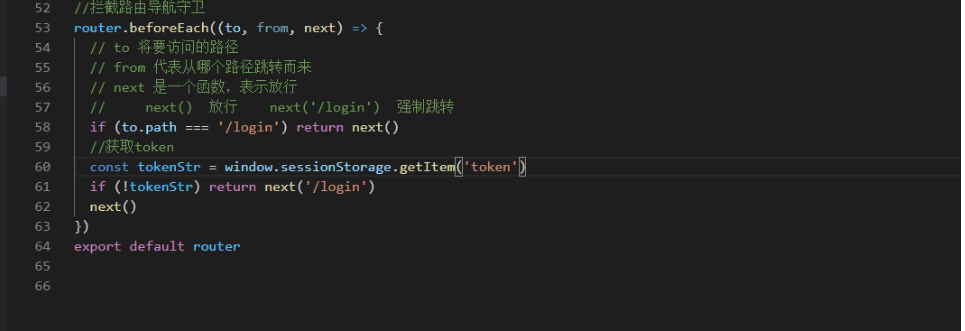
为了解决此bug,我们在router里挂载一个导航守卫路由,即在用户每次跳转前,验证用户所要跳转的地址,若为login页面则放行,若为其他页面,则查询当前session中是否有对应的token,若有则放行,反之,则强制跳转至登陆页面。
航守卫功能
至此,登录功能基本实现,但存在一个bug,即在用户未登录的情况下,在地址栏输入http://localhost:8080/#/home地址时,也可以跳转至后台。
为了解决此bug,我们在router里挂载一个导航守卫路由,即在用户每次跳转前,验证用户所要跳转的地址,若为login页面则放行,若为其他页面,则查询当前session中是否有对应的token,若有则放行,反之,则强制跳转至登陆页面。
发布者:全栈程序员-站长,转载请注明出处:https://javaforall.net/141935.html原文链接:https://javaforall.net




