
在阅读glTF,3d tiles官方文档后,尝试使用官方的一些免费工具将3dmax模型处理成gltf和3d tiles模型。
3dmax版本:2018
模型资源:模型 提取码:cuog
一、glTF
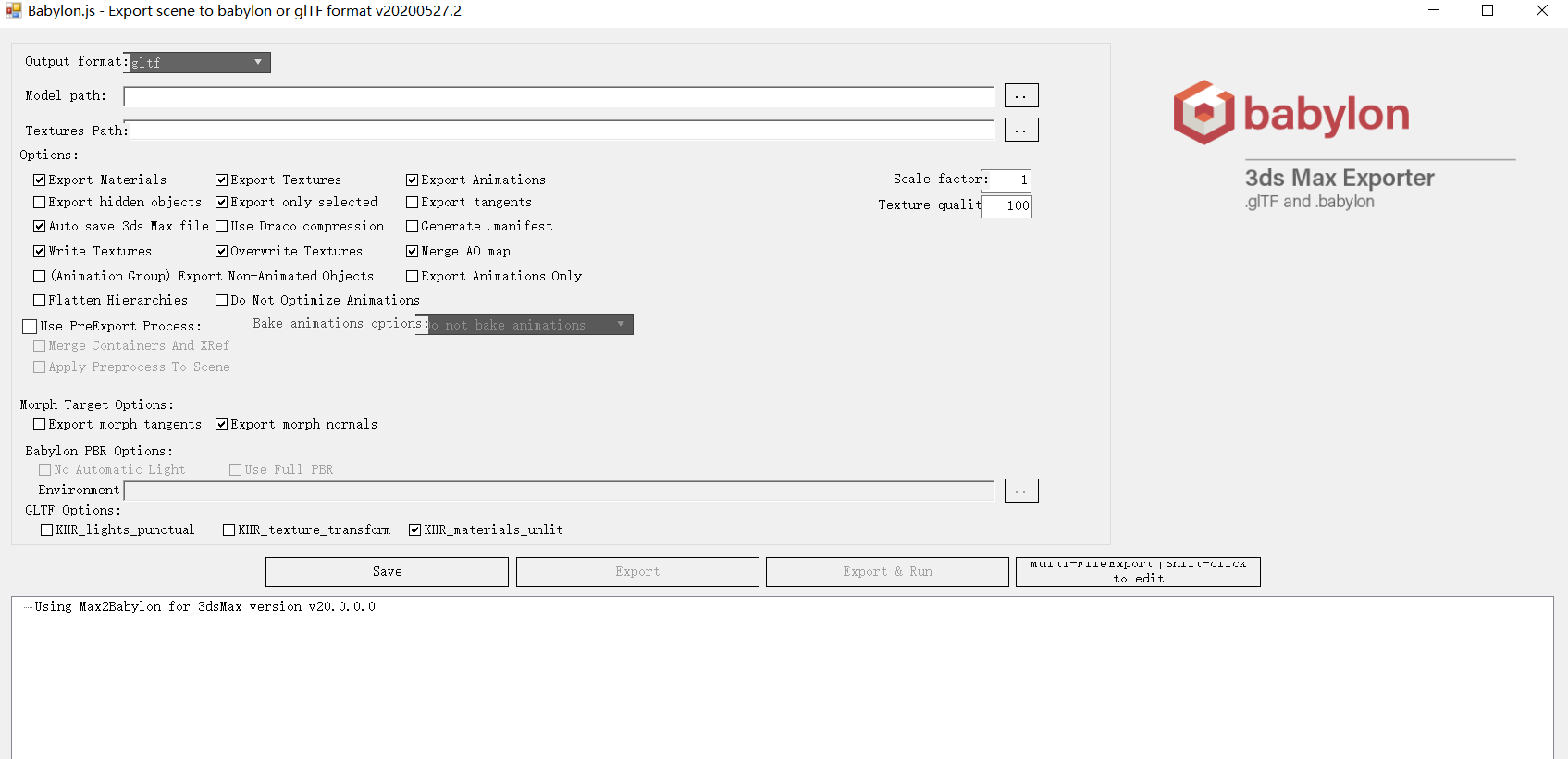
在3D Max中安装3DS Max exporter插件(该插件要求3D max版本为2015以上),可以直接从3dmax中导出glTF/glb。

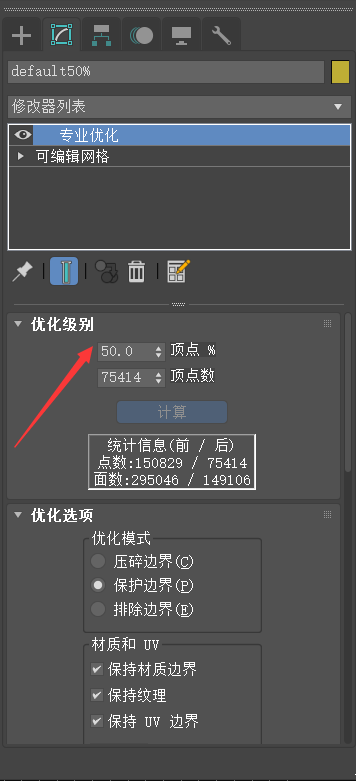
同时为了之后转换的3d tiles有LOD效果,在3D Max对模型进行了三角网优化,复制两个相同模型,分别减少50%的顶点和75%的顶点。
二、3d tiles
gltf/glb转化为3d tiles模型,需要将其转换为.b3dm文件格式,再编写tileset.json文件。
推荐在vs code中安装glTF Tools直接查看glTF,并且可以验证glTF有效性。
为了减小.b3dm文件大小,加快前端加载速度,可使用KHR_draco_mesh_compression扩展压缩几何数据(坐标、动画、蒙皮数据等),同时减小贴图大小,尽量不超过1024X1024。
使用管网工具gltf-pipeline可以给gltf模型添加KHR_draco_mesh_compression扩展,还可以进行gltf/glb互转
//安装 npm install -g gltf-pipeline //压缩glTF几何数据 gltf-pipeline -i model.gltf -o modelDraco.gltf -d //结合gulp以类库的方式使用gltf-pipeline const gltfPipeline = require('gltf-pipeline'); const fsExtra = require('fs-extra'); const processGltf = gltfPipeline.processGltf; const gltf = fsExtra.readJsonSync('model.gltf'); const options = { separateTextures: true, compressionLevel: 7 //压缩级别 [0-10] }; processGltf(gltf, options) .then(function(results) { fsExtra.writeJsonSync('model-separate.gltf', results.gltf); // 保存贴图,.bin数据文件 const separateResources = results.separateResources; for (const relativePath in separateResources) { if (separateResources.hasOwnProperty(relativePath)) { const resource = separateResources[relativePath]; fsExtra.writeFileSync(relativePath, resource); } } });glbToB3dm
接下来将三个级别的glTF模型转换为.b3dm文件。在vs code中将glTF转换为glb格式。
下载cesium官方的转换工具的开源代码
https://github.com/CesiumGS/3d-tiles-validator/tree/master/tools
//下载后安装依赖 npm install 在根目录下,运行以下命令,将glb转换为.b3dm
node ./bin/3d-tiles-tools.js glbToB3dm -i ./specs/data/CesiumTexturedBox/CesiumTexturedBox.glb -o ./output/CesiumTexturedBox.b3dm三个级别的glb文件依次转换为.b3dm文件。
最后写一个简单的tileset.json文件,在3dmax查看模型的尺寸,用于3d tiles中的包围盒参数。

tileset.json
tileset.json中参数的意义请查看规范文档:https://github.com/ComeformPC/3d-tiles/tree/master/specification
{ "asset": { "version": "1.0" }, "geometricError": 500, //几何误差,判断是否渲染子节点 "root": { "transform": [ //使用Cesium.Transforms.eastNorthUpToFixedFrame(origin)设置模型位置 0.022217, 0.87968, 0.89781, 0, -0.17457, 0.065825, 0, 0, -0.075076, -0.77697, 0.65391, 0, -., -., ., 1 ], "boundingVolume": { //因为gltf是Y轴向上,3d tiles为Z轴向上,cesium会将gltf旋转90度 "box": [ 0, 0, 0, 30.6, //X轴尺寸一半,X轴不变 0, 0, 0, 28.9, //Z轴尺寸一半 0, 0, 0, 8.73 //Y轴尺寸一半 ] }, "geometricError": 0.2, "refine": "REPLACE", "content": { "uri": "scene-low.b3dm" }, "children": [ { "boundingVolume": { "box": [ 0, 0, 0, 30.6, 0, 0, 0, 28.9, 0, 0, 0, 8.73 ] }, "geometricError": 0.1, "content": { "uri": "scene-medium.b3dm" }, "children": [ { "boundingVolume": { "box": [ 0, 0, 0, 30.6, 0, 0, 0, 28.9, 0, 0, 0, 8.73 ] }, "geometricError": 0, "content": { "uri": "scene-origin.b3dm" } } ] } ] } }在我的开源项目中有转换后的3dtiles。有兴趣可以看一下。
https://github.com/ComeformPC/cesiumProject/tree/master/public/data/tilesets/architecture
发布者:全栈程序员-站长,转载请注明出处:https://javaforall.net/204525.html原文链接:https://javaforall.net



