
大家好,又见面了,我是你们的朋友全栈君。如果您正在找激活码,请点击查看最新教程,关注关注公众号 “全栈程序员社区” 获取激活教程,可能之前旧版本教程已经失效.最新Idea2022.1教程亲测有效,一键激活。
Jetbrains全家桶1年46,售后保障稳定
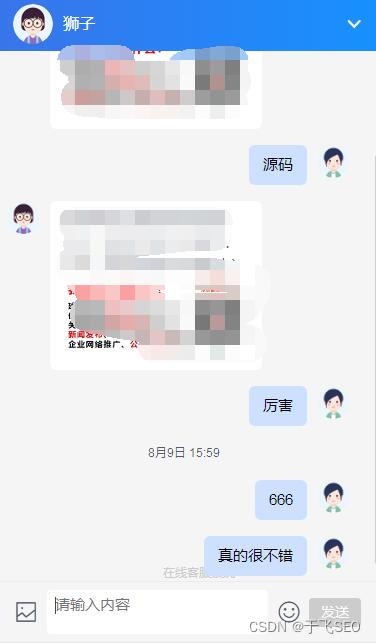
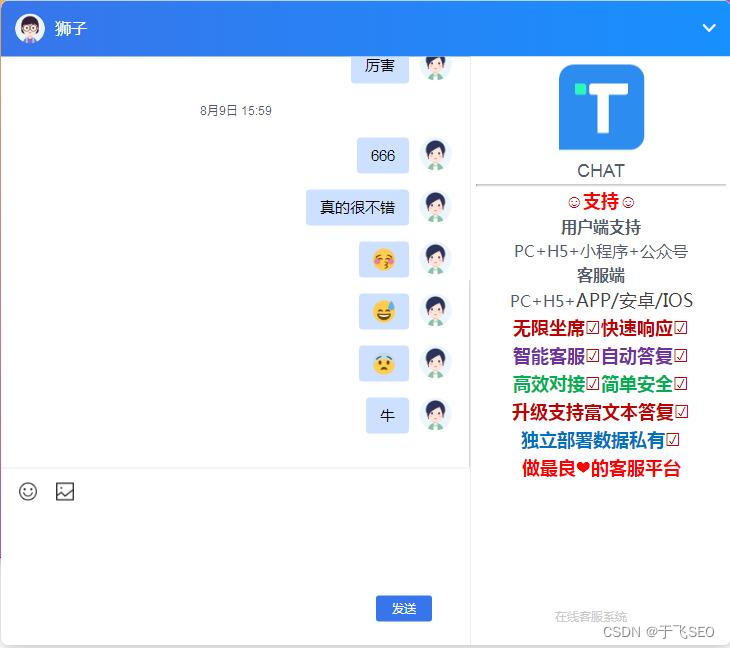
在线客服系统是一套交互式沟通工具,采用PHP+MYSQL开发。高性能,不卡顿。使用它可以迅速缩小你的选择范围,联系多个供应商、客户等,也可以给你的企业一个关于用户体验的重大影响。(尾部下载完整版PHP客服系统源码)

一,思路梳理
1,首先思考群聊的实现方式。
2,再来举一反三,思考单聊的实现方式。
有一个地方需要提一下,比如要给A用户发送消息,就要根据A的userId得到连接对象,然后就会把消息发送给A用户。
二,代码分析
1,首先是用户聊天框的js代码(html忽略)
此为用户点击在线客服按钮进入聊天框页面就执行的js代码。
说明:下面接收人id写死了为超级管理员,我这里省事情了,因为超级管理员的账号(也就是唯一标识)就是超级管理员这五个字,当真正开发时就要动态获取唯一标识了!
<span style="color:#314659"><span style="background-color:#ffffff"><code class="language-javascript language-js"><script type=<span style="color:#c18401 !important">"text/javascript"</span>>
	<span style="color:#999999 !important"><em>//1,获取连接,new WebSocket()</em></span>
	<span style="color:#999999 !important"><em>//获取到路径url的参数(用户的手机号,这里将手机号作为了用户的唯一标识)</em></span>
    <span style="color:#4078f2 !important">var</span> accounta=<span style="color:#c18401 !important">window</span>.location.search;
    <span style="color:#4078f2 !important">var</span> account=accounta.<span style="color:#50a14f !important">slice</span>(<span style="color:#ae81ff !important">9</span>);
    <span style="color:#999999 !important"><em>//发送人id</em></span>
    <span style="color:#4078f2 !important">var</span> sb=account;
	<span style="color:#999999 !important"><em>//将发送人id参数传给服务端</em></span>
	<span style="color:#4078f2 !important">var</span> wsUrl=<span style="color:#c18401 !important">"ws://127.0.0.1:8082/charRoomServer"</span>;
	<span style="color:#4078f2 !important">var</span> allUrl=wsUrl+<span style="color:#c18401 !important">"/"</span>+sb;
	<span style="color:#999999 !important"><em>//接收人id</em></span>
	<span style="color:#4078f2 !important">var</span> jsrid=<span style="color:#c18401 !important">'超级管理员'</span>;
	<span style="color:#999999 !important"><em>//客户端与服务端建立连接,建立连接以后,它会发出一个ws.open事件</em></span>
	<span style="color:#4078f2 !important">var</span> ws=<span style="color:#4078f2 !important">new</span> <span style="color:#50a14f !important">WebSocket</span>(allUrl);
	<span style="color:#999999 !important"><em>//连接成功后就将接收人id发送给服务端</em></span>
	ws.onopen=<span style="color:#4078f2 !important">function</span>(){
		ws.<span style="color:#50a14f !important">send</span>(jsrid);
	}
	<span style="color:#999999 !important"><em>//客户端收到服务端发送的消息</em></span>
	ws.onmessage=<span style="color:#4078f2 !important">function</span>(message){
	    <span style="color:#4078f2 !important">var</span> shenfen=<span style="color:#50a14f !important">JSON</span>.<span style="color:#50a14f !important">stringify</span>(message.data).<span style="color:#50a14f !important">toString</span>();
	    <span style="color:#4078f2 !important">var</span> shenfens=shenfen.<span style="color:#50a14f !important">slice</span>(shenfen.<span style="color:#50a14f !important">lastIndexOf</span>(<span style="color:#c18401 !important">"|"</span>)+<span style="color:#ae81ff !important">1</span>,-<span style="color:#ae81ff !important">1</span>);
     <span style="color:#999999 !important"><em>//这里通过很low的方式拿到了发送人id  [shenfens](后台拼接字符串并前台截取得到)   </em></span>
     <span style="color:#999999 !important"><em>//判断发送人id是否和页面初始化时的接收人id(jsrid)是否一致,相同则说明是对方回复的消息,并将该消息添加到自己的聊天框;如果收到的发送人id与“大白机器人”或者是和自己的id一致,也要将消息添加到自己的聊天框(自己发的消息嘛)</em></span>
        <span style="color:#4078f2 !important">if</span>(jsrid==shenfens||shenfens==<span style="color:#c18401 !important">"大白机器人:"</span>||shenfens==sb){
            <span style="color:#999999 !important"><em>//获取以后,在客户端显示</em></span>
            messages.innerHTML+=message.data;
        }<span style="color:#4078f2 !important">else</span>{
            <span style="color:#999999 !important"><em>//不做任何操作</em></span>
        }
	}
	<span style="color:#999999 !important"><em>//获取某个用户输入的聊天内容,并发送到服务端</em></span>
	 <span style="color:#4078f2 !important">function</span> <span style="color:#50a14f !important">getMessage</span>(){
		<span style="color:#4078f2 !important">var</span> inputMessage=<span style="color:#c18401 !important">document</span>.<span style="color:#50a14f !important">getElementById</span>(<span style="color:#c18401 !important">"inputMessage"</span>).value;
		<span style="color:#999999 !important"><em>//alert(inputMessage);</em></span>
		<span style="color:#999999 !important"><em>//获取消息以后,要发送给服务端,然后广播给所有用户</em></span>
		<span style="color:#4078f2 !important">if</span>(<span style="color:#50a14f !important">typeof</span>(inputMessage)==<span style="color:#c18401 !important">'undefined'</span>){
			<span style="color:#50a14f !important">alert</span>(<span style="color:#c18401 !important">"请输入您要发送的消息!"</span>);
		}<span style="color:#4078f2 !important">else</span>{
			ws.<span style="color:#50a14f !important">send</span>(inputMessage);
			<span style="color:#999999 !important"><em>//输入框消息清空</em></span>
			inputMessage.value=<span style="color:#c18401 !important">""</span>;
		}
	}
	<span style="color:#999999 !important"><em>//当关闭页面或者用户退出时,会执行一个ws.close()方法</em></span>
	<span style="color:#c18401 !important">window</span>.onbeforeunload=<span style="color:#4078f2 !important">function</span>(){
		ws.<span style="color:#50a14f !important">close</span>();
	}
	<span style="color:#999999 !important"><em>//按回车发送信息</em></span>
	<span style="color:#c18401 !important">document</span>.onkeyup=<span style="color:#4078f2 !important">function</span>(e){
		<span style="color:#4078f2 !important">if</span>(e.keyCode==<span style="color:#ae81ff !important">13</span>){
			<span style="color:#50a14f !important">getMessage</span>();
			inputMessage.value=<span style="color:#c18401 !important">""</span>;
		}
	}
</script>
</code></span></span>
2,其次为后台系统客服聊天框的js代码
<span style="color:#314659"><span style="background-color:#ffffff"><code class="language-javascript language-js"><script>
        <span style="color:#4078f2 !important">var</span> name=<span style="color:#c18401 !important">""</span>;
        $(<span style="color:#4078f2 !important">function</span> () {
            $.<span style="color:#50a14f !important">post</span>(
                <span style="color:#c18401 !important">"/demo/getName"</span>,
                <span style="color:#4078f2 !important">function</span> (data) {
                    name=data.name;
                },
                <span style="color:#c18401 !important">"json"</span>
            );
 <span style="color:#999999 !important"><em>//得到未读消息并展示到列表中(当点击其中一个未读消息时会得到该消息的账号(前台用户的userId唯一标识))</em></span>
            $.<span style="color:#50a14f !important">post</span>(
                <span style="color:#c18401 !important">"/demo/getweidu"</span>,
                <span style="color:#4078f2 !important">function</span> (data) {
                    <span style="color:#4078f2 !important">var</span> temp=<span style="color:#c18401 !important">''</span>;
                    <span style="color:#4078f2 !important">var</span> count=<span style="color:#ae81ff !important">0</span>;
                    <span style="color:#4078f2 !important">var</span> account=<span style="color:#c18401 !important">''</span>;
                    <span style="color:#4078f2 !important">for</span>(<span style="color:#4078f2 !important">var</span> i=<span style="color:#ae81ff !important">0</span>;i<data.length;i++){
                        temp+=<span style="color:#c18401 !important">'<div class="yonghu" onclick="liaotian('</span>+data[i].account+<span style="color:#c18401 !important">')">\n'</span> +
                            <span style="color:#c18401 !important">'            <span id="lalala">'</span>+data[i].account+<span style="color:#c18401 !important">'</span>\n'</span> +
                            <span style="color:#c18401 !important">'            <div id="'</span>+data[i].account+<span style="color:#c18401 !important">'" class="weidu">'</span>+data[i].count+<span style="color:#c18401 !important">'</div>\n'</span> +
                            <span style="color:#c18401 !important">'        </div>'</span>;
                    }
                    $(<span style="color:#c18401 !important">"#nav"</span>).<span style="color:#50a14f !important">append</span>(temp);
                }
            );
        });

<span style="color:#999999 !important"><em>//这是点击对应的未读消息之后将未读消息展示到客服的聊天框</em></span>
        <span style="color:#4078f2 !important">var</span> sb=<span style="color:#ae81ff !important">null</span>;
        <span style="color:#4078f2 !important">function</span> <span style="color:#50a14f !important">liaotian</span>(v) {  <span style="color:#999999 !important"><em>//下面的websocket内容在这个方法里面,执行这个点击事件之后触发websocket连接</em></span>
            sb=v;
            $(<span style="color:#c18401 !important">"#content"</span>).<span style="color:#50a14f !important">empty</span>();
            $(<span style="color:#c18401 !important">"#"</span>+v).<span style="color:#50a14f !important">hide</span>();
            $.<span style="color:#50a14f !important">post</span>(
                <span style="color:#c18401 !important">"/demo/getxiaoxi"</span>,
                {<span style="color:#f74449 !important">account</span>:v},
                <span style="color:#4078f2 !important">function</span> (data) {
                    <span style="color:#999999 !important"><em>// alert(JSON.stringify(data));</em></span>
                    <span style="color:#4078f2 !important">var</span> str=<span style="color:#c18401 !important">''</span>;
                    <span style="color:#4078f2 !important">for</span>(<span style="color:#4078f2 !important">var</span> i=<span style="color:#ae81ff !important">0</span>;i<data.length;i++){
                        <span style="color:#4078f2 !important">var</span> time=data[i].addtime.<span style="color:#50a14f !important">slice</span>(<span style="color:#ae81ff !important">0</span>,<span style="color:#ae81ff !important">10</span>);
                        str+=<span style="color:#c18401 !important">' <div class="message"><span>'</span>+data[i].account+<span style="color:#c18401 !important">'</span>用户:<span>'</span>+time+<span style="color:#c18401 !important">'</span>'</span>+data[i].message+<span style="color:#c18401 !important">'</div>'</span>;
                    }
                    $(<span style="color:#c18401 !important">"#content"</span>).<span style="color:#50a14f !important">append</span>(str);
                },
                <span style="color:#c18401 !important">"json"</span>
            );
            <span style="color:#999999 !important"><em>//将点击后的未读消息改为已读消息</em></span>
            $.<span style="color:#50a14f !important">post</span>(
                <span style="color:#c18401 !important">"/demo/changeYD"</span>,
                {<span style="color:#f74449 !important">account</span>:v},
                <span style="color:#4078f2 !important">function</span> (data) {
                    <span style="color:#c18401 !important">console</span>.<span style="color:#50a14f !important">log</span>(data);
                }
            );
            <span style="color:#999999 !important"><em>//发送人id(超级管理员写死的,上面说过了)</em></span>
            <span style="color:#4078f2 !important">var</span> wsUrl=<span style="color:#c18401 !important">"ws://127.0.0.1:8082/charRoomServer"</span>;
            <span style="color:#4078f2 !important">var</span> allUrl=wsUrl+<span style="color:#c18401 !important">"/"</span>+<span style="color:#c18401 !important">"超级管理员"</span>;
            <span style="color:#999999 !important"><em>//客户端与服务端建立连接,建立连接以后,它会发出一个ws.open事件</em></span>
            <span style="color:#4078f2 !important">var</span> ws=<span style="color:#4078f2 !important">new</span> <span style="color:#50a14f !important">WebSocket</span>(allUrl);
            <span style="color:#999999 !important"><em>//接收人userId</em></span>
            <span style="color:#4078f2 !important">var</span> jsrid=sb;
            <span style="color:#999999 !important"><em>//连接成功后,提示浏览器客户端输入名称</em></span>
            ws.onopen=<span style="color:#4078f2 !important">function</span>(){
                ws.<span style="color:#50a14f !important">send</span>(jsrid);
            }
            <span style="color:#999999 !important"><em>//客户端收到服务端发送的消息</em></span>
            ws.onmessage=<span style="color:#4078f2 !important">function</span>(message){
                <span style="color:#999999 !important"><em>//截取到普通用户的手机号</em></span>
                <span style="color:#4078f2 !important">var</span> shenfen=<span style="color:#50a14f !important">JSON</span>.<span style="color:#50a14f !important">stringify</span>(message.data).<span style="color:#50a14f !important">toString</span>();
                <span style="color:#4078f2 !important">var</span> shenfens=shenfen.<span style="color:#50a14f !important">slice</span>(shenfen.<span style="color:#50a14f !important">lastIndexOf</span>(<span style="color:#c18401 !important">"|"</span>)+<span style="color:#ae81ff !important">1</span>,-<span style="color:#ae81ff !important">1</span>);
                 <span style="color:#c18401 !important">console</span>.<span style="color:#50a14f !important">log</span>(<span style="color:#c18401 !important">"身份:"</span>+shenfens);
                <span style="color:#999999 !important"><em>// //判断发送人id是否和页面初始化时的接收人id(jsrid)是否一致,相同则说明是对方回复的消息</em></span>
                <span style="color:#4078f2 !important">if</span>(jsrid==shenfens||<span style="color:#c18401 !important">"超级管理员"</span>==shenfens){
                    <span style="color:#999999 !important"><em>//获取以后,在客户端显示</em></span>
                    content.innerHTML+=message.data;
                }<span style="color:#4078f2 !important">else</span>{
                    <span style="color:#999999 !important"><em>//不做任何操作</em></span>
                }
            }
            <span style="color:#999999 !important"><em>//获取某个用户输入的聊天内容,并发送到服务端</em></span>
            <span style="color:#4078f2 !important">function</span> <span style="color:#50a14f !important">getMessage</span>(){
                <span style="color:#4078f2 !important">var</span> inputMessage=<span style="color:#c18401 !important">document</span>.<span style="color:#50a14f !important">getElementById</span>(<span style="color:#c18401 !important">"inputMessage"</span>).value;
                <span style="color:#999999 !important"><em>//alert(inputMessage);</em></span>
                <span style="color:#999999 !important"><em>//获取消息以后,要发送给服务端,然后广播给所有用户</em></span>
                <span style="color:#4078f2 !important">if</span>(<span style="color:#50a14f !important">typeof</span>(inputMessage)==<span style="color:#c18401 !important">'undefined'</span>){
                    <span style="color:#50a14f !important">alert</span>(<span style="color:#c18401 !important">"请输入您要发送的消息!"</span>);
                }<span style="color:#4078f2 !important">else</span>{
                    ws.<span style="color:#50a14f !important">send</span>(inputMessage);
                    <span style="color:#999999 !important"><em>//输入框消息清空</em></span>
                    inputMessage.value=<span style="color:#c18401 !important">""</span>;
                }
            }
            <span style="color:#999999 !important"><em>//当关闭页面或者用户退出时,会执行一个ws.close()方法</em></span>
             <span style="color:#c18401 !important">window</span>.onbeforeunload=<span style="color:#4078f2 !important">function</span>(){
                 ws.<span style="color:#50a14f !important">close</span>();
             }
            <span style="color:#999999 !important"><em>//按回车发送信息</em></span>
            <span style="color:#c18401 !important">document</span>.onkeyup=<span style="color:#4078f2 !important">function</span>(e){
                <span style="color:#4078f2 !important">if</span>(e.keyCode==<span style="color:#ae81ff !important">13</span>){
                    <span style="color:#50a14f !important">getMessage</span>();
                    inputMessage.value=<span style="color:#c18401 !important">""</span>;
                }
            }
        }
    </script>
</code></span></span>
3,最后为服务端的websocket实例
<span style="color:#314659"><span style="background-color:#ffffff"><code class="language-java"><span style="color:#4078f2 !important">package</span> com.qianlong.controller;

<span style="color:#4078f2 !important">import</span> com.qianlong.service.SelectService;
<span style="color:#4078f2 !important">import</span> org.springframework.beans.factory.annotation.Autowired;
<span style="color:#4078f2 !important">import</span> org.springframework.stereotype.Component;

<span style="color:#4078f2 !important">import</span> java.io.IOException;
<span style="color:#4078f2 !important">import</span> java.text.SimpleDateFormat;
<span style="color:#4078f2 !important">import</span> java.util.Date;
<span style="color:#4078f2 !important">import</span> java.util.HashMap;
<span style="color:#4078f2 !important">import</span> java.util.Map;
<span style="color:#4078f2 !important">import</span> javax.websocket.OnClose;
<span style="color:#4078f2 !important">import</span> javax.websocket.OnMessage;
<span style="color:#4078f2 !important">import</span> javax.websocket.OnOpen;
<span style="color:#4078f2 !important">import</span> javax.websocket.Session;
<span style="color:#4078f2 !important">import</span> javax.websocket.server.PathParam;
<span style="color:#4078f2 !important">import</span> javax.websocket.server.ServerEndpoint;
<span style="color:#999999 !important"><em>/**
 * 聊天室的服务端程序
 * <span style="color:#c678dd">@author</span> Administrator
 *
 */</em></span>
<span style="color:#999999 !important"><em>//声明websocket某个服务端的地址</em></span>
<span style="color:#fd971f !important">@ServerEndpoint(value = "/charRoomServer/{param}")</span>
<span style="color:#fd971f !important">@Component</span>
<span style="color:#4078f2 !important">public</span> <span style="color:#4078f2 !important">class</span> <span style="color:#50a14f !important">ChatRoomServer</span> {
    <span style="color:#fd971f !important">@Autowired</span>
    <span style="color:#4078f2 !important">public</span> <span style="color:#4078f2 !important">static</span> SelectService selectService;
    <span style="color:#4078f2 !important">private</span> <span style="color:#c18401 !important">boolean</span> firstFlag=<span style="color:#ae81ff !important">true</span>;
    <span style="color:#4078f2 !important">private</span> Session session;
    <span style="color:#4078f2 !important">private</span> String userName;

    <span style="color:#999999 !important"><em>//发送人id</em></span>
    <span style="color:#4078f2 !important">private</span> String userId;
    <span style="color:#999999 !important"><em>//key代表此次客户端的userId,value代表此次连接对象</em></span>
    <span style="color:#4078f2 !important">private</span> <span style="color:#4078f2 !important">static</span> <span style="color:#4078f2 !important">final</span> HashMap<String, Object> connectMap=<span style="color:#4078f2 !important">new</span> <span style="color:#50a14f !important">HashMap</span><String, Object>();
    <span style="color:#999999 !important"><em>//保存所有用户昵称信息</em></span>
    <span style="color:#999999 !important"><em>//key是session的id,value是用户昵称</em></span>
    <span style="color:#4078f2 !important">private</span> <span style="color:#4078f2 !important">static</span> <span style="color:#4078f2 !important">final</span> HashMap<String, String> userMap=<span style="color:#4078f2 !important">new</span> <span style="color:#50a14f !important">HashMap</span><String, String>();
    <span style="color:#999999 !important"><em>//服务端收到客户端的连接请求,连接成功后会执行此方法</em></span>
    <span style="color:#fd971f !important">@OnOpen</span>
    <span style="color:#4078f2 !important">public</span> <span style="color:#4078f2 !important">void</span> <span style="color:#50a14f !important">start</span>(<span style="color:#fd971f !important">@PathParam(value = "param")</span> String param, Session session) {
        <span style="color:#50a14f !important">this</span>.session=session;
        <span style="color:#50a14f !important">this</span>.userId=param; <span style="color:#999999 !important"><em>//接收参数</em></span>
        connectMap.put(param,<span style="color:#50a14f !important">this</span>);
    }

    <span style="color:#999999 !important"><em>//客户端发来的信息,服务端接收</em></span>
    <span style="color:#fd971f !important">@OnMessage</span>              <span style="color:#999999 !important"><em>//接收人userId</em></span>
    <span style="color:#4078f2 !important">public</span> <span style="color:#4078f2 !important">void</span> <span style="color:#50a14f !important">chat</span>(String clientMessage,Session session) {
        <span style="color:#999999 !important"><em>//firstFlag为true是第一次进入,第二次进入之后设为false</em></span>
        ChatRoomServer client=<span style="color:#ae81ff !important">null</span>;
        <span style="color:#4078f2 !important">if</span>(firstFlag) {
            <span style="color:#50a14f !important">this</span>.userName=clientMessage;
            <span style="color:#999999 !important"><em>//将新进来的用户保存到用户map</em></span>
            userMap.put(session.getId(), userName);

            <span style="color:#4078f2 !important">try</span> {
               <span style="color:#4078f2 !important">if</span>(<span style="color:#c18401 !important">"超级管理员"</span>.equals(userId)){

               }<span style="color:#4078f2 !important">else</span>{
                   <span style="color:#999999 !important"><em>//构造发送给客户端的提示信息</em></span>
                   String message=htmlMessage(<span style="color:#c18401 !important">"大白机器人:"</span>,<span style="color:#c18401 !important">"亲爱的"</span>+userId+<span style="color:#c18401 !important">",您想了解点儿啥?"</span>);
                   client=(ChatRoomServer) connectMap.get(userId);
                   <span style="color:#999999 !important"><em>//给对应的web端发送一个文本信息</em></span>
                   client.session.getBasicRemote().sendText(message);
               }
            } <span style="color:#4078f2 !important">catch</span> (IOException e) {
                e.printStackTrace();
            }
            firstFlag=<span style="color:#ae81ff !important">false</span>;
        }<span style="color:#4078f2 !important">else</span> {
            System.err.println(<span style="color:#c18401 !important">"clientMessage:"</span>+userName);
            <span style="color:#999999 !important"><em>//给对方发消息</em></span>
            String message1=htmlMessage(userId,clientMessage);
            client  = (ChatRoomServer) connectMap.get(userName);
           <span style="color:#4078f2 !important">if</span>(client!=<span style="color:#ae81ff !important">null</span>){
               <span style="color:#4078f2 !important">try</span> {
                   client.session.getBasicRemote().sendText(message1);
               } <span style="color:#4078f2 !important">catch</span> (IOException e) {
                   e.printStackTrace();
               }
           }
            <span style="color:#999999 !important"><em>//给自己窗口发消息</em></span>
            String message2=htmlMessage(userId,clientMessage);
            client  = (ChatRoomServer) connectMap.get(userId);
            <span style="color:#4078f2 !important">try</span> {
                client.session.getBasicRemote().sendText(message2);
            } <span style="color:#4078f2 !important">catch</span> (IOException e) {
                e.printStackTrace();
            }

            <span style="color:#999999 !important"><em>//这是将前台用户发送的消息存数据库并标记为未读,和上面通信没关系</em></span>
            <span style="color:#4078f2 !important">if</span>(<span style="color:#c18401 !important">"超级管理员"</span>.equals(userId)){

            }<span style="color:#4078f2 !important">else</span>{
                Map map=<span style="color:#4078f2 !important">new</span> <span style="color:#50a14f !important">HashMap</span>();
                map.put(<span style="color:#c18401 !important">"account"</span>,userId);
                map.put(<span style="color:#c18401 !important">"message"</span>,clientMessage);
                map.put(<span style="color:#c18401 !important">"addtime"</span>,<span style="color:#4078f2 !important">new</span> <span style="color:#50a14f !important">Date</span>());
                <span style="color:#c18401 !important">int</span> <span style="color:#c18401 !important">i</span> <span style="color:#ab5656">=</span> selectService.chatInsert(map);
                System.out.println(i);
            }
        }
        }

    <span style="color:#999999 !important"><em>/**
     * 前台js的ws.close事件,会触发后台的标注onClose的方法
     */</em></span>
    <span style="color:#fd971f !important">@OnClose</span>
    <span style="color:#4078f2 !important">public</span> <span style="color:#4078f2 !important">void</span> <span style="color:#50a14f !important">close</span>() {
        userMap.remove(session.getId());
        connectMap.remove(userId);
    }
    <span style="color:#999999 !important"><em>/**
     * 渲染页面,把信息构造好标签再发送
     */</em></span>
    <span style="color:#4078f2 !important">public</span> String <span style="color:#50a14f !important">htmlMessage</span>(String userName,String message) {
        StringBuffer stringBuffer=<span style="color:#4078f2 !important">new</span> <span style="color:#50a14f !important">StringBuffer</span>();
        SimpleDateFormat sf=<span style="color:#4078f2 !important">new</span> <span style="color:#50a14f !important">SimpleDateFormat</span>(<span style="color:#c18401 !important">"yyyy-MM-dd HH:mm:ss"</span>);
        stringBuffer.append(<span style="color:#c18401 !important">"<article>"</span>);
        stringBuffer.append(<span style="color:#c18401 !important">"<span>"</span>+sf.format(<span style="color:#4078f2 !important">new</span> <span style="color:#50a14f !important">Date</span>())+<span style="color:#c18401 !important">"</span>"</span>);
        stringBuffer.append(<span style="color:#c18401 !important">"<div class='avatar'>"</span>);
        stringBuffer.append(<span style="color:#c18401 !important">"<h3>"</span>+userName+<span style="color:#c18401 !important">"</h3>"</span>);
        stringBuffer.append(<span style="color:#c18401 !important">"</div>"</span>);
        stringBuffer.append(<span style="color:#c18401 !important">"<div class='msg'>"</span>);
        stringBuffer.append(<span style="color:#c18401 !important">"<div class='tri'></div>"</span>);
        stringBuffer.append(<span style="color:#c18401 !important">"<div class='msg_inner'>"</span>+message+<span style="color:#c18401 !important">"</div>"</span>);
        stringBuffer.append(<span style="color:#c18401 !important">"</div>"</span>);
        stringBuffer.append(<span style="color:#c18401 !important">"</article>"</span>);
        <span style="color:#999999 !important"><em>//这里拼接了消息发送人的userId,在前台进行截取字符串接收发送人的userId</em></span>
        stringBuffer.append(<span style="color:#c18401 !important">"|"</span>+userName);
        <span style="color:#4078f2 !important">return</span> stringBuffer.toString();
    }
}
</code></span></span>
三,依赖注入
在websocket中进行依赖注入service并调用service方法进行数据库存储,如果按常规的方式是走不通的。
解决方式:
在该springboot项目中添加一个WebsocketConfig配置类,对service进行配置。
<span style="color:#314659"><span style="background-color:#ffffff"><code class="language-java"><span style="color:#fd971f !important">@Configuration</span>
<span style="color:#4078f2 !important">public</span> <span style="color:#4078f2 !important">class</span> <span style="color:#50a14f !important">WebSocketConfig</span> {
    <span style="color:#999999 !important"><em>/**
     * ServerEndpointExporter 用于扫描和注册所有携带 ServerEndPoint 注解的实例,
     * 若部署到外部容器 则无需提供此类。
     */</em></span>
    <span style="color:#fd971f !important">@Bean</span>
    <span style="color:#4078f2 !important">public</span> ServerEndpointExporter <span style="color:#50a14f !important">serverEndpointExporter</span>() {
        <span style="color:#4078f2 !important">return</span> <span style="color:#4078f2 !important">new</span> <span style="color:#50a14f !important">ServerEndpointExporter</span>();
    }

    <span style="color:#999999 !important"><em>


     * 因 SpringBoot WebSocket 对每个客户端连接都会创建一个 WebSocketServer(<span style="color:#c678dd">@ServerEndpoint</span> 注解对应的对象,Bean 注入操作会被直接略过,因而手动注入一个全局变量
     */</em></span>
    <span style="color:#fd971f !important">@Autowired</span>
    <span style="color:#4078f2 !important">public</span> <span style="color:#4078f2 !important">void</span> <span style="color:#50a14f !important">setSelectService</span>(SelectService selectService) {
        ChatRoomServer.selectService = selectService;
    }
}
</code></span></span>
然后在websocket中注入service。
四,效果展示
五,源码下载
php客服系统源码包下载地址:
https://yfi.lanzouj.com/iHN4A061ok5c
发布者:全栈程序员-站长,转载请注明出处:https://javaforall.net/206572.html原文链接:https://javaforall.net



