
python中用matplotlib库画图时,把中文设置为宋体,英文设置为Time New Roman,有时候还需要显示公式。设置方法如下:
import matplotlib.pyplot as plt from matplotlib import rcParams import numpy as np config = {
"font.family":'serif', "font.size": 18, "mathtext.fontset":'stix', "font.serif": ['SimSun'], } rcParams.update(config) x = np.random.random((10,)) plt.plot(x,label='随机数') plt.title('中文:宋体 \n 英文:$\mathrm{Times \; New \; Roman}$ \n 公式: $\\alpha_i + \\beta_i = \\gamma^k$') plt.xlabel('横坐标') plt.ylabel('纵坐标') plt.legend() plt.yticks(fontproperties='Times New Roman', size=18) plt.xticks(fontproperties='Times New Roman', size=18) plt.show() 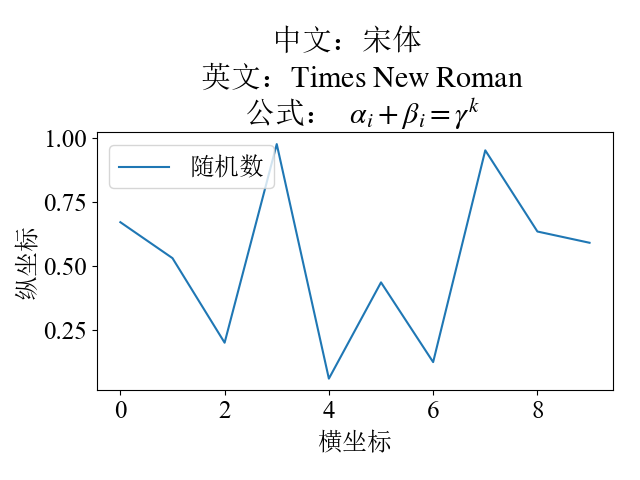

版权声明:本文内容由互联网用户自发贡献,该文观点仅代表作者本人。本站仅提供信息存储空间服务,不拥有所有权,不承担相关法律责任。如发现本站有涉嫌侵权/违法违规的内容, 请联系我们举报,一经查实,本站将立刻删除。
发布者:全栈程序员-站长,转载请注明出处:https://javaforall.net/208509.html原文链接:https://javaforall.net



