
#Graphviz入门
安装Graphviz
在官网上面下载相关文件,地址:http://www.graphviz.org/download/。
graphviz简介
graphviz是贝尔实验室设计的一个开源的画图工具,它的强大主要体现在“所思即所得”(WYTIWYG,what you think is what you get),这是和office的“所见即所得“(WYSIWYG,what you see is what you get)完全不同的一种方式。它使用一个特定的DSL(领域特定语言): dot作为脚本语言,然后使用布局引擎来解析此脚本,并完成自动布局。它的输入是一个用dot语言 编写的绘图脚本,通过对输入脚本的解析,分析出其中的点,边以及子图,然后根据属性进行绘制。graphviz提供丰富的导出格式,如常用的图片格式,SVG,PDF格式等。用graphviz来绘图的时候,你的主要工作就是编写dot脚本,你只要关注图中各个点之间的关系就好了,你不需要考虑如何安排各个节点的位置,怎样布局能够使你所绘制的图看起来更美观一些。
graphviz中包含了众多的布局器:
- dot 默认布局方式,渲染的图具有明确方向性,主要用于有向图
- neato 渲染的图缺乏方向性,基于spring-model(又称force-based)算法
- twopi 渲染的图用放射性布局,径向布局
- circo 渲染的图用环型布局,圆环布局
- fdp 渲染的图缺乏方向性,用于无向图
- sfdp 渲染大型的图,图片缺乏方向性
graphviz的设计初衷是对有向图/无向图等进行自动布局,开发人员使用dot脚本定义图形元素,然后选择算法进行布局,最终导出结果。
首先,在dot脚本中定义图的顶点和边,顶点和边都具有各自的属性,比如形状,颜色,填充模式,字体,样式等。然后使用合适的布局算法进行布局。布局算法除了绘制各个顶点和边之外,需要尽可能的将顶点均匀的分布在画布上,并且尽可能的减少边的交叉(如果交叉过多,就很难看清楚顶点之间的关系了)。所以使用graphviz的一般流程为:
- 定义一个图,并向图中添加需要的顶点和边
- 为顶点和边添加样式
- 使用布局引擎进行绘制
第一个graphviz图
比如,要绘制一个有向图,包含5个节点a,b,c,d,e。其中a和b指向c,c和d指向e。可以定义下列脚本:
digraph test{ a; b; c; d; e; a->c; b->c; c->e; d->e; } 
使用dot布局方式,绘制出来的效果如下:
默认的顶点中的文字为定义顶点变量的名称,形状为椭圆。边的默认样式为黑色实线箭头,我们可以在脚本中做一下修改,将顶点改为方形,边改为虚线。

设置点和线的形状和颜色
在digraph的花括号内,添加顶点和边的新定义:
node [shape="record"]; edge [style="dashed"]; - 进一步修改顶点和边样式
进一步,我们将顶点a的颜色改为淡绿色,并将c到d的边改为红色,脚本如下:
digraph test{ node [shape="record"]; edge [style="dashed"]; a [style="filled", color="black", fillcolor="skyblue"]; b; c; d; e; a->c; b->c; c->e; d->e [color="red"]; } - 以图片为节点
除了颜色,节点还可以使用图片。不过需要注意的是,在使用图片作为节点的时候,需要将本来的形状设置为none,并且将label置为空字符串,避免出现文字对图片的干扰。
digraph test{ node [shape="record"]; edge [style="dashed"]; a [style="filled", color="black", fillcolor="skyblue"]; b; c; d [shape="none", image="C:\Users\Marvin\Desktop\timg.jpg", label=""]; e; a->c; b->c; c->e; d->e [color="red"]; }
digraph是有向图,graph是无向图,要注意,->用在有向图中,–用在无向图中表示一条边,不能混用。

//digraph是有向图,graph是无向图,要注意,->用在有向图中,--用在无向图中表示一条边,不能混用。 digraph G { //第一行给出了图的类型和名字 main -> parse -> execute; //当一个点第一次出现,它就被创建了 main -> init; //用->标示符创建一条边 main -> cleanup; execute -> make_string; execute -> printf init -> make_string; main -> printf; execute -> compare; } //然后在cmd下用这个文件运行dot //dot -Tps graph1.dot -o graph1.ps //这是ps格式,你也可以改成jpg等格式。 //-Tps选择了postscript output, //就画出了这个图。

来看下一个稍微复杂点的例子,我们开始手动的设置一下图的属性。可以给点设置属性,也可以给边设置属性。先来讲讲怎么设置边的属性,在每条边后面的双括号里设置边的属性。也可以在用edge设置边的默认值。而给点设置属性就必须给每个点单独的设置一个属性,node表示点的默认值。
//点的默认参数是shape=ellipse, width=.75, height=.5 and labeled by the node name. //一些点的形状在appendix.h 中,一些常用的形状有bos,circle,record,plaintext。 digraph G { size ="4,4";// 把图的尺寸设为4 inch,4 inch main [shape=box];//把main点的形状设为方形 main -> parse [weight=8]; //weight是设置了这条边的重要程度,默认是1。 parse -> execute; main -> init [style=dotted]; //让这条线是点状的 main -> cleanup; execute -> { make_string; printf} //这条语句一次连了两条线 init -> make_string; edge [color=red]; // so is this 把边的默认颜色设为了red main -> printf [style=bold,label="100 times"]; //label就是在边上写了一行字 make_string [label="make a\nstring"];// 让make_string变成了一个两行的字符串(注意那个\n)。 node [shape=box,style=filled,color=".7 .3 1.0"];// 设置了一下点的默认参数,蓝色,这个被用在了compare中。 execute -> compare; } 画出以下图形:

//可以设置每条边箭头的方向,用dir,有forward(default),back,both,none 四种。
digraph html {
	A -> B[dir = both];
	B -> C[dir = none];
	C -> D[dir = back];
	D -> A[dir = forward];
}

//点的shape 除了record 和Mrecord 这两种之外,其他的形状都是多边形,而我们可以对多边形进行一下属性上的设置, //shape = polygon。Sides 用于设置它的边数,peripheries 用于设置多边形的外框的层数, //regular = true 可以让你的多边形是一个规则的多边形,orientation =*,可以让你的多边形旋转一个角度, //如orientation = 15 就是转了15 度。Skew 后面跟一个(-1.0~1.0)的小数,能让你的图形斜切一个角度,distortion 是让你的图形产生透视效果。 digraph G { a -> b -> c; b -> d; a [shape=polygon,sides=5,peripheries=3,color=lightblue,style=filled]; c [shape=polygon,sides=4,skew=.4,label="hello world"] d [shape=invtriangle]; e [shape=polygon,sides=4,distortion=.7]; }

digraph A{ A -> B; A[orientation = 15, regular = true, shape = polygon, sides = 8, peripheries = 4, color= red style = filled]; B[shape = polygon, sides = 4, skew = 0.5, color = blue]; }

//record 和Mrecord 的区别就是Mrecord 的角是圆的。Record 就是由衡的和竖的矩形组成的图形。 digraph structs { node [shape=record]; struct1 [shape=record,label="

    left|

     mid\ dle|

      right"]; struct2 [shape=record,label="

       one|

        two"]; struct3 [shape=record,label="hello\nworld |{ b |{c|

         d|e}| f}| g | h"]; struct1 -> struct2; struct1 -> struct3; }

当你的线和线label 比较多时,可以给线的属性decorate = true,使得每条线的label 与所属线之间连线。还可以给每条线加上headlabel 和taillabel,给每条线的起始点和终点加上label,他们的颜色由labelfontcolor 来决定,而label 的颜色由fontcolor 来决定。
// graph A{ label = "I love you"; //给这幅图设置,名字 labelloc = b; //图名字的位置在bottom,也可以是t labeljust = l; //图名字的位置在left,也可以是r edge[decorate = true]; C -- D[label = "s1"]; C -- E[label = "s2"]; C -- F[label = "s3"]; D -- E[label = "s4"]; D -- F[label = "s5"]; edge[decorate = false, labelfontcolor = blue, fontcolor = red]; C1 -- D1[headlabel = "c1", taillabel = "d1", label = "c1 - d1"]; }

在dot 中我们可以用html 语言写一个table。在label 后用< >而不是””就能引入html 语言。
//在dot 中我们可以用html 语言写一个table。在label 后用< >而不是""就能引入html 语言。
digraph html {
	abc [shape=none, margin=0, label=<


       hello
world
      b
      g
      h


      c
      d
      e


      f


  >]; }

//这样创造了一个5 行5 列的表格,我们可以在表格中打字。
digraph html {
	abc [shape=none, margin=0, label=<


      0
      1
      2
      3
      4


      1


      2


      3


      4


  >]; }

设置点和线的位置,子图的概念
默认时图中的线都是从上到下的,我们可以将其改为从左到右,在文件的最上层打入rankdir=LR 就是从左到右,默认是TB(top -> bottom),也可以是RL,BT。当图中时间表之类的东西时,我们会需要点能排在一行(列),这时要用到rank,用花括号把rank=same,然后把需要并排的点一次输入。
//
digraph html {
	rankdir = LR;
	{
		node[shape = plaintext];
		1995 -> 1996 -> 1997 -> 1998 -> 1999 -> 2000 -> 2001;
	}
	{
		node[shape = box, style = filled];
		WAR3 -> Xhero -> Footman -> DOTA;
		WAR3 -> Battleship;
	}
	{rank = same; 1996; WAR3;}
	{rank = same; 1998; Xhero; Battleship;}
	{rank = same; 1999; Footman;}
	{rank = same; 2001; DOTA;}
}

设立一条边时,我们可以制定这条边从起点的那个位置射出和从哪个位置结束。控制符有”n”,“ne”,“e”, “se”, “s”, “sw”, “w” 和 “nw”,具体效果见下:
digraph html {
	node[shape = box];
	c:n -> d[label = n];
	c1:ne -> d1[label = ne];
	c2:e -> d2[label = e];
	b:se -> a[label = se];
	c3:s -> d3[label = s];
	c4:sw -> d4[label = sw];
	c5:w -> d5[label = w];
	c6:nw -> d6[label = nw];
}

我们也可以在record 中给点定义一些port,因为record 类型中都是一个个格子。
digraph html {
	label = "Binary search tree";
	node[shape = record];
	A[label = "


    |

     A |

      "]; B[label = "

       |

        B |

         "]; C[label = "

          |

           C |

            "]; D[label = "

             |

              D |

               "]; E[label = "

                |

                 E |

                  "]; A:f0:sw -> B:f1; A:f2:se -> C:f1; B:f0:sw -> D:f1; B:f2:se -> E:f1; }

//构造一个HASH 表 digraph G { nodesep=.05; rankdir=LR; node [shape=record,width=.1,height=.1]; node0 [label = "

    |

     |

      |

       |

        |

         |

          | ",height=2.5]; node [width = 1.5]; node1 [label = "{

           n14 | 719 |
           }"]; node2 [label = "{                         a1 | 805 |
           }"]; node3 [label = "{                         i9 | 718 |
           }"]; node4 [label = "{                         e5 | 989 |
           }"]; node5 [label = "{                         t20 | 959 |
           }"] ; node6 [label = "{                         o15 | 794 |
           }"] ; node7 [label = "{                         s19 | 659 |
           }"] ; node0:f0 -> node1:n; node0:f1 -> node2:n; node0:f2 -> node3:n; node0:f5 -> node4:n; node0:f6 -> node5:n; node2:p -> node6:n; node4:p -> node7:n; }

子图的绘制
graphviz支持子图,即图中的部分节点和边相对对立(软件的模块划分经常如此)。比如,我们可以将顶点c和d归为一个子图:
digraph test{ node [shape="record"]; edge [style="dashed"]; a [style="filled", color="black", fillcolor="skyblue"]; b; c; subgraph cluster_de{ label="d and e"; bgcolor="mintcream"; d [shape="none", image="C:\Users\Marvin\Desktop\timg.jpg", label=""]; e; } a->c; b->c; c->e; d->e [color="red"]; } 将d和e划分到cluster_de这个子图中,标签为d and e,并添加背景色,以方便与主图区分开,绘制结果如下:

画一个子图就是subgraph cluster#,必须有cluster 前缀。
digraph g { subgraph cluster0 { //我是一个子图,subgraph定义了我, node[style = filled, color = white]; //我之内的节点都是这种样式 style = filled; //我的样式是填充 color = lightgrey; //我的颜色 a0->a1->a2->a3; label = "prcess #1" //我的标题 } subgraph cluster1 { //我也是一个子图 node[style = filled]; b0->b1->b2->b3; label = "process #2"; color = blue; } //定义完毕之后,下面还是连接了 start->a0; start->b0; a1->b3; b2->a3; a3->end; b3->end; start[shape=Mdiamond]; end[shape=Msquare]; }
当你想把一条边连到一个子图的边界上,先输入compound = true,然后就能用lhead 和ltail来设置连接的子图了。

digraph G{ compound=true; subgraph cluster0{ a->b; a->c; b->d; c->d; } subgraph cluster1{ e->g; e->f; } b->f[lhead=cluster1]; d->e; c->g[ltail=cluster0,lhead=cluster1]; c->e[ltail=cluster0]; d->h; }
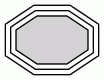
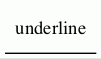
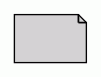
多边形结点(http://www.graphviz.org/doc/info/shapes.html)

下面显示了可能的多边形形状。







数据结构的可视化
实际开发中,经常要用到的是对复杂数据结构的描述,graphviz提供完善的机制来绘制此类图形。
一个hash表的数据结构
比如一个hash表的内容,可能具有下列结构:
struct st_hash_type {
    int (*compare) (); int (*hash) (); }; struct st_table_entry {
    unsigned int hash; char *key; char *record; st_table_entry *next; }; struct st_table {
    struct st_hash_type *type; int num_bins; /* slot count */ int num_entries; /* total number of entries */ struct st_table_entry **bins; /* slot */ };
绘制hash表的数据结构
脚本如下:
digraph st2{ fontname = "Verdana"; fontsize = 10; rankdir=TB; node [fontname = "Verdana", fontsize = 10, color="skyblue", shape="record"]; edge [fontname = "Verdana", fontsize = 10, color="crimson", style="solid"]; st_hash_type [label="{ st_hash_type|(*compare)|(*hash)}"]; st_table_entry [label="{ st_table_entry|hash|key|record|

    next}"]; st_table [label="{st_table|

     type|num_bins|num_entries|

      bins}"]; st_table:bins -> st_table_entry:head; st_table:type -> st_hash_type:head; st_table_entry:next -> st_table_entry:head [style="dashed", color="forestgreen"]; }
状态图
上图是一个简易有限自动机,接受a及a结尾的任意长度的串。其脚本定义如下:
digraph automata_0 { size = "8.5, 11"; fontname = "Microsoft YaHei"; fontsize = 10; node [shape = circle, fontname = "Microsoft YaHei", fontsize = 10]; edge [fontname = "Microsoft YaHei", fontsize = 10]; 0 [ style = filled, color=lightgrey ]; 2 [ shape = doublecircle ]; 0 -> 2 [ label = "a " ]; 0 -> 1 [ label = "other " ]; 1 -> 2 [ label = "a " ]; 1 -> 1 [ label = "other " ]; 2 -> 2 [ label = "a " ]; 2 -> 1 [ label = "other " ]; "Machine: a" [ shape = plaintext ]; } 形状值为plaintext的表示不用绘制边框,仅展示纯文本内容,这个在绘图中,绘制指示性的文本时很有用,如上图中的Machine: a。
其他实例
一棵简单的抽象语法树(AST)
对应的脚本如下:
digraph ast{ fontname = "Microsoft YaHei"; fontsize = 10; node [shape = circle, fontname = "Microsoft YaHei", fontsize = 10]; edge [fontname = "Microsoft YaHei", fontsize = 10]; node [shape="plaintext"]; mul [label="mul(*)"]; add [label="add(+)"]; add -> 3 add -> 4; mul -> add; mul -> 5; } 简单的UML类图
digraph G{ fontname = "Courier New" fontsize = 10 node [ fontname = "Courier New", fontsize = 10, shape = "record" ]; edge [ fontname = "Courier New", fontsize = 10 ]; Animal [ label = "{Animal |+ name : String\l+ age : int\l|+ die() : void\l}" ]; subgraph clusterAnimalImpl{ bgcolor="yellow" Dog [ label = "{Dog||+ bark() : void\l}" ]; Cat [ label = "{Cat||+ meow() : void\l}" ]; }; edge [ arrowhead = "empty" ]; Dog->Animal; Cat->Animal; Dog->Cat [arrowhead="none", label="0..*"]; } 状态图

脚本:
digraph finite_state_machine { rankdir = LR; size = "8,5" node [shape = doublecircle]; LR_0 LR_3 LR_4 LR_8; node [shape = circle]; LR_0 -> LR_2 [ label = "SS(B)" ]; LR_0 -> LR_1 [ label = "SS(S)" ]; LR_1 -> LR_3 [ label = "S($end)" ]; LR_2 -> LR_6 [ label = "SS(b)" ]; LR_2 -> LR_5 [ label = "SS(a)" ]; LR_2 -> LR_4 [ label = "S(A)" ]; LR_5 -> LR_7 [ label = "S(b)" ]; LR_5 -> LR_5 [ label = "S(a)" ]; LR_6 -> LR_6 [ label = "S(b)" ]; LR_6 -> LR_5 [ label = "S(a)" ]; LR_7 -> LR_8 [ label = "S(b)" ]; LR_7 -> LR_5 [ label = "S(a)" ]; LR_8 -> LR_6 [ label = "S(b)" ]; LR_8 -> LR_5 [ label = "S(a)" ]; } 时序图
digraph G { rankdir="LR"; node[shape="point", width=0, height=0]; edge[arrowhead="none", style="dashed"] { rank="same"; edge[style="solided"]; LC[shape="plaintext"]; LC -> step00 -> step01 -> step02 -> step03 -> step04 -> step05; } { rank="same"; edge[style="solided"]; Agency[shape="plaintext"]; Agency -> step10 -> step11 -> step12 -> step13 -> step14 -> step15; } { rank="same"; edge[style="solided"]; Agent[shape="plaintext"]; Agent -> step20 -> step21 -> step22 -> step23 -> step24 -> step25; } step00 -> step10 [label="sends email new custumer", arrowhead="normal"]; step11 -> step01 [label="declines", arrowhead="normal"]; step12 -> step02 [label="accepts", arrowhead="normal"]; step13 -> step23 [label="forward to", arrowhead="normal"]; step24 -> step14; step14 -> step04 [arrowhead="normal"]; }

复杂实例
脚本如下

digraph G { rankdir=LR node [shape=plaintext] 05 a [ label=<


      class


      qualifier


  > ] b [shape=ellipse style=filled label=<


      elephant
      two


          corn


          c


          f


      penguin


      4


  > ] c [ label=< long line 1
line 2
line 3
> ] subgraph { rank=same b c } a:here -> b:there [dir=both arrowtail = diamond] c -> b d [shape=triangle] d -> c [label=<


         Edge labels
also


     > ] }
Reference
Graphviz从入门到不精通
Graphviz – Graph Visualization Software
Graphviz-Documentation
使用 Graphviz 画拓扑图
Graphviz
发布者:全栈程序员-站长,转载请注明出处:https://javaforall.net/211288.html原文链接:https://javaforall.net




