
在运行一个react项目的时候浏览器控制台会提醒你去安装react devtools调试工具
Download the React DevTools for a better development experience: https://fb.me/react-devtools 但是上面的链接我基本上没打开过
2、进入到react-devtools-master文件夹,用npm安装依赖
npm --registry https://registry.npm.taobao.org install 

3、安装依赖成功后,我们便可以打包一份扩展程序出来
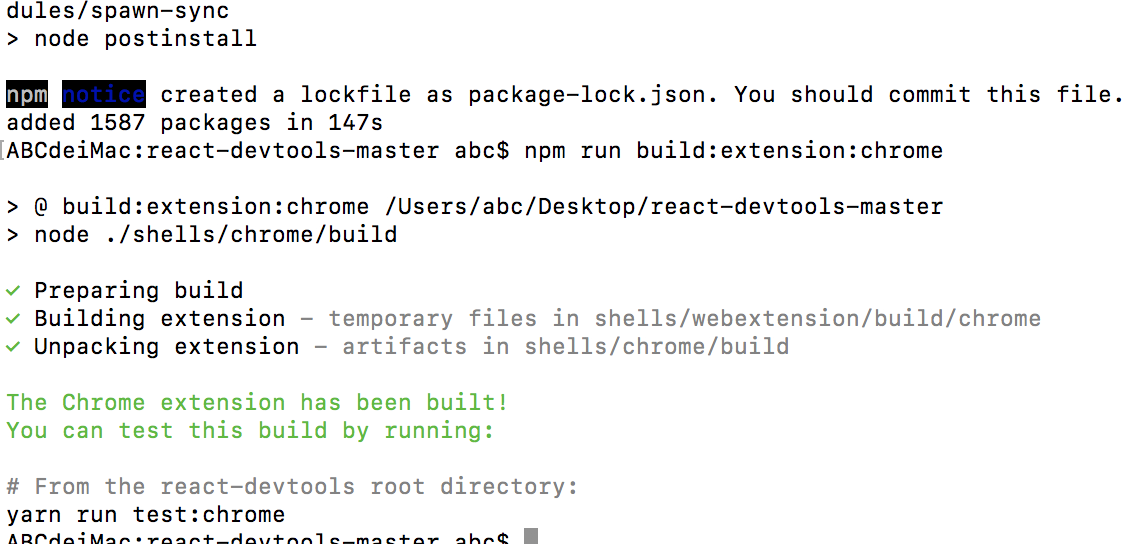
npm run build:extension:chrome
出现上面的部分就说明安装成功了
并且会在你的项目目录中生成一个新的文件夹,react-devtools -> shells -> chrome -> build -> unpacked文件夹
版权声明:本文内容由互联网用户自发贡献,该文观点仅代表作者本人。本站仅提供信息存储空间服务,不拥有所有权,不承担相关法律责任。如发现本站有涉嫌侵权/违法违规的内容, 请联系我们举报,一经查实,本站将立刻删除。
发布者:全栈程序员-站长,转载请注明出处:https://javaforall.net/212239.html原文链接:https://javaforall.net



