
网上的教程大部分都是文本命令行的方式更换国内源的,其实Ubuntu18.04也提供了图形界面的方式,这里主要讲图形界面的方式,毕竟点点鼠标就能完成的事儿谁愿意去输命令啊,而且还容易出错,当然这里也附上命令行的方式。
Ubuntu是外国人开发的系统,默认使用的也是国外的源,但是从国内翻^qiang下载国外的软件(插件)源太慢。其实国内也有很多的镜像源,比如说阿里源,网易源,清华园(源),中科大源。
一般这些源都是做为自己公司的业务服务的,比如说阿里的源,就是为阿里上百万台云服务器提供软件源的,你可以想像一下它的速度能不快吗?
这里实现切换阿里云源,别看截图很多,其实操作起来很简单滴
方式一:图形界面


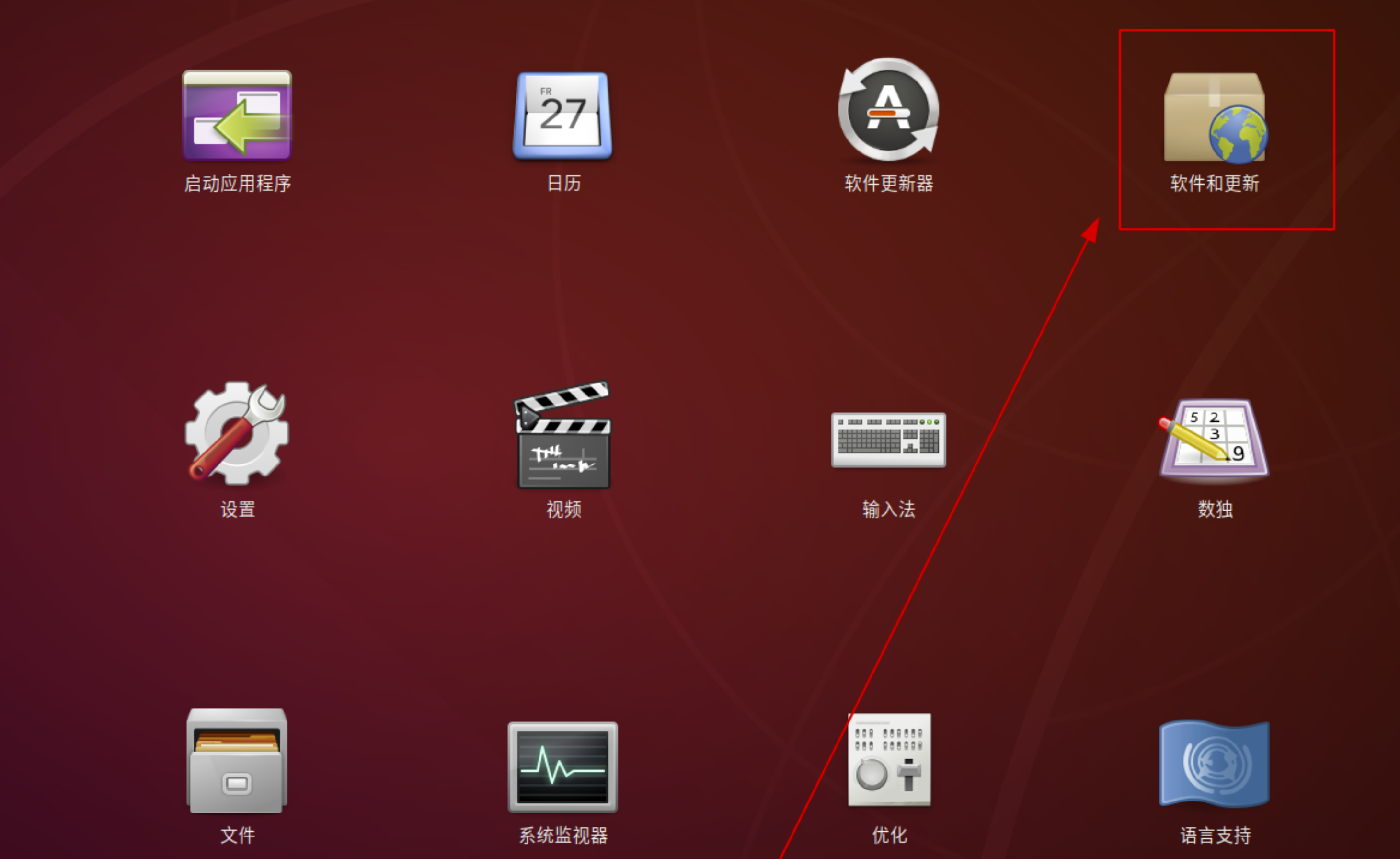
第二步:设置163源
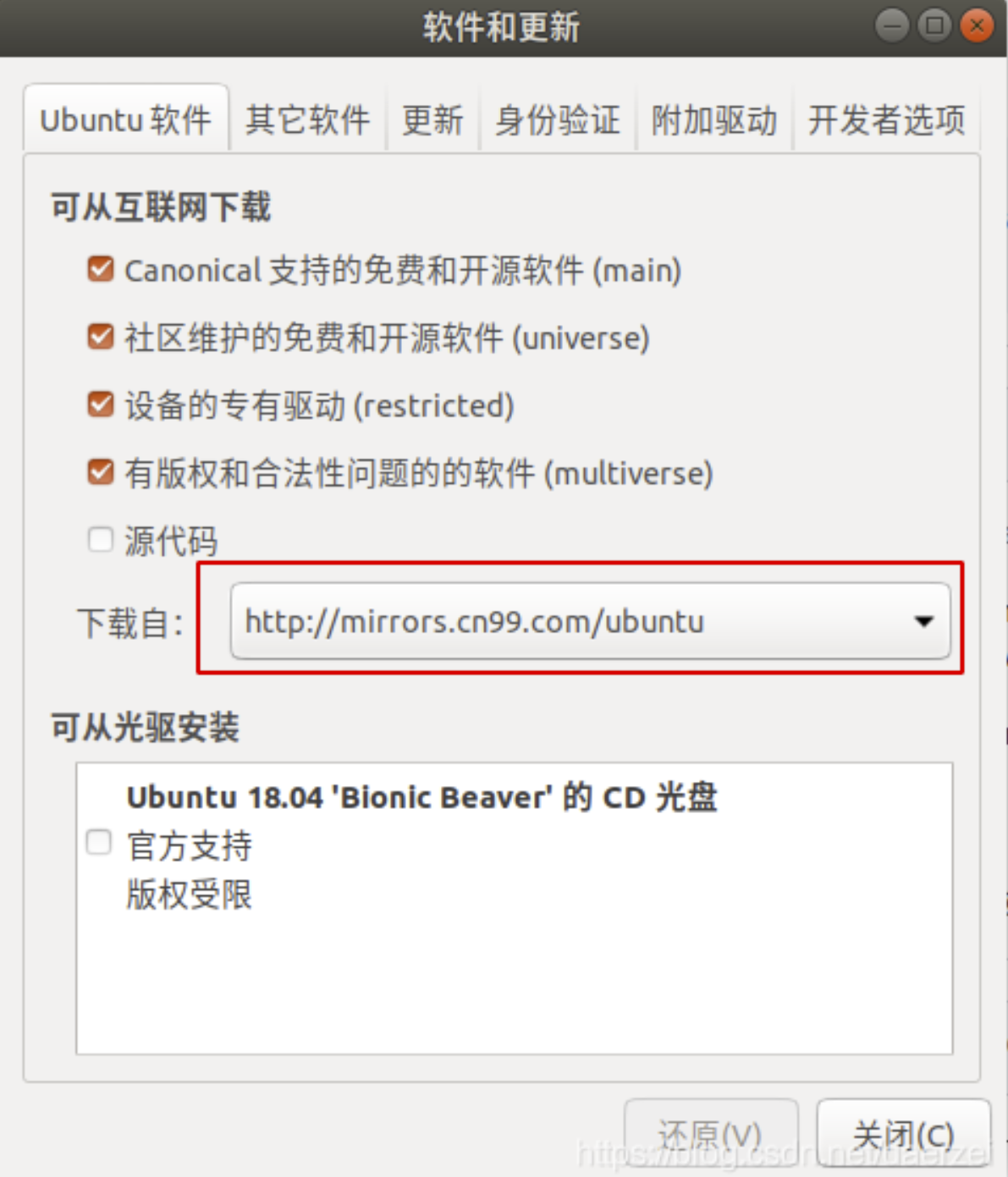
这是原来的/etc/apt/sources.list配置文件
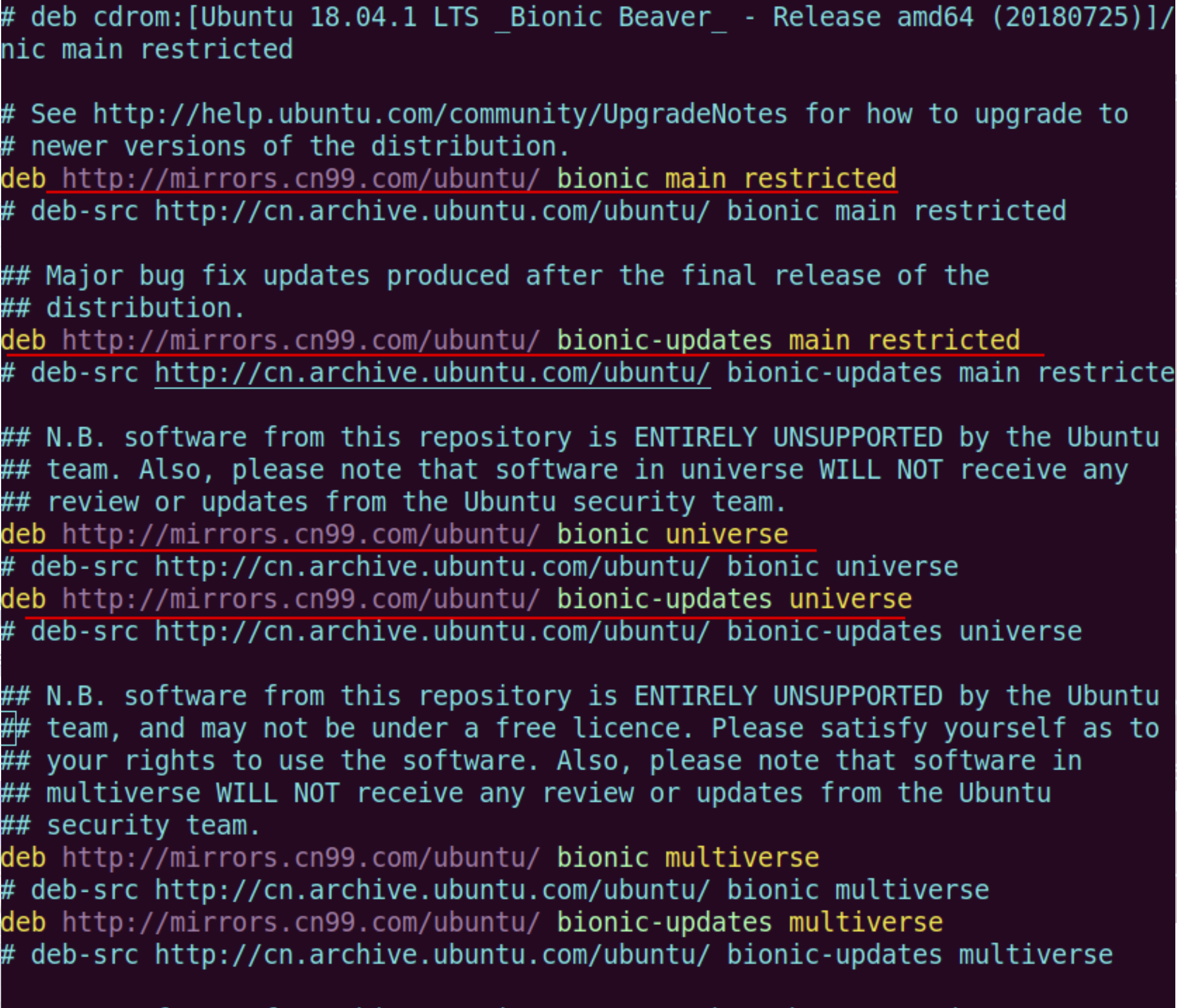
选择其他站点
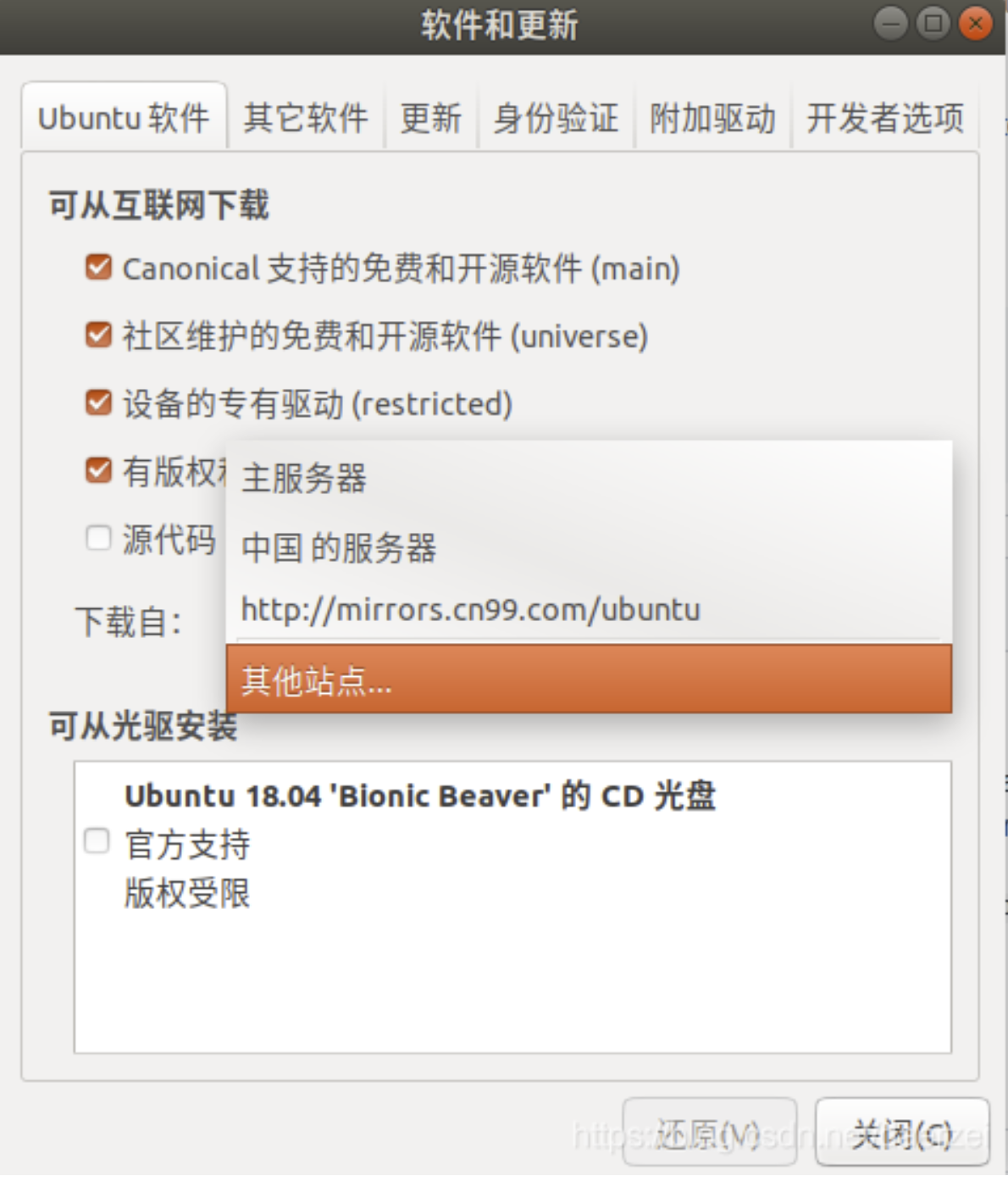
选择阿里云源并保存
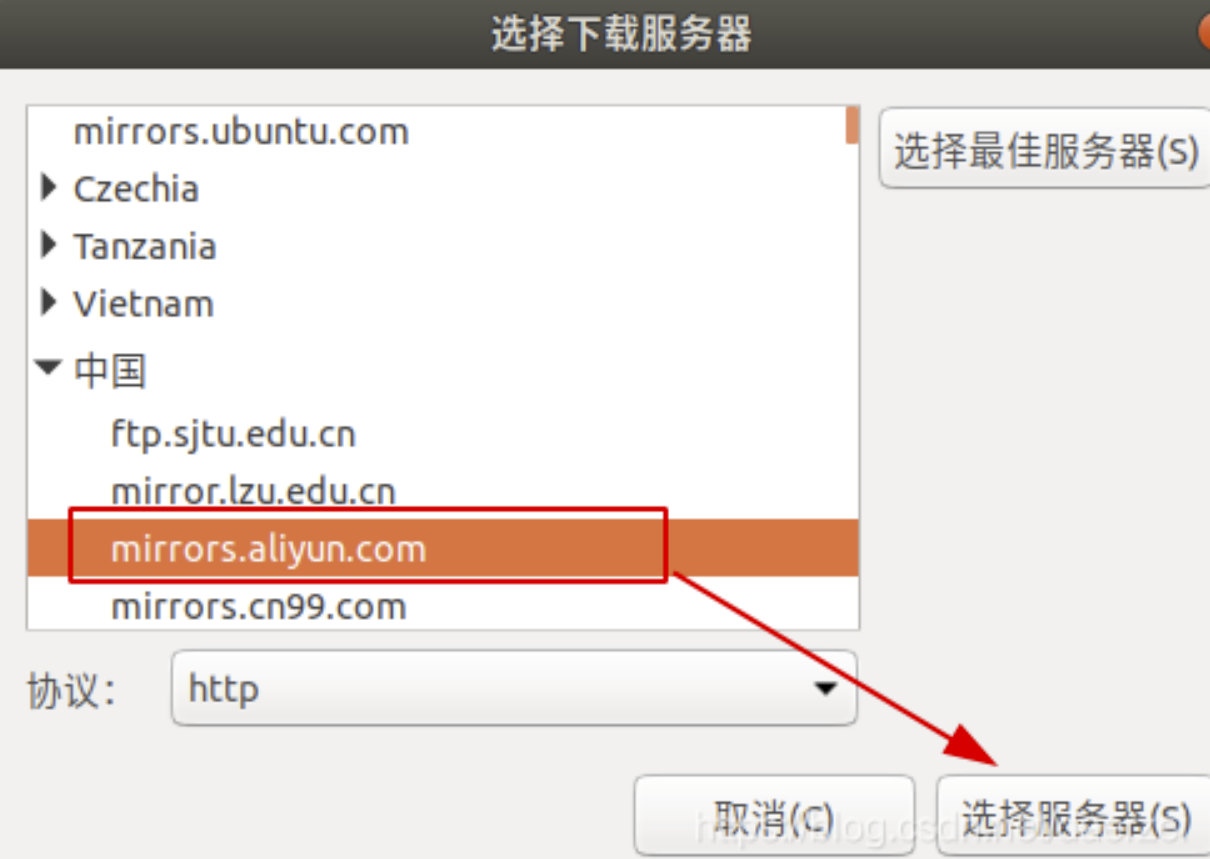
关闭配置页面,即保存所有配置
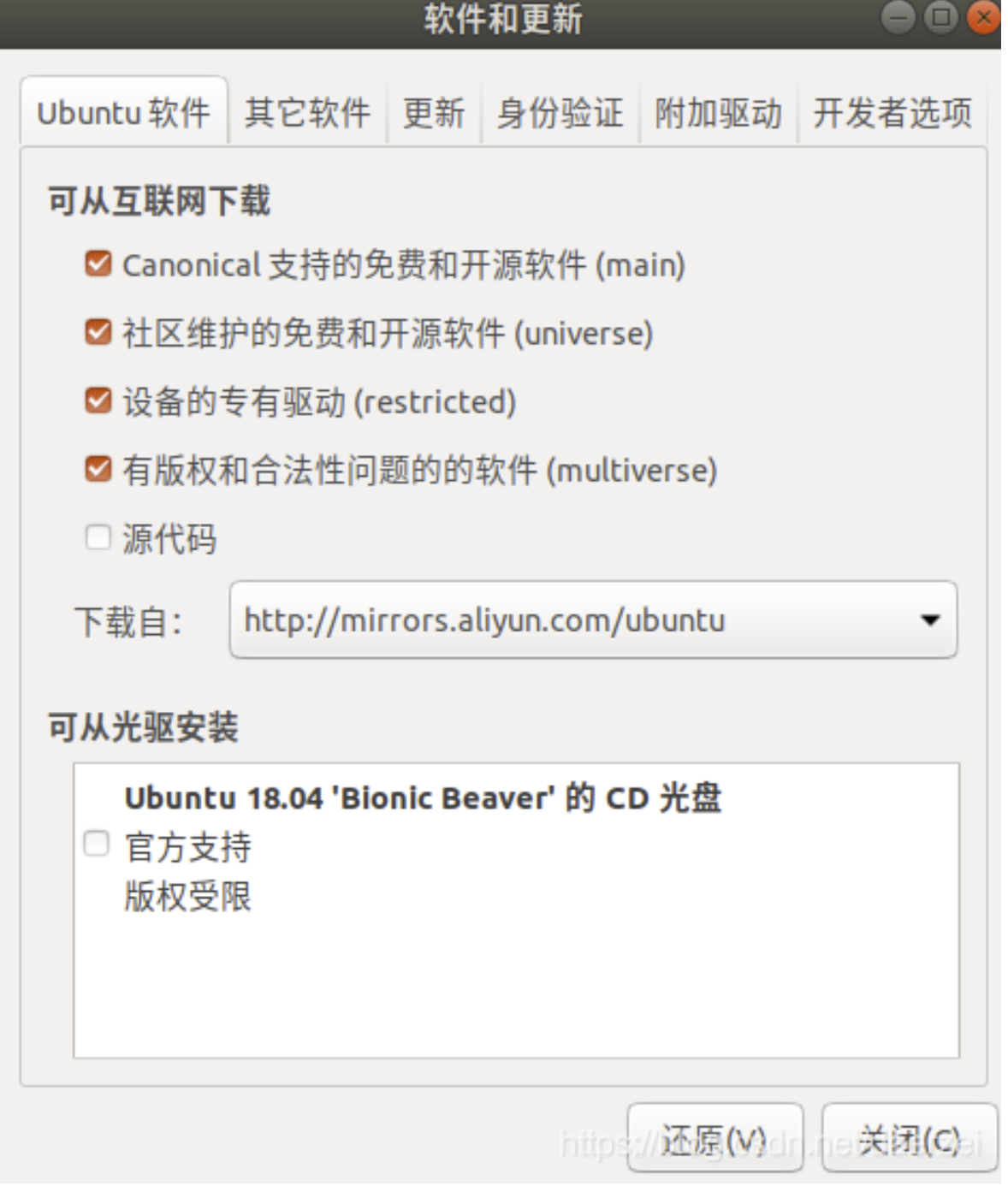
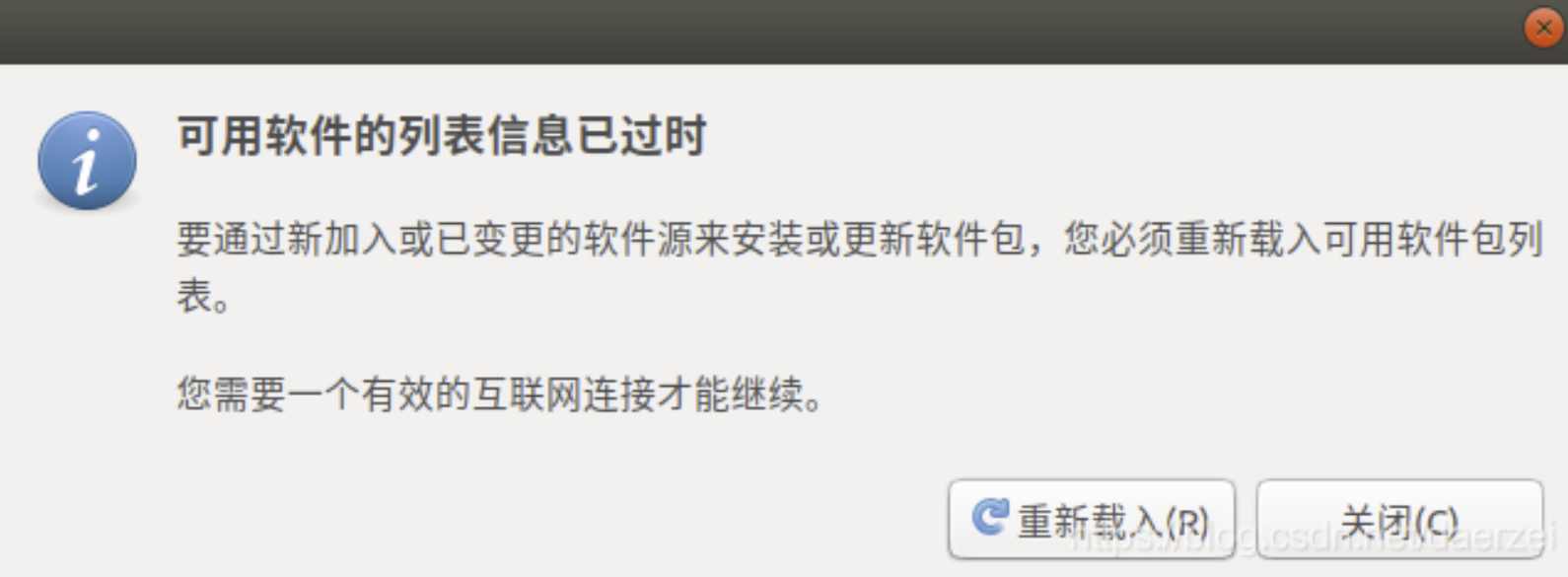
第三步:正在更新缓存
更新过以后可以看下/etc/apt/sources.list配置文件
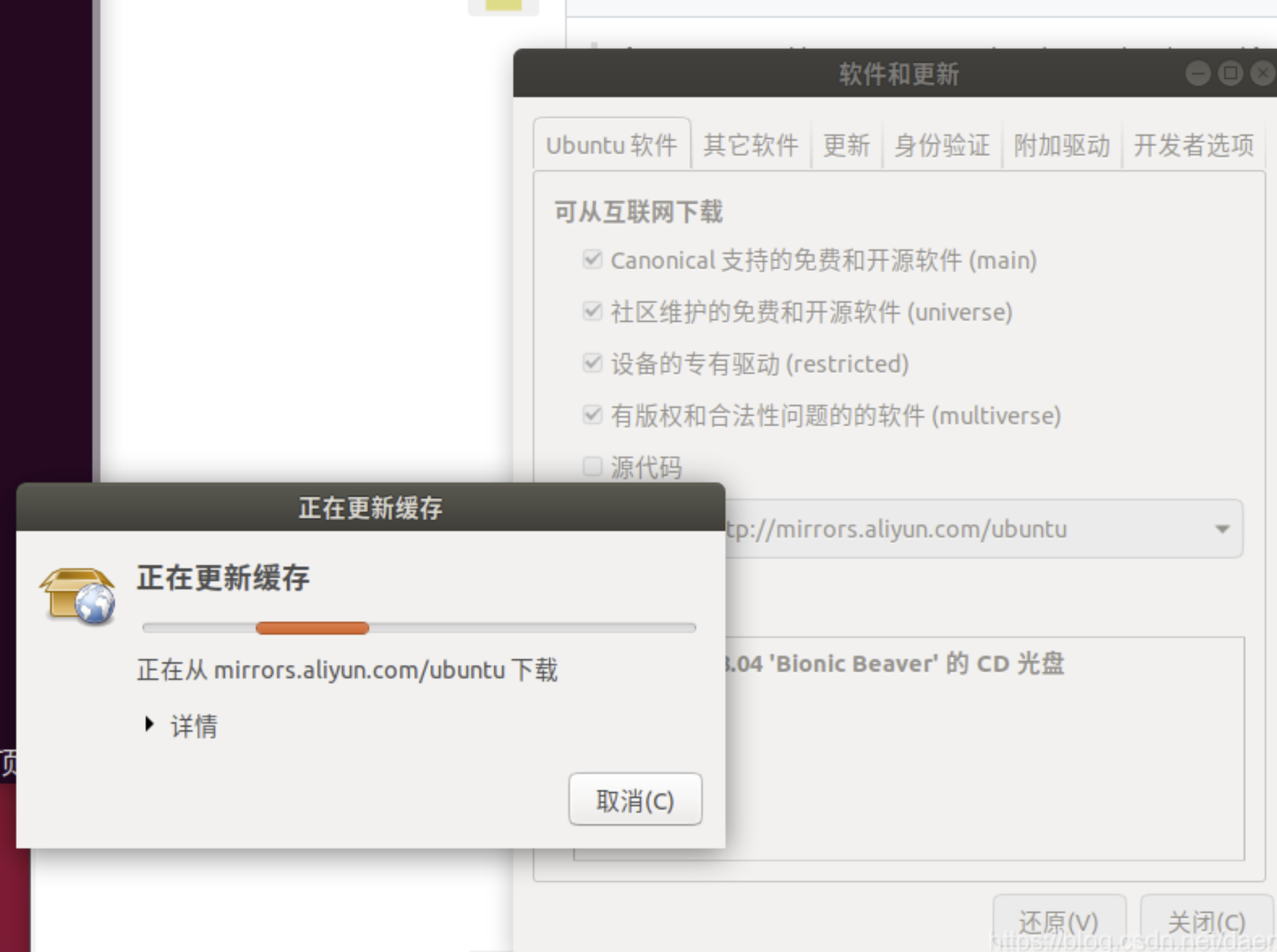
可以发现sources.list配置文件已经修改成了阿里云源
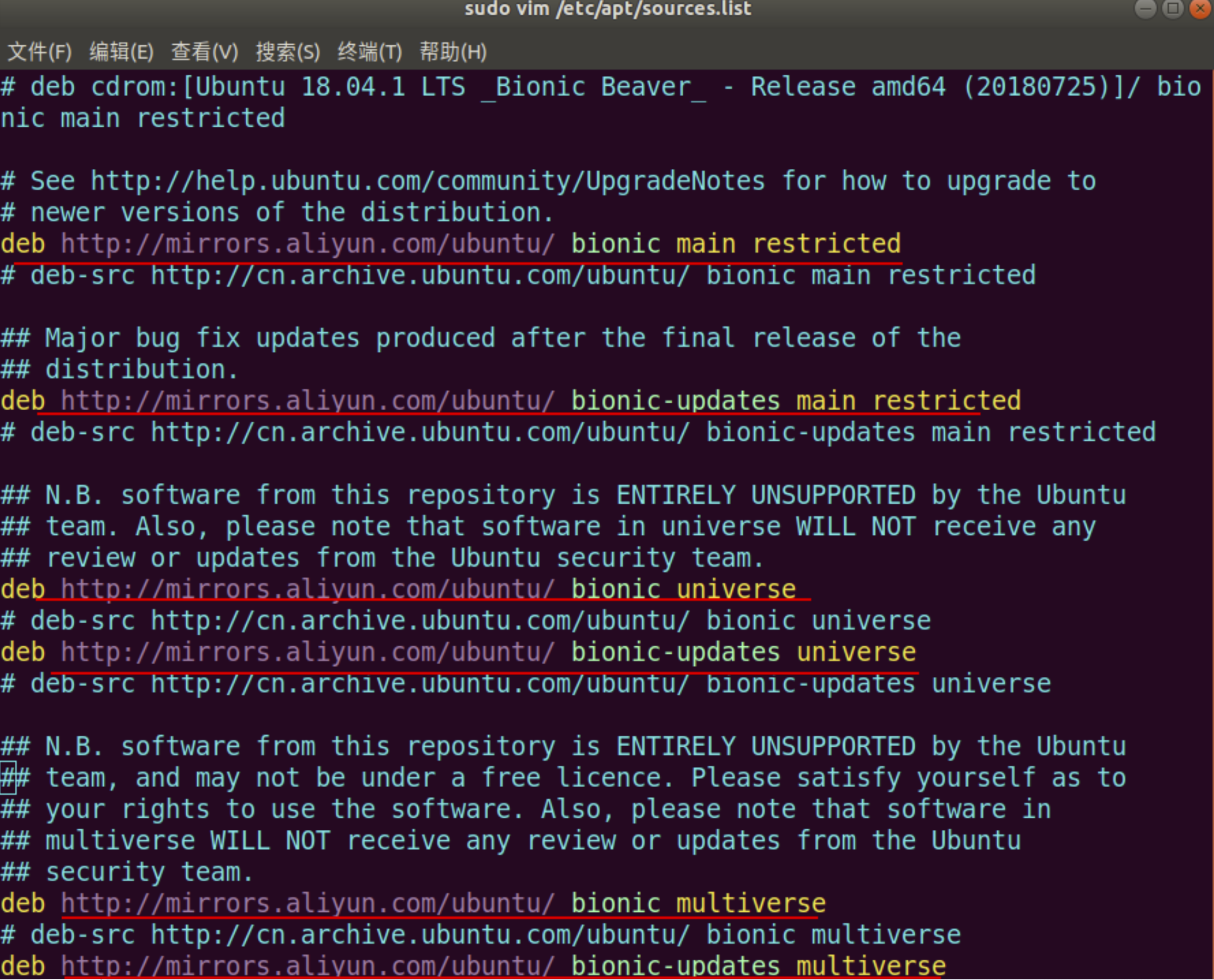
方式二:命令行
sudo vim /etc/apt/sources.list 在文件最前面添加以下条目,保险起见,的操作之前做好备份
deb http://mirrors.aliyun.com/ubuntu/ bionic main restricted universe multiverse deb http://mirrors.aliyun.com/ubuntu/ bionic-security main restricted universe multiverse deb http://mirrors.aliyun.com/ubuntu/ bionic-updates main restricted universe multiverse deb http://mirrors.aliyun.com/ubuntu/ bionic-proposed main restricted universe multiverse deb http://mirrors.aliyun.com/ubuntu/ bionic-backports main restricted universe multiverse deb-src http://mirrors.aliyun.com/ubuntu/ bionic main restricted universe multiverse deb-src http://mirrors.aliyun.com/ubuntu/ bionic-security main restricted universe multiverse deb-src http://mirrors.aliyun.com/ubuntu/ bionic-updates main restricted universe multiverse deb-src http://mirrors.aliyun.com/ubuntu/ bionic-proposed main restricted universe multiverse deb-src http://mirrors.aliyun.com/ubuntu/ bionic-backports main restricted universe multiverse 第二步:更新缓存
执行下面的命令:
sudo apt-get update sudo apt-get upgrade deb https://mirrors.tuna.tsinghua.edu.cn/ubuntu/ bionic main restricted universe multiverse deb-src https://mirrors.tuna.tsinghua.edu.cn/ubuntu/ bionic main restricted universe multiverse deb https://mirrors.tuna.tsinghua.edu.cn/ubuntu/ bionic-updates main restricted universe multiverse deb-src https://mirrors.tuna.tsinghua.edu.cn/ubuntu/ bionic-updates main restricted universe multiverse deb https://mirrors.tuna.tsinghua.edu.cn/ubuntu/ bionic-backports main restricted universe multiverse deb-src https://mirrors.tuna.tsinghua.edu.cn/ubuntu/ bionic-backports main restricted universe multiverse deb https://mirrors.tuna.tsinghua.edu.cn/ubuntu/ bionic-security main restricted universe multiverse deb-src https://mirrors.tuna.tsinghua.edu.cn/ubuntu/ bionic-security main restricted universe multiverse deb https://mirrors.tuna.tsinghua.edu.cn/ubuntu/ bionic-proposed main restricted universe multiverse deb-src https://mirrors.tuna.tsinghua.edu.cn/ubuntu/ bionic-proposed main restricted universe multiverse 中科大
deb https://mirrors.ustc.edu.cn/ubuntu/ bionic main restricted universe multiverse deb-src https://mirrors.ustc.edu.cn/ubuntu/ bionic main restricted universe multiverse deb https://mirrors.ustc.edu.cn/ubuntu/ bionic-updates main restricted universe multiverse deb-src https://mirrors.ustc.edu.cn/ubuntu/ bionic-updates main restricted universe multiverse deb https://mirrors.ustc.edu.cn/ubuntu/ bionic-backports main restricted universe multiverse deb-src https://mirrors.ustc.edu.cn/ubuntu/ bionic-backports main restricted universe multiverse deb https://mirrors.ustc.edu.cn/ubuntu/ bionic-security main restricted universe multiverse deb-src https://mirrors.ustc.edu.cn/ubuntu/ bionic-security main restricted universe multiverse deb https://mirrors.ustc.edu.cn/ubuntu/ bionic-proposed main restricted universe multiverse deb-src https://mirrors.ustc.edu.cn/ubuntu/ bionic-proposed main restricted universe multiverse 163源
deb http://mirrors.163.com/ubuntu/ bionic main restricted universe multiverse deb http://mirrors.163.com/ubuntu/ bionic-security main restricted universe multiverse deb http://mirrors.163.com/ubuntu/ bionic-updates main restricted universe multiverse deb http://mirrors.163.com/ubuntu/ bionic-proposed main restricted universe multiverse deb http://mirrors.163.com/ubuntu/ bionic-backports main restricted universe multiverse deb-src http://mirrors.163.com/ubuntu/ bionic main restricted universe multiverse deb-src http://mirrors.163.com/ubuntu/ bionic-security main restricted universe multiverse deb-src http://mirrors.163.com/ubuntu/ bionic-updates main restricted universe multiverse deb-src http://mirrors.163.com/ubuntu/ bionic-proposed main restricted universe multiverse deb-src http://mirrors.163.com/ubuntu/ bionic-backports main restricted universe multiverse 有关Ubuntu18.04的换源问题
Ubuntu18更换国内源(界面/文本方式)
Ubuntu 18.04更换为国内源
版权声明:本文内容由互联网用户自发贡献,该文观点仅代表作者本人。本站仅提供信息存储空间服务,不拥有所有权,不承担相关法律责任。如发现本站有涉嫌侵权/违法违规的内容, 请联系我们举报,一经查实,本站将立刻删除。
发布者:全栈程序员-站长,转载请注明出处:https://javaforall.net/212656.html原文链接:https://javaforall.net



