
目录
前言
此内容为连载,想要完整内容参考,可以私聊。
一、路由传参
效果展示
通过传参,可以让Persons路由组建中的内容,在新的路由组件Show显示出来,Show路由组件要嵌套到Persons路由组件中
Persons路组件中的内容
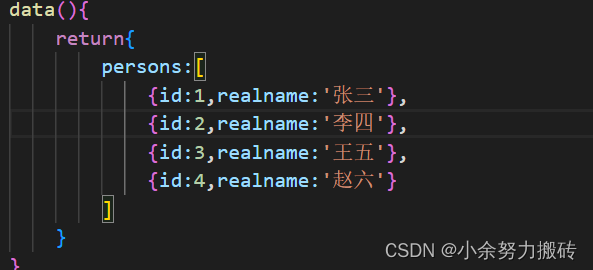


1.params的类型 (后附源码)
path:‘show/:id/:realname’ :id/:realname,是为传参所声明的,props:true 可以理解成可以传参,这只是其中的一种方法,也是个人觉得最简单理解的方法。 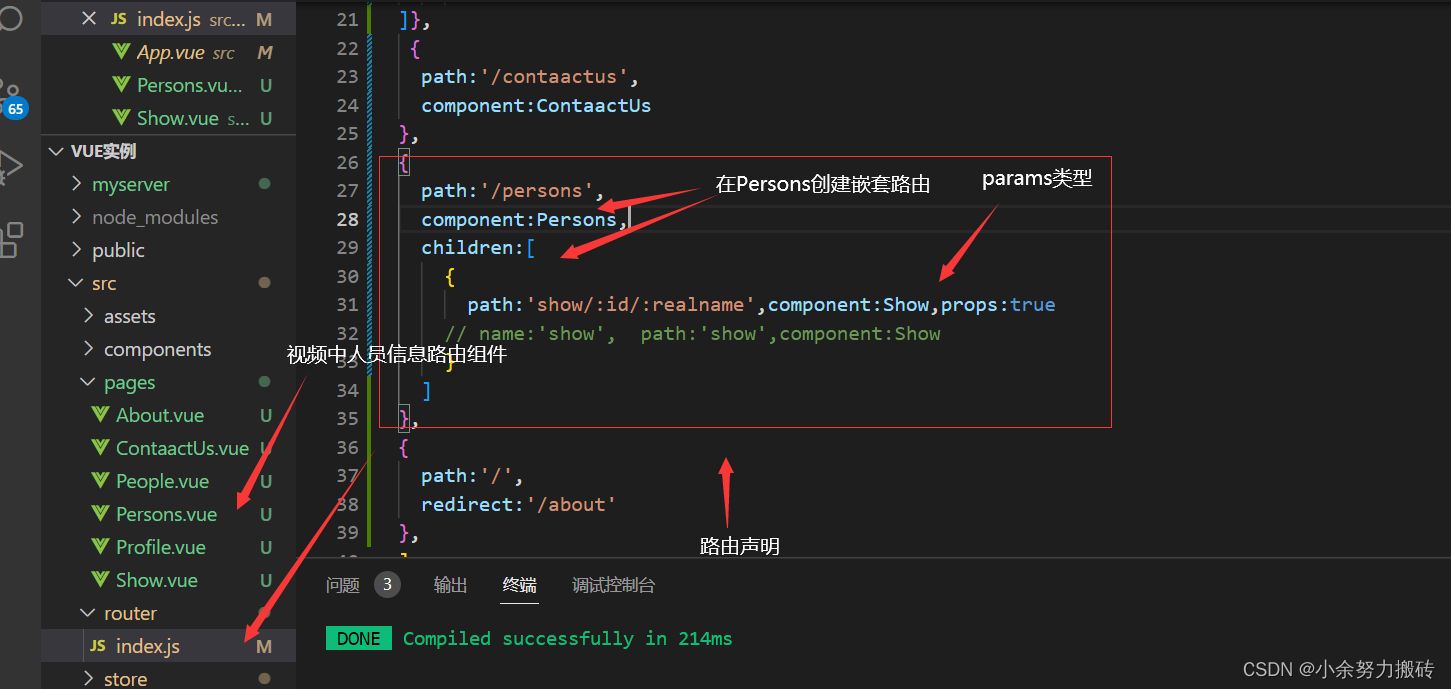
在persons路由组件中经过v-for遍历数组获得值,赋值给传参目标
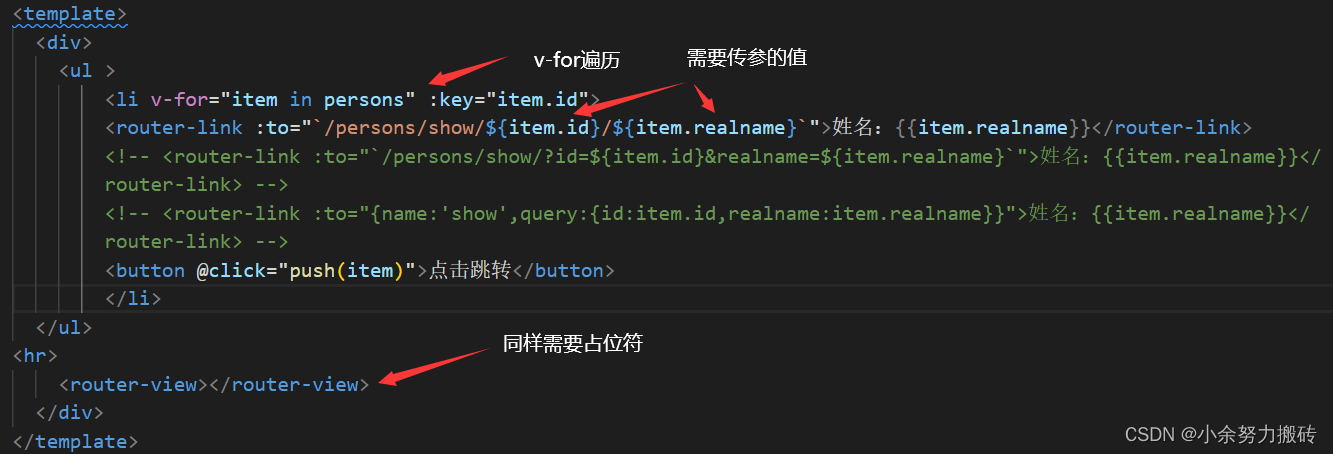
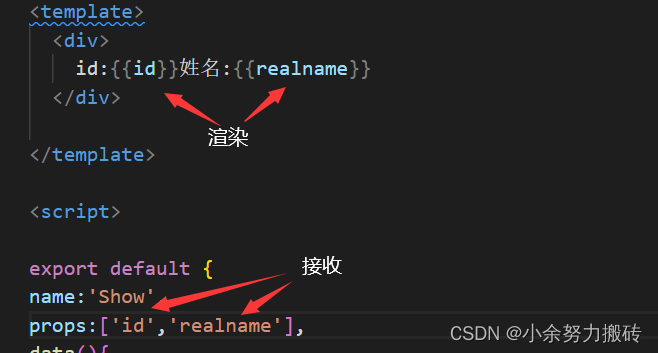
在show路由组建中,使用props:[‘id’,’realname’],这要对应上,在index.js所声明的名字
params的类型源码不要在意注释代码
跟上文顺序一样,一一对应
{ path:'/persons', component:Persons, children:[ { path:'show/:id/:realname',component:Show,props:true // name:'show', path:'show',component:Show } ] },
-
姓名:{
{item.realname}}
{item.realname}} -->
{item.realname}} -->
id:{
{id}}姓名:{
{realname}}
2.query参数的类型
跟普通的路由声明一样,这里起的名字,在后续会使用到
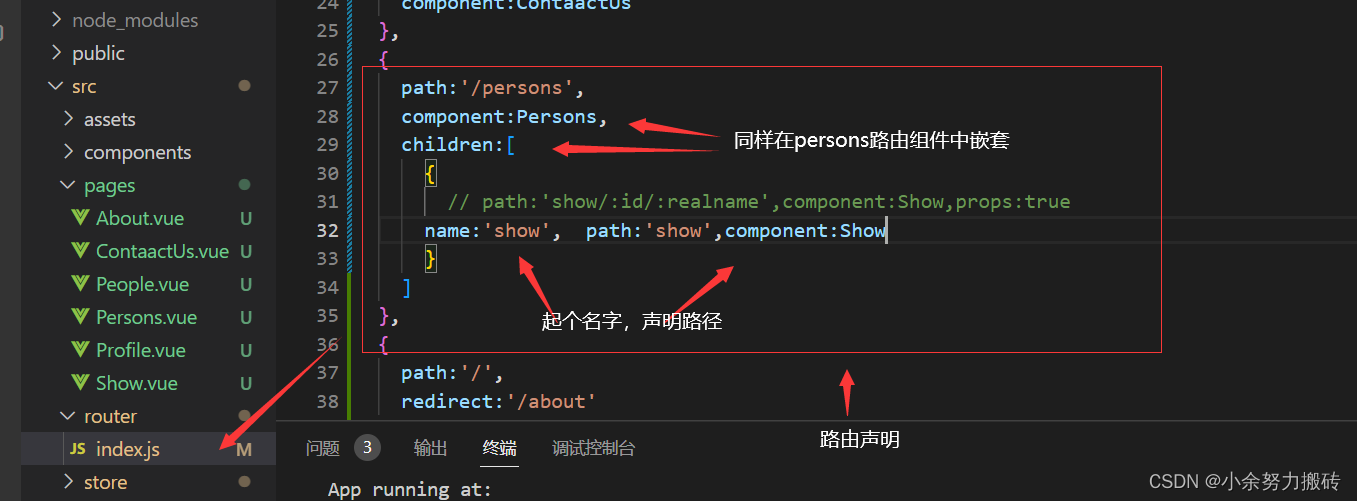
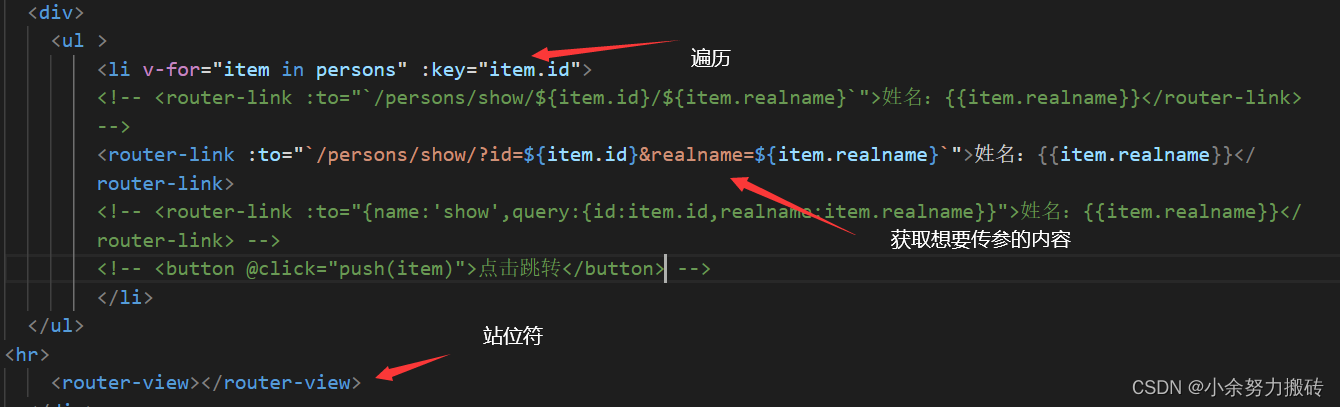
在persons路由组件的遍历,得到想要的值,与上面一种方法有着很大的区别
姓名:{
{item.realname}}
?id=${item.id}&realname=${item.realname}是获取id,获取姓名
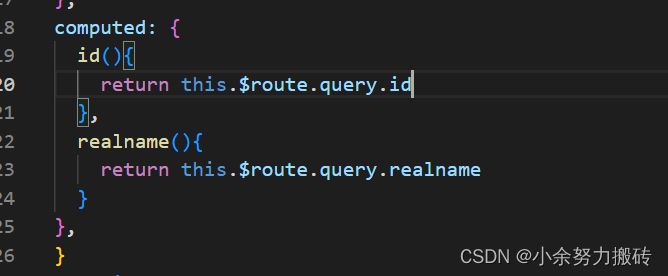
在show路由组件中,需要通过计算属性来获得,传参的内容
query参数的类型源码同样无视注释代码
同上顺序,一一对应
{ path:'/persons', component:Persons, children:[ { // path:'show/:id/:realname',component:Show,props:true name:'show', path:'show',component:Show } ] },
-
{item.realname}} -->
姓名:{
{item.realname}}
{item.realname}} -->
id:{
{id}}姓名:{
{realname}}
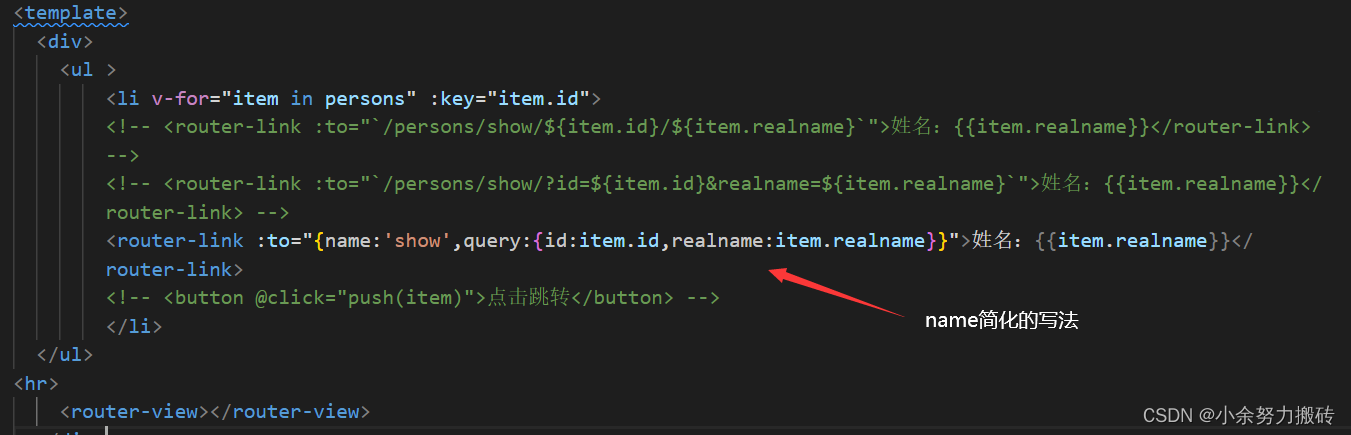
3.路由name
简化路由的跳转 路由较长的使用名称
上述query跳转 推荐如下写法:
姓名:{
{item.realname}}
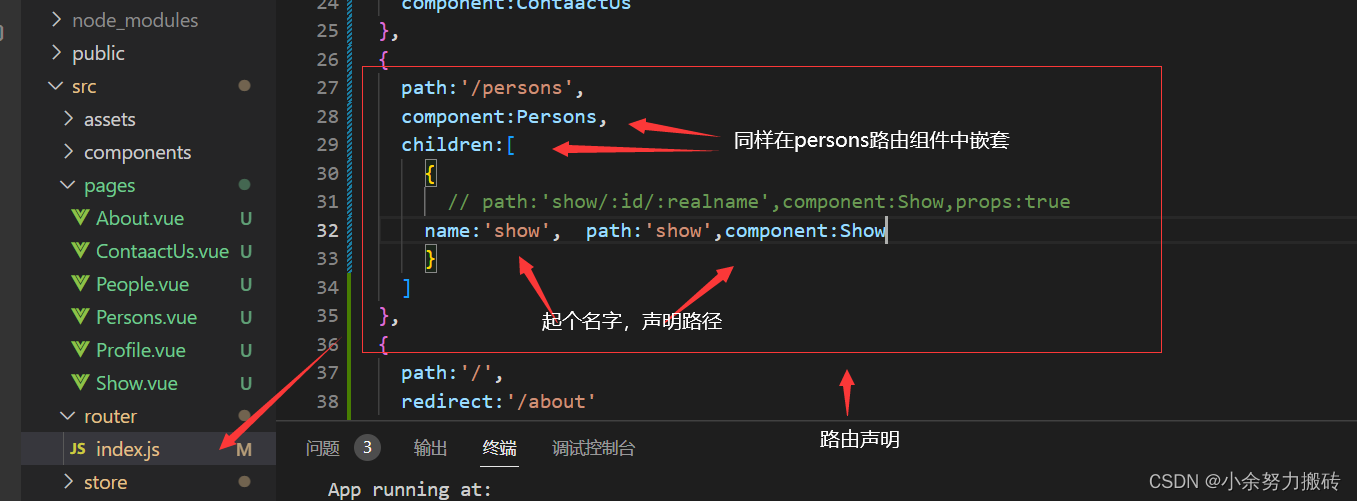
其他代码与其上相同,如下第二张图片显示,起的名字就是这样的使用方法
版权声明:本文内容由互联网用户自发贡献,该文观点仅代表作者本人。本站仅提供信息存储空间服务,不拥有所有权,不承担相关法律责任。如发现本站有涉嫌侵权/违法违规的内容, 请联系我们举报,一经查实,本站将立刻删除。
发布者:全栈程序员-站长,转载请注明出处:https://javaforall.net/213923.html原文链接:https://javaforall.net




