
写在前面
pip换源
windows换源参考:Ubuntu/Windows给pip换源
- 打开appdata文件夹
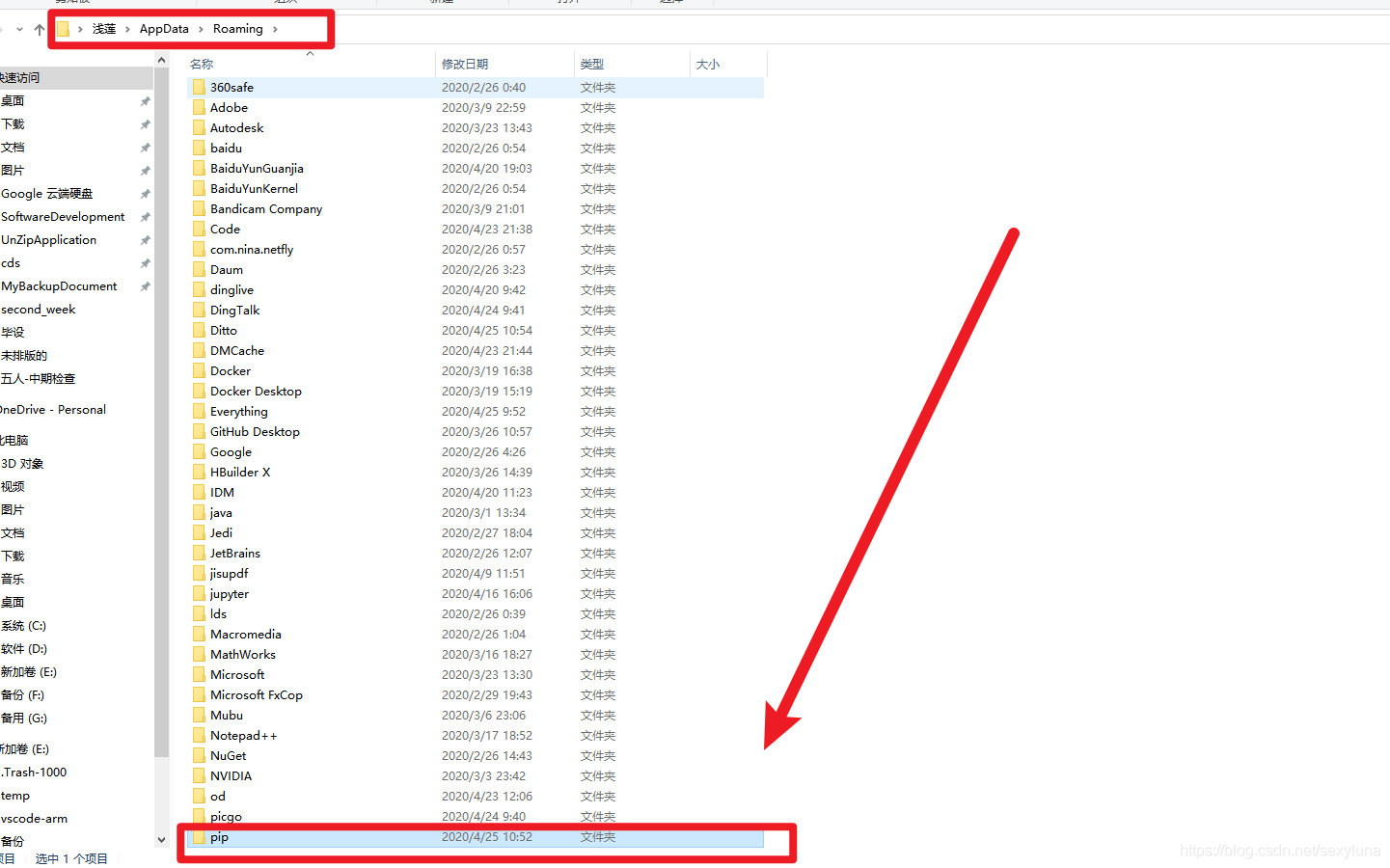

- 新建一个名为pip的文件夹
- 在pip文件夹里面新建名为pip.ini文件
- 将下面信息添加在pip.ini文件内
[global] timeout = 6000 index-url = https://pypi.tuna.tsinghua.edu.cn/simple trusted-host = pypi.tuna.tsinghua.edu.cn 
指定安装源
pip install xxxxxx -i http://pypi.douban.com/simple --trusted-host pypi.douban.com 修改注册表信息
- Step 1:
Press Win+R to open Run, type in “regedit” and click OK. - Step 2:
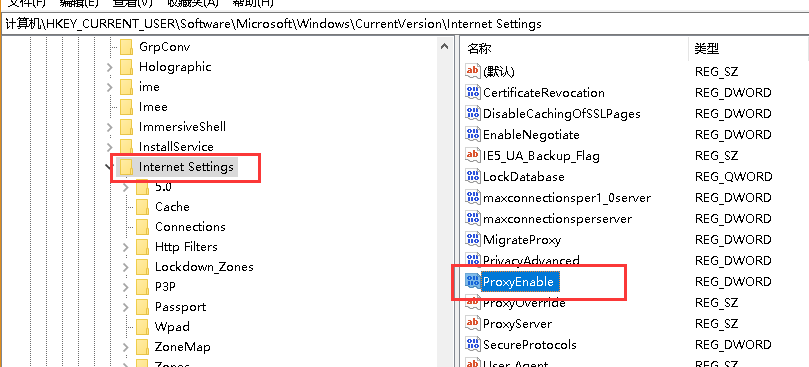
Move to HKEY_CURRENT_USER/Software/Microsoft/Windows/Current Version/Internet Settings. - Step 3:
Find a file with the name ‘ProxyServer’ and 将值修改为0.
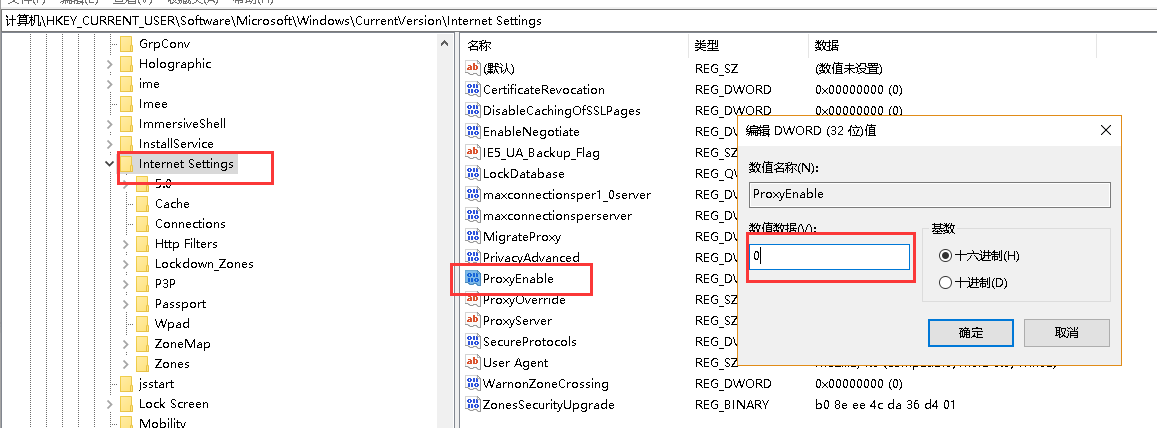
注意:修改为0之后就不能使用代理科学上网了,下载好包之后,可以再改成1。
版权声明:本文内容由互联网用户自发贡献,该文观点仅代表作者本人。本站仅提供信息存储空间服务,不拥有所有权,不承担相关法律责任。如发现本站有涉嫌侵权/违法违规的内容, 请联系我们举报,一经查实,本站将立刻删除。
发布者:全栈程序员-站长,转载请注明出处:https://javaforall.net/220175.html原文链接:https://javaforall.net




