
今天在看一个项目的properties文件时,看到里面全部都是这种字符gerenListXLS=\u666e\u901a\u7528\u6237\u8ba2\u5355\u5217\u8868.xls,其实properties文件中不能写中文字符,要不会出现乱码,必须将中文进行Unicode编码。
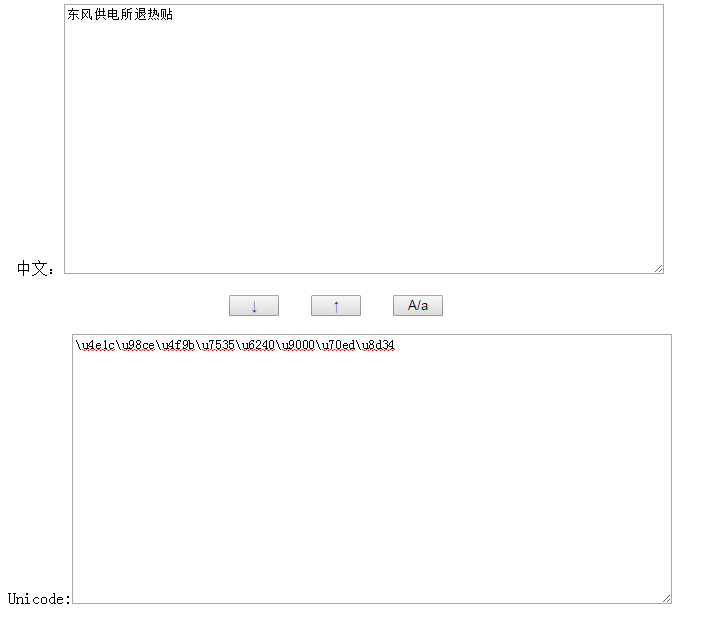
常见Unicode和中文编码转换有两种方式:1、myeclipse的properties文件编辑器,直接输入它就可以给你转换,2、jdk自带的工具:native2ascii。可惜呀,我用的是eclipse,并且native2ascii不能用,于是就上网找了别人的这段代码修改了一下,基本核心内容还是和别人一样,挺好用的:
    <html> <script language=javascript> function f(){
     var ta = document.getElementById("a"); var tb = document.getElementById("b"); tb.value = unescape( escape(ta.value).replace(/%u/g,"\\u") ); //window.clipboardData.setData("text",tb.value); } function g(){
     var ta = document.getElementById("a"); var tb = document.getElementById("b"); ta.value = unescape( escape(tb.value).replace(/%5[Cc](u[0-9a-zA-Z]{4})/g /*\uXXXX*/,"%$1") ); //window.clipboardData.setData("text",ta.value); } function func(){
     var ta = document.getElementById("a"); var tb = document.getElementById("b"); tb.value = tb.value.toLowerCase(); }
   script> <body> <div align=center> 中文:<textarea id=a style="width:600;height:270" onkeydown="if(event.keyCode==13&&event.ctrlKey)f()">
   textarea><br><br> <input type=button value="↓" onclick="f()" style="width:50">   <input type=button value="↑" onclick="g()" style="width:50">   <input type=button value="A/a" onclick="func()" style="width:50"> <br><br> Unicode:<textarea id=b style="width:600;height:270" onkeydown="if(event.keyCode==13&&event.ctrlKey)g()">
   textarea>
   div>
   body>
   html>
版权声明:本文内容由互联网用户自发贡献,该文观点仅代表作者本人。本站仅提供信息存储空间服务,不拥有所有权,不承担相关法律责任。如发现本站有涉嫌侵权/违法违规的内容, 请联系我们举报,一经查实,本站将立刻删除。
发布者:全栈程序员-站长,转载请注明出处:https://javaforall.net/220608.html原文链接:https://javaforall.net



