
安装pyqt
- 要安装pyqt5和pyqt5-tools。pip安装或者在pycharm里安装都可以。
- 要找到designer.exe,一般在这里:
...\Python\Python39\Lib\site-packages\qt5_applications\Qt\bin
打开长这样: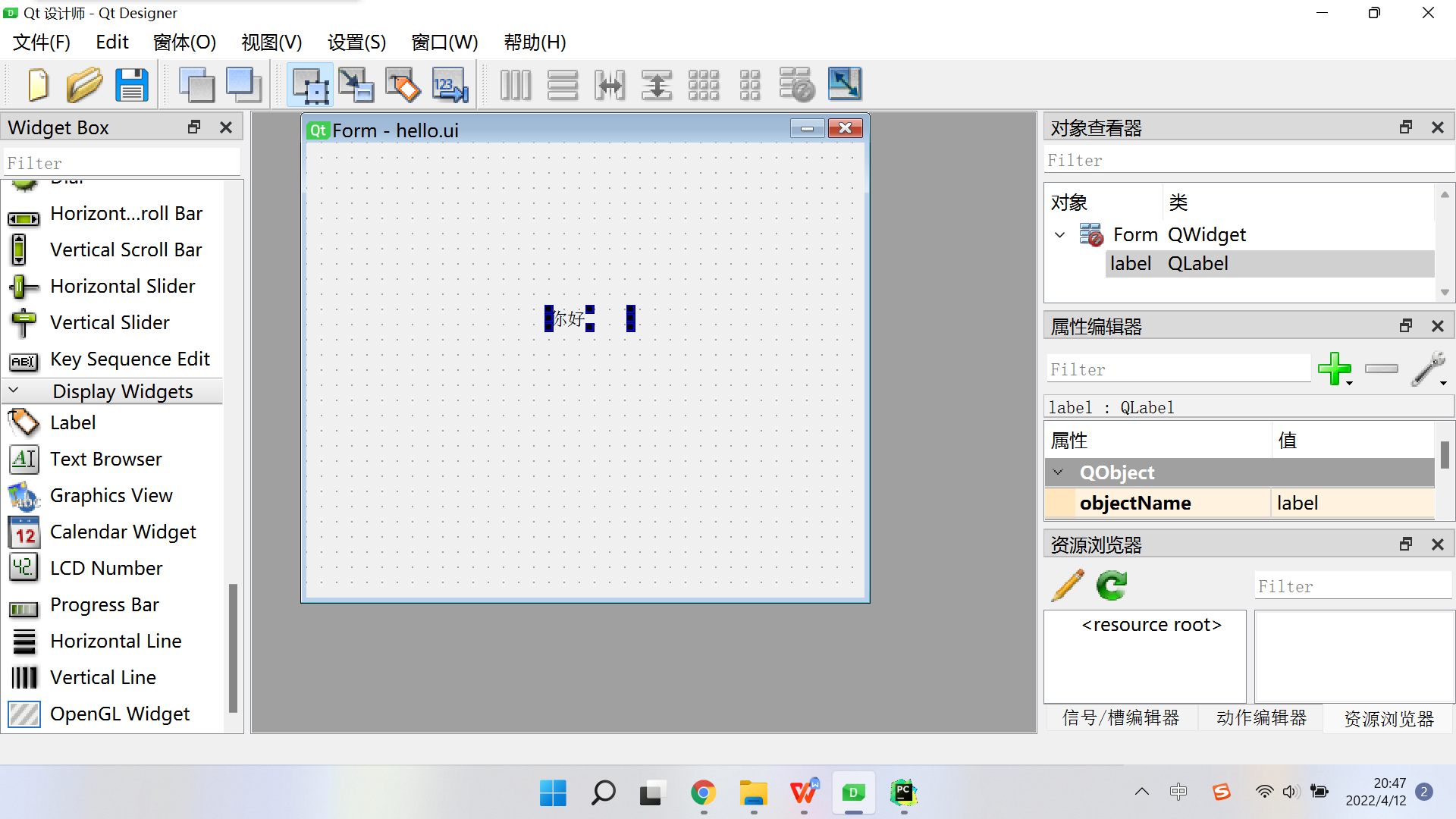

- 弄好布局后保存成.ui文件,pycharm的terminal中输入命令:
pyuic5 -o 要生成的py文件的绝对路径 ui文件的绝对路径
会长这样: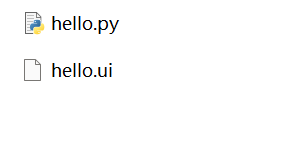
- 但是!运行上面的代码的时候出现了错误:
this application failed to start because on qt platform plugin
解决办法:添加环境变量QT_QPA_PLATFORM_PLUGIN_PATH
变量值就是下图里面的(plugins后面没有字了)。
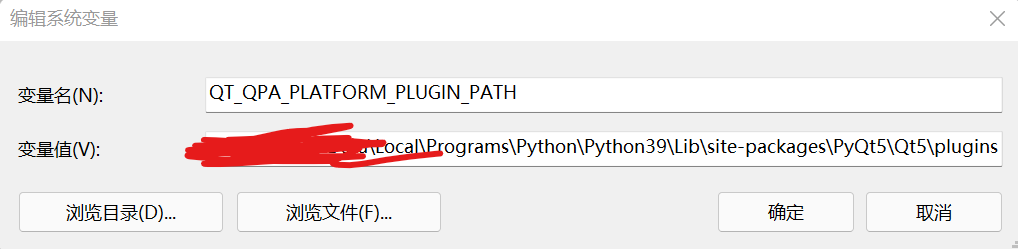
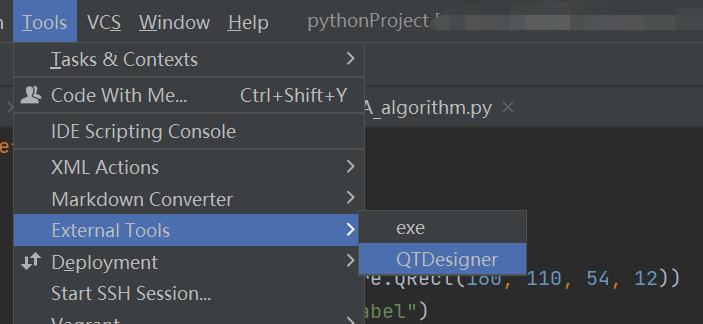
是这里的解决办法哦,但是我找不到QT里的plugins,但是我QT5的文件夹里有plugins,就用了后者。 - 这里可以快速把pyqt5配置到pycharm里!很好用!可以配置一下。
打包成exe
明明已经安装了pyinstaller但是报错:
pyinstaller -F -w -i .\icon.ico .\main.py 遇到错误:
SyntaxError: Non-UTF-8 code starting with ‘\xbc’ in file C:\Users\AppData\Roaming\Python\Python39\Scripts\pyinstaller-script.py on line 1, but no encoding declared; see https://python.org/dev/peps/pep-0263/ for details
版权声明:本文内容由互联网用户自发贡献,该文观点仅代表作者本人。本站仅提供信息存储空间服务,不拥有所有权,不承担相关法律责任。如发现本站有涉嫌侵权/违法违规的内容, 请联系我们举报,一经查实,本站将立刻删除。
发布者:全栈程序员-站长,转载请注明出处:https://javaforall.net/229016.html原文链接:https://javaforall.net



