
AI智能体是指具备一定自主性、能感知环境并通过智能决策执行特定任务的软件或硬件实体。它结合了人工智能技术(如机器学习、自然语言处理、计算机视觉等),能够独立或协作完成目标。基于大语言模型(LLM)的Function Calling可以令智能体实现有效的工具使用和与外部API的交互。
AI智能体是指具备一定自主性、能感知环境并通过智能决策执行特定任务的软件或硬件实体。它结合了人工智能技术(如机器学习、自然语言处理、计算机视觉等),能够独立或协作完成目标。基于大语言模型(LLM)的Function Calling可以令智能体实现有效的工具使用和与外部API的交互。
并非所有的LLM模型都支持Function Calling。支持Function Calling的模型(如gpt-4,qwen-plus等)能够检测何时需要调用函数,并输出调用函数的函数名和所需参数的JSON格式结构化数据。
Function Calling提高了输出稳定性,并简化了提示工程的复杂程度。对于不支持Function Calling的模型,可通过ReACT的相对较为复杂的提示词工程,要求模型返回特定格式的响应,以便区分不同的阶段(思考、行动、观察)。
Function Calling主要有两个用途:
- 获取数据:例如根据关键字从知识库检索内容、通过特定API接口获取业务数据
- 执行行动:例如通过API接口修改业务状态数据、执行预定业务操作
本文包含如下内容:
- 详细介绍Function Calling工具调用流程和涉及的交互消息
- 手搓Agent代码实现Function Calling工具调用
我们以查询北京和广州天气为例,LLM采用通义千问qwen-plus。查询天气的流程如下图:


向LLM发起查询时,messages列表只有一条消息(role为user, content为用户查询内容)。另外,还需要带上tools定义。
tools定义包含如下内容:
- name: 函数名
- description: 函数描述
- parameters: 参数定义
本例中,定义了函数get_weather(location)。
我们用curl发起POST请求,body的JSON结构可参考https://platform.openai.com/docs/api-reference/chat/create
#!/bin/bash export OPENAI_API_BASE="https://dashscope.aliyuncs.com/compatible-mode/v1" export OPENAI_API_KEY="sk-xxx"# 替换为你的key curl ${OPENAI_API_BASE}/chat/completions \ -H"Content-Type: application/json" \ -H"Authorization: Bearer $OPENAI_API_KEY" \ -d'{ "model": "qwen-plus", "messages": [ { "role": "user", "content": "北京和广州天气怎么样" } ], "tools": [ { "type": "function", "function": { "name": "get_weather", "description": "Get weather", "parameters": { "type": "object", "properties": { "location": { "type": "string", "description": "location" } }, "required": ["location"] } } } ], "tool_choice": "auto" }' LLM经过推理,发现需要调用函数获取北京天气,回复的消息带上tool_calls信息。
本例中,需要调用函数get_weather,参数名为location, 参数值为北京。
完整的JSON响应如下:
{ "choices": [ { "message": { "content": "", "role": "assistant", "tool_calls": [ { "index": 0, "id": "call_3ee91e7e0e0b420d", "type": "function", "function": { "name": "get_weather", "arguments": "{\"location\": \"北京\"}" } } ] }, "finish_reason": "tool_calls", "index": 0, "logprobs": null } ], "object": "chat.completion", "usage": { "prompt_tokens": 166, "completion_tokens": 17, "total_tokens": 183, "prompt_tokens_details": { "cached_tokens": 0 } }, "created": , "system_fingerprint": null, "model": "qwen-plus", "id": "chatcmpl-7c4fc4c8-92fa-90cc-aaf6-f673d7ab4220"} 解析处理LLM的tool_calls获得函数名和参数列表,调用相应的API接口获得结果。
例如:通过http://weather.cma.cn/api/now/54511可获得北京的天气情况。
完整的JSON响应如下:
{ "msg": "success", "code": 0, "data": { "location": { "id": "54511", "name": "北京", "path": "中国, 北京, 北京" }, "now": { "precipitation": 0.0, "temperature": 24.3, "pressure": 1007.0, "humidity": 35.0, "windDirection": "西南风", "windDirectionDegree": 207.0, "windSpeed": 2.7, "windScale": "微风" }, "alarm": [], "lastUpdate": "2025/04/20 14:25" }} 发给LLM的messages列表有3条messages:
- 第1条role为
user,是用户的输入 - 第2条role为
assistant,是LLM的tool_calls响应get_weather('北京') - 第3条role为
tool,是工具调用get_weather('北京')的结果
#!/bin/bash export OPENAI_API_BASE="https://dashscope.aliyuncs.com/compatible-mode/v1" export OPENAI_API_KEY="sk-xxx"# 替换为你的key curl ${OPENAI_API_BASE}/chat/completions \ -H"Content-Type: application/json" \ -H"Authorization: Bearer $OPENAI_API_KEY" \ -d'{ "model": "qwen-plus", "messages": [ { "role": "user", "content": "北京和广州天气怎么样" }, { "role": "assistant", "tool_calls": [ { "id": "call_3ee91e7e0e0b420d", "type": "function", "function": { "name": "get_weather", "arguments": "{\"location\": \"北京\"}" } } ] }, { "role": "tool", "content": "{\"msg\":\"success\",\"code\":0,\"data\":{\"location\":{\"id\":\"54511\",\"name\":\"北京\",\"path\":\"中国, 北京, 北京\"},\"now\":{\"precipitation\":0.0,\"temperature\":24.3,\"pressure\":1007.0,\"humidity\":35.0,\"windDirection\":\"西南风\",\"windDirectionDegree\":207.0,\"windSpeed\":2.7,\"windScale\":\"微风\"},\"alarm\":[],\"lastUpdate\":\"2025/04/20 14:25\"}}", "tool_call_id": "call_3ee91e7e0e0b420d" } ], "tools": [ { "type": "function", "function": { "name": "get_weather", "description": "Get weather", "parameters": { "type": "object", "properties": { "location": { "type": "string", "description": "location" } }, "required": [ "location" ] } } } ], "tool_choice": "auto" }' LLM经过推理,发现需要调用函数获取广州天气,回复的消息带上tool_calls信息。
本例中,需要调用函数get_weather,参数名为location, 参数值为广州。
完整的JSON响应如下:
{ "choices": [ { "message": { "content": "", "role": "assistant", "tool_calls": [ { "index": 0, "id": "call_4a920a1bb9d54f8894c1ac", "type": "function", "function": { "name": "get_weather", "arguments": "{\"location\": \"广州\"}" } } ] }, "finish_reason": "tool_calls", "index": 0, "logprobs": null } ], "object": "chat.completion", "usage": { "prompt_tokens": 312, "completion_tokens": 19, "total_tokens": 331, "prompt_tokens_details": { "cached_tokens": 0 } }, "created": , "system_fingerprint": null, "model": "qwen-plus", "id": "chatcmpl-5e002b5b-7220-927e-9637-f80658"} 解析处理LLM的tool_calls获得函数名和参数列表,调用相应的API接口获得结果。
例如:通过http://weather.cma.cn/api/now/59287可获得广州的天气情况。
完整的JSON响应如下:
{ "msg": "success", "code": 0, "data": { "location": { "id": "59287", "name": "广州", "path": "中国, 广东, 广州" }, "now": { "precipitation": 0.0, "temperature": 30.1, "pressure": 1002.0, "humidity": 64.0, "windDirection": "东南风", "windDirectionDegree": 167.0, "windSpeed": 2.4, "windScale": "微风" }, "alarm": [], "lastUpdate": "2025/04/20 14:25" }} 发给LLM的messages列表有5条messages:
- 第1条role为
user,是用户的输入 - 第2条role为
assistant,是LLM的tool_calls响应get_weather('北京') - 第3条role为
tool,是工具调用get_weather('北京')的结果 - 第4条role为
assistant,是LLM的tool_calls响应get_weather('广州') - 第5条role为
tool,是工具调用get_weather('广州')的结果
#!/bin/bash export OPENAI_API_BASE="https://dashscope.aliyuncs.com/compatible-mode/v1" export OPENAI_API_KEY="sk-xxx"# 替换为你的key curl ${OPENAI_API_BASE}/chat/completions \ -H"Content-Type: application/json" \ -H"Authorization: Bearer $OPENAI_API_KEY" \ -d'{ "model": "qwen-plus", "messages": [ { "role": "user", "content": "北京和广州天气怎么样" }, { "role": "assistant", "tool_calls": [ { "id": "call_3ee91e7e0e0b420d", "type": "function", "function": { "name": "get_weather", "arguments": "{\"location\": \"北京\"}" } } ] }, { "role": "tool", "content": "{\"msg\":\"success\",\"code\":0,\"data\":{\"location\":{\"id\":\"54511\",\"name\":\"北京\",\"path\":\"中国, 北京, 北京\"},\"now\":{\"precipitation\":0.0,\"temperature\":24.3,\"pressure\":1007.0,\"humidity\":35.0,\"windDirection\":\"西南风\",\"windDirectionDegree\":207.0,\"windSpeed\":2.7,\"windScale\":\"微风\"},\"alarm\":[],\"lastUpdate\":\"2025/04/20 14:25\"}}", "tool_call_id": "call_3ee91e7e0e0b420d" }, { "role": "assistant", "tool_calls": [ { "id": "call_4a920a1bb9d54f8894c1ac", "type": "function", "function": { "name": "get_weather", "arguments": "{\"location\": \"广州\"}" } } ] }, { "role": "tool", "content": "{\"msg\":\"success\",\"code\":0,\"data\":{\"location\":{\"id\":\"59287\",\"name\":\"广州\",\"path\":\"中国, 广东, 广州\"},\"now\":{\"precipitation\":0.0,\"temperature\":30.1,\"pressure\":1002.0,\"humidity\":64.0,\"windDirection\":\"东南风\",\"windDirectionDegree\":167.0,\"windSpeed\":2.4,\"windScale\":\"微风\"},\"alarm\":[],\"lastUpdate\":\"2025/04/20 14:25\"}}", "tool_call_id": "call_4a920a1bb9d54f8894c1ac" } ], "tools": [ { "type": "function", "function": { "name": "get_weather", "description": "Get weather", "parameters": { "type": "object", "properties": { "location": { "type": "string", "description": "location" } }, "required": [ "location" ] } } } ], "tool_choice": "auto" }' LLM生成最终的回复:
北京的当前天气状况如下: - 温度:24.3℃ - 湿度:35% - 风向:西南风 - 风速:微风 广州的当前天气状况如下: - 温度:30.1℃ - 湿度:64% - 风向:东南风 - 风速:微风 以上信息均来自最近更新,希望对你有帮助! 完整的JSON响应如下:
{ "choices": [ { "message": { "content": "北京的当前天气状况如下:\n- 温度:24.3℃\n- 湿度:35%\n- 风向:西南风\n- 风速:微风\n\n广州的当前天气状况如下:\n- 温度:30.1℃\n- 湿度:64%\n- 风向:东南风\n- 风速:微风 \n\n以上信息均来自最近更新,希望对你有帮助!", "role": "assistant" }, "finish_reason": "stop", "index": 0, "logprobs": null } ], "object": "chat.completion", "usage": { "prompt_tokens": 460, "completion_tokens": 105, "total_tokens": 565, "prompt_tokens_details": { "cached_tokens": 0 } }, "created": , "system_fingerprint": null, "model": "qwen-plus", "id": "chatcmpl-fd1edc89-3ddb-9e27-9029-d2be2c81f3c1"} uv init agent cd agent uv venv .venv\Scripts\activate uv add openai requests python-dotenv 创建.env,.env内容如下(注意修改OPENAI_API_KEY为您的key)
OPENAI_API_KEY=your_api_key_here OPENAI_BASE_URL=https://dashscope.aliyuncs.com/compatible-mode/v1 把.env添加到.gitignore
基于openai sdk实现agent的主体代码逻辑是:在允许的迭代次数范围内,循环处理,发起chat completions直至没有tool_calls, 迭代结束,输出结果。
伪代码:
maxIter = 5 # 最大迭代次数for iterSeq in range(1, maxIter+1): 构造chat completion请求(带tools列表和tool_choice) 迭代次数达到最大值,tool_choice设置为none(不再调用工具) 否则tool_choice设置为auto(根据需要调用工具) 获取chat completion结果 如果chat completion结果带有tool_calls 解析并调用相应函数 添加消息到消息列表,继续迭代 否则,表明无需调用工具,迭代结束,输出结果 完整的main.py代码如下:
import jsonimport osimport requestsimport urllib.parsefrom typing import Iterablefrom openai import OpenAIfrom openai.types.chat.chat_completion_message_param import ChatCompletionMessageParamfrom openai.types.chat.chat_completion_message_tool_call import ( ChatCompletionMessageToolCall,)from openai.types.chat.chat_completion_user_message_param import ( ChatCompletionUserMessageParam,)from openai.types.chat.chat_completion_tool_message_param import ( ChatCompletionToolMessageParam,)from openai.types.chat.chat_completion_assistant_message_param import ( ChatCompletionAssistantMessageParam,) # 加载环境变量from dotenv import load_dotenvload_dotenv() api_key = os.getenv("OPENAI_API_KEY")base_url = os.getenv("OPENAI_API_BASE")model = "qwen-plus"client = OpenAI(api_key=api_key, base_url=base_url) # 工具定义tools = [ { "type": "function", "function": { "name": "get_weather", "description": "Get weather", "parameters": { "type": "object", "properties": { "location": {"type": "string", "description": "location"} }, "required": ["location"], }, }, }] # 实现获取天气def get_weather(location: str) -> str: url = "http://weather.cma.cn/api/autocomplete?q=" + urllib.parse.quote(location) response = requests.get(url) data = response.json() if data["code"] != 0: return "没找到该位置的信息" location_code = "" for item in data["data"]: str_array = item.split("|") if ( str_array[1] == location or str_array[1] + "市" == location or str_array[2] == location ): location_code = str_array[0] break if location_code == "": return "没找到该位置的信息" url = f"http://weather.cma.cn/api/now/{location_code}" return requests.get(url).text # 实现工具调用def invoke_tool( tool_call: ChatCompletionMessageToolCall,) -> ChatCompletionToolMessageParam: result = ChatCompletionToolMessageParam(role="tool", tool_call_id=tool_call.id) if tool_call.function.name == "get_weather": args = json.loads(tool_call.function.arguments) result["content"] = get_weather(args["location"]) else: result["content"] = "函数未定义" return result def main(): query = "北京和广州天气怎么样" messages: Iterable[ChatCompletionMessageParam] = list() messages.append(ChatCompletionUserMessageParam(role="user", cnotallow=query)) maxIter = 5 # 最大迭代次数 for iterSeq in range(1, maxIter+1): print(f">> iterSeq:{iterSeq}") print(f">>> messages: {messages}") # 当迭代次数达到最大值,不再调用工具 toolChoice = "auto" if iterSeq < maxIter else "none" # 向LLM发起请求 chat_completion = client.chat.completions.create( messages=messages, model=model, tools=tools, tool_choice=toolChoice ) tool_calls = chat_completion.choices[0].message.tool_calls content = chat_completion.choices[0].message.content if isinstance(tool_calls, list): # LLM的响应信息有tool_calls信息 messages.append( ChatCompletionAssistantMessageParam( role="assistant", tool_calls=tool_calls, cnotallow="" ) ) for tool_call in tool_calls: print(f">>> tool_call: {tool_call}") result = invoke_tool(tool_call) print(f">>> tool_call result: {result}") messages.append(result) else: # LLM的响应信息没有tool_calls信息,迭代结束,获取响应文本 print(f">>> final result: \n{content}") returnmain() 运行代码:uv run .\main.py
输出日志如下:
>> iterSeq:1 >>> messages: [{'role': 'user', 'content': '北京和广州天气怎么样'}] >>> tool_call: ChatCompletionMessageToolCall(id='call_dbad99d', functinotallow=Function(arguments='{"location": "北京"}', name='get_weather'), type='function', index=0) >>> tool_call result: {'role': 'tool', 'tool_call_id': 'call_dbad99d', 'content': '{"msg":"success","code":0,"data":{"location":{"id":"54511","name":"北京","path":"中国, 北京, 北京"},"now":{"precipitation":0.0,"temperature":24.5,"pressure":1006.0,"humidity":34.0,"windDirection":"西南风","windDirectionDegree":191.0,"windSpeed":2.8,"windScale":"微风"},"alarm":[],"lastUpdate":"2025/04/20 15:35"}}'} >> iterSeq:2 >>> messages: [{'role': 'user', 'content': '北京和广州天气怎么样'}, {'role': 'assistant', 'tool_calls': [ChatCompletionMessageToolCall(id='call_dbad99d', functinotallow=Function(arguments='{"location": "北京"}', name='get_weather'), type='function', index=0)], 'content': ''}, {'role': 'tool', 'tool_call_id': 'call_dbad99d', 'content': '{"msg":"success","code":0,"data":{"location":{"id":"54511","name":"北京","path":"中国, 北京, 北京"},"now":{"precipitation":0.0,"temperature":24.5,"pressure":1006.0,"humidity":34.0,"windDirection":"西南风","windDirectionDegree":191.0,"windSpeed":2.8,"windScale":"微风"},"alarm":[],"lastUpdate":"2025/04/20 15:35"}}'}] >>> tool_call: ChatCompletionMessageToolCall(id='call_ae1c0c869cbf', functinotallow=Function(arguments='{"location": "广州"}', name='get_weather'), type='function', index=0) >>> tool_call result: {'role': 'tool', 'tool_call_id': 'call_ae1c0c869cbf', 'content': '{"msg":"success","code":0,"data":{"location":{"id":"59287","name":"广州","path":"中国, 广东, 广州"},"now":{"precipitation":0.0,"temperature":30.4,"pressure":1001.0,"humidity":64.0,"windDirection":"东南风","windDirectionDegree":165.0,"windSpeed":2.2,"windScale":"微风"},"alarm":[],"lastUpdate":"2025/04/20 15:35"}}'} >> iterSeq:3 >>> messages: [{'role': 'user', 'content': '北京和广州天气怎么样'}, {'role': 'assistant', 'tool_calls': [ChatCompletionMessageToolCall(id='call_dbad99d', functinotallow=Function(arguments='{"location": "北京"}', name='get_weather'), type='function', index=0)], 'content': ''}, {'role': 'tool', 'tool_call_id': 'call_dbad99d', 'content': '{"msg":"success","code":0,"data":{"location":{"id":"54511","name":"北京","path":"中国, 北京, 北京"},"now":{"precipitation":0.0,"temperature":24.5,"pressure":1006.0,"humidity":34.0,"windDirection":"西南风","windDirectionDegree":191.0,"windSpeed":2.8,"windScale":"微风"},"alarm":[],"lastUpdate":"2025/04/20 15:35"}}'}, {'role': 'assistant', 'tool_calls': [ChatCompletionMessageToolCall(id='call_ae1c0c869cbf', functinotallow=Function(arguments='{"location": "广州"}', name='get_weather'), type='function', index=0)], 'content': ''}, {'role': 'tool', 'tool_call_id': 'call_ae1c0c869cbf', 'content': '{"msg":"success","code":0,"data":{"location":{"id":"59287","name":"广州","path":"中国, 广东, 广州"},"now":{"precipitation":0.0,"temperature":30.4,"pressure":1001.0,"humidity":64.0,"windDirection":"东南风","windDirectionDegree":165.0,"windSpeed":2.2,"windScale":"微风"},"alarm":[],"lastUpdate":"2025/04/20 15:35"}}'}] >>> final result: 北京的当前天气状况如下: - 温度:24.5°C - 湿度:34% - 风向:西南风 - 风速:微风 (2.8 m/s) - 最后更新时间:2025/04/20 15:35 广州的当前天气状况如下: - 温度:30.4°C - 湿度:64% - 风向:东南风 - 风速:微风 (2.2 m/s) - 最后更新时间:2025/04/20 15:35
大模型时代,火爆出圈的LLM大模型让程序员们开始重新评估自己的本领。 “AI会取代那些行业?”“谁的饭碗又将不保了?”等问题热议不断。
事实上,抢你饭碗的不是AI,而是会利用AI的人。
继科大讯飞、阿里、华为等巨头公司发布AI产品后,很多中小企业也陆续进场!超高年薪,挖掘AI大模型人才! 如今大厂老板们,也更倾向于会AI的人,普通程序员,还有应对的机会吗?
不如成为「掌握AI工具的技术人」,毕竟AI时代,谁先尝试,谁就能占得先机!
但是LLM相关的内容很多,现在网上的老课程老教材关于LLM又太少。所以现在小白入门就只能靠自学,学习成本和门槛很高。
针对所有自学遇到困难的同学们,我帮大家系统梳理大模型学习脉络,将这份 LLM大模型资料 分享出来:包括LLM大模型书籍、640套大模型行业报告、LLM大模型学习视频、LLM大模型学习路线、开源大模型学习教程等
AI大模型已经成为了当今科技领域的一大热点,那以下这些大模型书籍就是非常不错的学习资源。
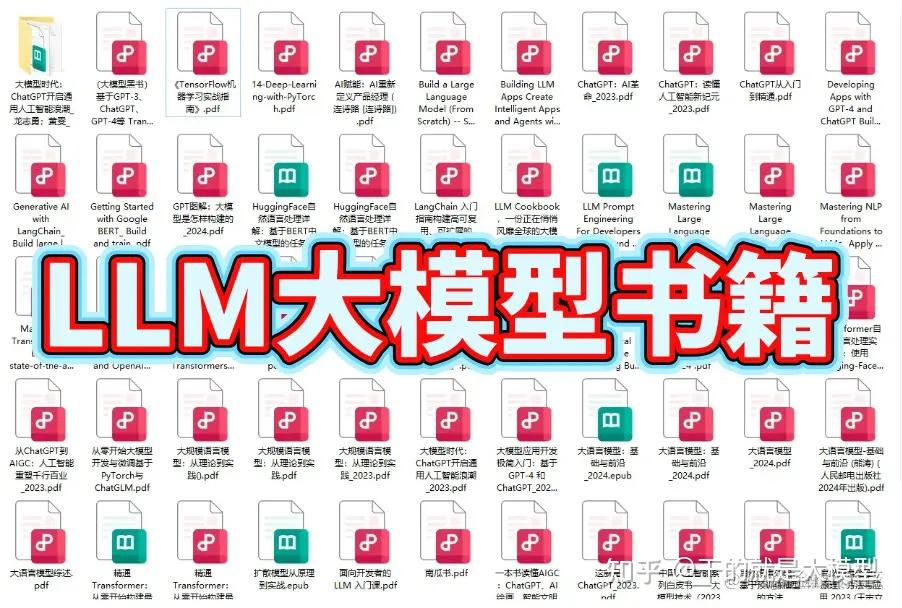
这套包含640份报告的合集,涵盖了大模型的理论研究、技术实现、行业应用等多个方面。无论您是科研人员、工程师,还是对AI大模型感兴趣的爱好者,这套报告合集都将为您提供宝贵的信息和启示。(几乎涵盖所有行业)


- 目标:了解AI大模型的基本概念、发展历程和核心原理。
- 内容:
- L1.1 人工智能简述与大模型起源
- L1.2 大模型与通用人工智能
- L1.3 GPT模型的发展历程
- L1.4 模型工程
- L1.4.1 知识大模型
- L1.4.2 生产大模型
- L1.4.3 模型工程方法论
- L1.4.4 模型工程实践
- L1.5 GPT应用案例
- 目标:掌握AI大模型API的使用和开发,以及相关的编程技能。
- 内容:
- L2.1 API接口
- L2.1.1 OpenAI API接口
- L2.1.2 Python接口接入
- L2.1.3 BOT工具类框架
- L2.1.4 代码示例
- L2.2 Prompt框架
- L2.3 流水线工程
- L2.4 总结与展望
- 目标:深入理解AI大模型的应用架构,并能够进行私有化部署。
- 内容:
- L3.1 Agent模型框架
- L3.2 MetaGPT
- L3.3 ChatGLM
- L3.4 LLAMA
- L3.5 其他大模型介绍
- 目标:掌握多种AI大模型的私有化部署,包括多模态和特定领域模型。
- 内容:
- L4.1 模型私有化部署概述
- L4.2 模型私有化部署的关键技术
- L4.3 模型私有化部署的实施步骤
- L4.4 模型私有化部署的应用场景
这份 LLM大模型资料 包括LLM大模型书籍、640套大模型行业报告、LLM大模型学习视频、LLM大模型学习路线、开源大模型学习教程等
有需要的小伙伴,可以 下方小卡片领取 ↓↓↓
AI大模型完整学习资料包:AI大模型学习路线+大模型面试真题+大模型PDF笔记等等,从入门到实战精通!
发布者:全栈程序员-站长,转载请注明出处:https://javaforall.net/245408.html原文链接:https://javaforall.net




