
通义千问2.5-视觉语言模型Qwen2.5-VL:
https://
github.com/QwenLM/Qwen2
.5-VL
将视觉感知与自然语言处理深度融合已成为产业与学术界的热点。Qwen系列最新推出的旗舰级视觉语言模型 Qwen2.5-VL,以其卓越的图文理解能力和对话式交互性能,成为行业标杆。本文将带你从零开始,系统梳理 Qwen2.5-VL 的环境准备、模型下载、依赖安装及推理脚本实战,并通过示例图解,帮助你快速掌握部署与应用要点。
conda remove -n llmqwen --all conda create -n llmqwen python=3.12 conda activate llmqwen通过魔搭社区(https://www.modelscope.cn/models?name=qwen&page=1&tabKey=task)下载需要的模型。
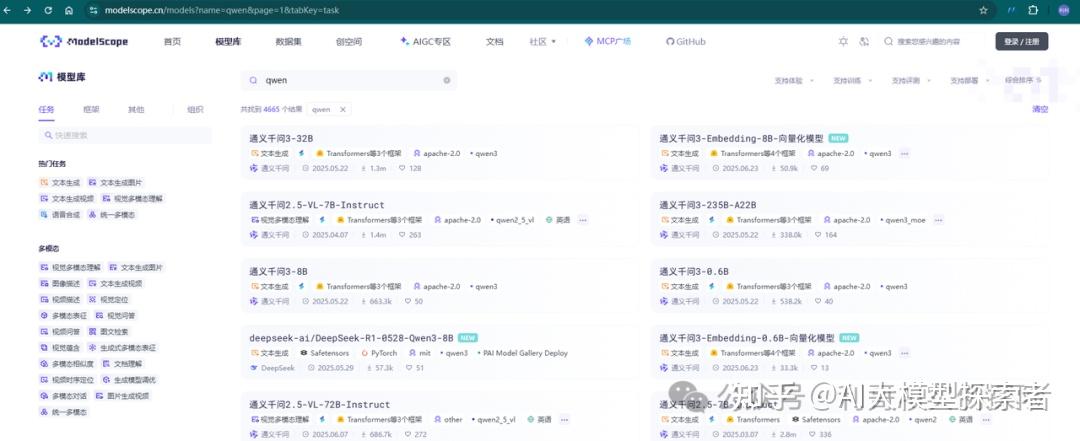

使用modelscope安装及下载对应模型,该组件具备断点续传的功能,例如:当前网络不佳,可以杀死命令行,重新执行命令,已下载的文件内容不会丢失,可以继续在进度条附近开始下载任务。
# 安装ModelScope pip install modelscope -i https://pypi.tuna.tsinghua.edu.cn/simple # 下载完整模型repo modelscope download --model qwen/Qwen2.5-1.5B modelscope download --model qwen/Qwen2.5-VL-3B-Instruct # 下载单个文件(以README.md为例) modelscope download --model qwen/Qwen2.5-1.5B README.md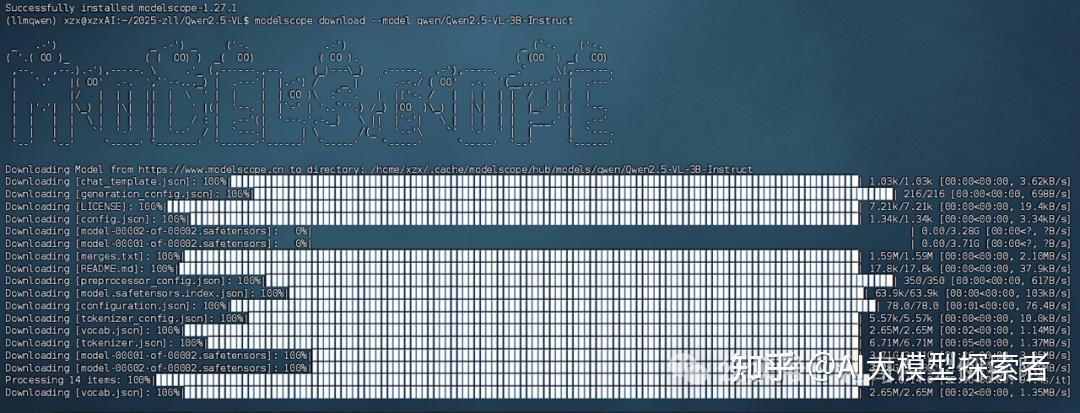
下载完毕后,移动到一个位置(示例)
mv /home/xzx/.cache/modelscope/hub/models/qwen/Qwen2___5-VL-3B-Instruct/ /home/xzx/2025-zll/Qwen2.5-VL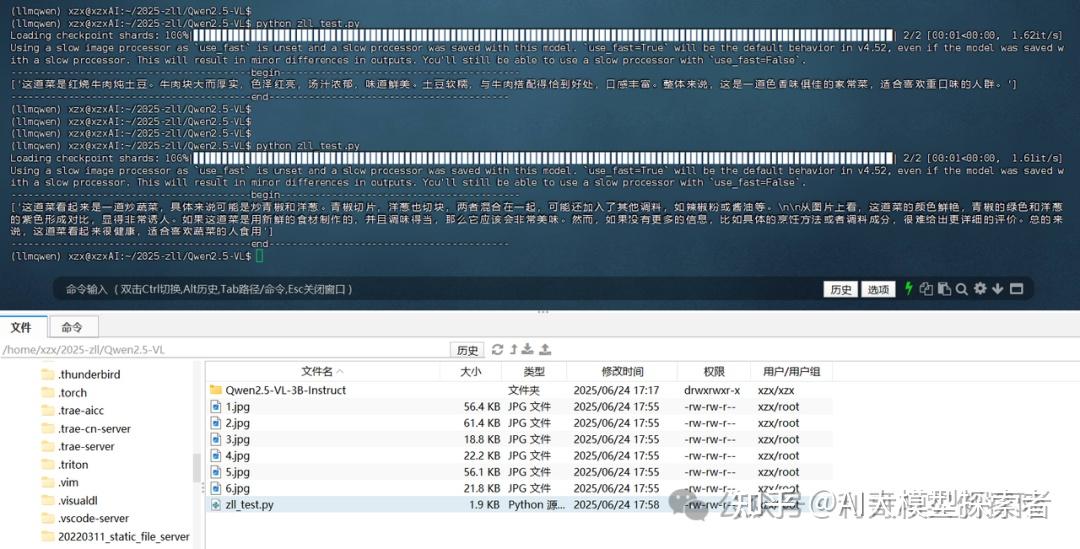
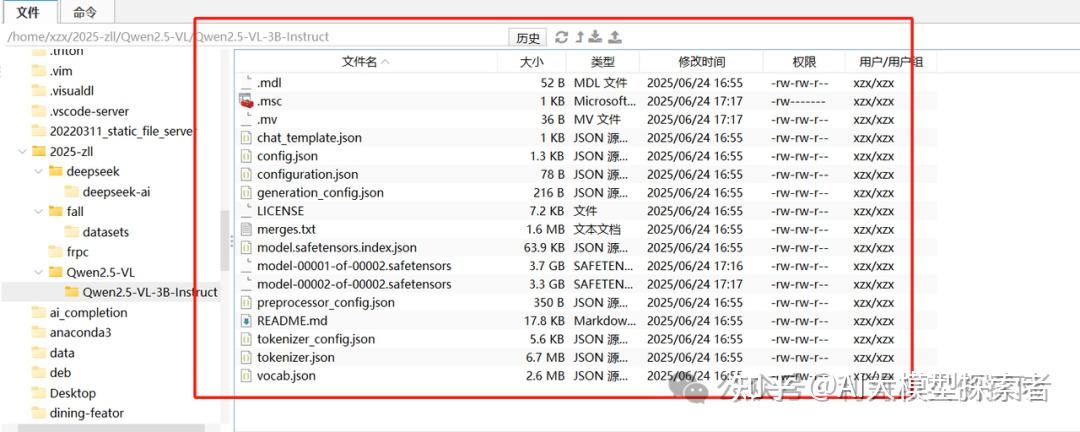
模型文件大致如下:
从源码构建transformers pip install transformers==4.51.3 accelerate -i https://pypi.tuna.tsinghua.edu.cn/simple pip install qwen-vl-utils[decord]==0.0.8 -i https://pypi.tuna.tsinghua.edu.cn/simple pip install torchvision==0.22.1 -i https://pypi.tuna.tsinghua.edu.cn/simplefrom modelscope import Qwen2_5_VLForConditionalGeneration, AutoProcessor from qwen_vl_utils import process_vision_info # default: Load the model on the available device(s) model = Qwen2_5_VLForConditionalGeneration.from_pretrained( "Qwen2.5-VL-3B-Instruct", torch_dtype="auto", device_map="auto" ) # default processer processor = AutoProcessor.from_pretrained("Qwen2.5-VL-3B-Instruct") # messages = [ # { # "role": "user", # "content": [ # { # "type": "image", # "image": "https://qianwen-res.oss-cn-beijing.aliyuncs.com/Qwen-VL/assets/demo.jpeg", # }, # {"type": "text", "text": "请描述这个菜,给出评价"}, # ], # } # ] messages = [ { "role": "user", "content": [ { "type": "image", "image": "./2.jpg", }, {"type": "text", "text": "请描述这个菜,给出评价"}, ], } ] # Preparation for inference text = processor.apply_chat_template( messages, tokenize=False, add_generation_prompt=True ) image_inputs, video_inputs = process_vision_info(messages) inputs = processor( text=[text], images=image_inputs, videos=video_inputs, padding=True, return_tensors="pt", ) inputs = inputs.to("cuda") # Inference: Generation of the output generated_ids = model.generate(inputs, max_new_tokens=128) generated_ids_trimmed = [ out_ids[len(in_ids) :] for in_ids, out_ids in zip(inputs.input_ids, generated_ids) ] output_text = processor.batch_decode( generated_ids_trimmed, skip_special_tokens=True, clean_up_tokenization_spaces=False ) print('------------------------------------------begin------------------------------------------') print(output_text) print('------------------------------------------end------------------------------------------')import time import torch import os from modelscope import Qwen2_5_VLForConditionalGeneration, AutoProcessor from qwen_vl_utils import process_vision_info def main(): # 加载模型和处理器(只做一次) model = Qwen2_5_VLForConditionalGeneration.from_pretrained( "Qwen2.5-VL-3B-Instruct", torch_dtype="auto", device_map="auto" ) processor = AutoProcessor.from_pretrained("Qwen2.5-VL-3B-Instruct") model.eval() print("Qwen2.5-VL 推理交互式程序") print("输入图片路径进行描述,输入 exit 或直接回车退出。") while True: img_path = input("\n请输入图片路径: ").strip() if千问 Qwen 教程 not img_path or img_path.lower() == "exit": print("⚠️ 退出程序。") break # 判断文件是否存在 if not os.path.isfile(img_path): print(f"⚠️ 文件未找到:{img_path},请确认路径后重试。") continue # 构造对话消息 messages = [ { "role": "user", "content": [ {"type": "image", "image": img_path}, {"type": "text", "text": "请给出这道菜的菜名、食材、烹饪方法、营养信息等系列描述。"}, ], } ] # 准备输入 text = processor.apply_chat_template(messages, tokenize=False, add_generation_prompt=True) image_inputs, video_inputs = process_vision_info(messages) inputs = processor(text=[text], images=image_inputs, videos=video_inputs, padding=True, return_tensors="pt",).to("cuda") # 同步与计时 torch.cuda.synchronize() start = time.perf_counter() # 推理 generated_ids = model.generate(inputs, max_new_tokens=128) torch.cuda.synchronize() elapsed = (time.perf_counter() - start) * 1000 # 毫秒 # 解码并打印 trimmed = [out_ids[len(in_ids):] for in_ids, out_ids in zip(inputs.input_ids, generated_ids)] output_text = processor.batch_decode(trimmed, skip_special_tokens=True, clean_up_tokenization_spaces=False)[0] print("\n--- 推理结果 ---") print(output_text) print(f"推理耗时:{elapsed:.1f} ms") if __name__ == "__main__": main()❝
Qwen2.5-VL 以其强大的跨模态理解与生成能力,为各行业场景注入新动力。从智能餐饮点评、医疗影像诊断到零售商品识别,都能轻松驾驭。希望本文提供的环境配置、脚本示例及优化建议,能帮助你在项目中快速落地 Qwen2.5-VL,并开启更多创新应用。期待你在公众号留言,分享你的部署心得与应用案例!
感谢你们的阅读和喜欢,作为一位在一线互联网行业奋斗多年的老兵,我深知在这个瞬息万变的技术领域中,持续学习和进步的重要性。
为了帮助更多热爱技术、渴望成长的朋友,我特别整理了一份涵盖大模型领域的宝贵资料集。
这些资料不仅是我多年积累的心血结晶,也是我在行业一线实战经验的总结。
这些学习资料不仅深入浅出,而且非常实用,让大家系统而高效地掌握AI大模型的各个知识点。如果你愿意花时间沉下心来学习,相信它们一定能为你提供实质性的帮助。
yyds!全网独一份的AI大模型学习教程资源!!
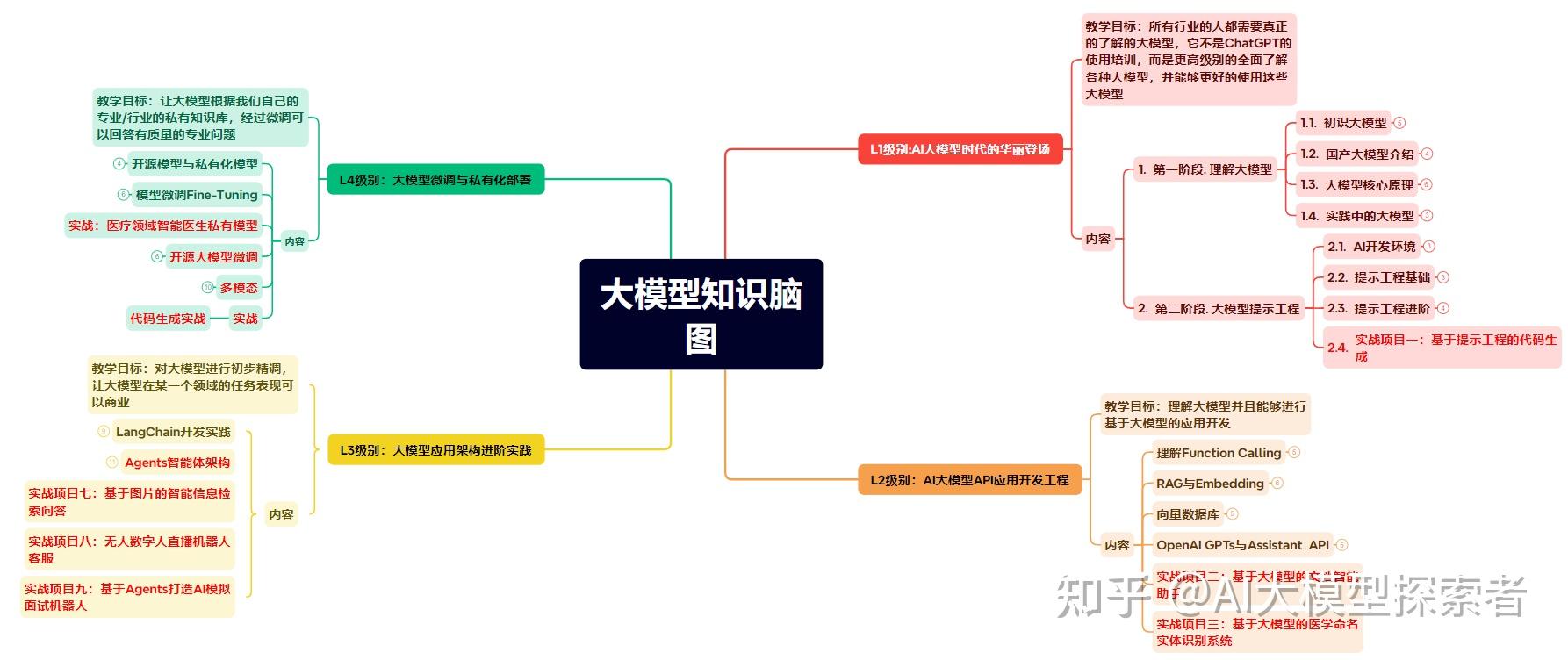
为了成为更好的 AI大模型 开发者,这里为大家提供了总的路线图。它的用处就在于,你可以按照上面的知识点去找对应的学习资源,保证自己学得较为全面。
阅读AI大模型经典书籍可以帮助读者提高技术水平,开拓视野,掌握核心技术,提高解决问题的能力,同时也可以借鉴他人的经验。对于想要深入学习AI大模型开发的读者来说,阅读经典书籍是非常有必要的。
光学理论是没用的,要学会跟着一起敲,要动手实操,才能将自己的所学运用到实际当中去,这时候可以搞点实战案例来学习。

我们学习AI大模型必然是想找到高薪的工作,下面这些面试题都是总结当前最新、最热、最高频的面试题,并且每道题都有详细的答案,面试前刷完这套面试题资料,小小offer,不在话下
这套包含640份报告的合集,涵盖了AI大模型的理论研究、技术实现、行业应用等多个方面。无论您是科研人员、工程师,还是对AI大模型感兴趣的爱好者,这套报告合集都将为您提供宝贵的信息和启示。
yyds!全网独一份的AI大模型学习教程资源!!
发布者:Ai探索者,转载请注明出处:https://javaforall.net/260393.html原文链接:https://javaforall.net




