
一行代码画爱心
print('\n'.join([''.join([('Love'[(x-y)%len('Love')] if ((x*0.05)**2+(y*0.1)**2-1)**3-(x*0.05)**2*(y*0.1)**3<=0 else' ') for x in range(-30,30)]) for y in range(15,-15,-1)]))


拆解一下,能看明白点。
a = [
        ''.join(
            [
                (
                    'Love'[(x-y)%len('Love')]
                    if ((x*0.05)**2+(y*0.1)**2-1)**3-(x*0.05)**2*(y*0.1)**3<=0 else' '
                )
                for x in range(-30,30)
            ]
        )
        for y in range(15,-15,-1)
    ]

print('\n'.join(a))
输出 I 爱 U
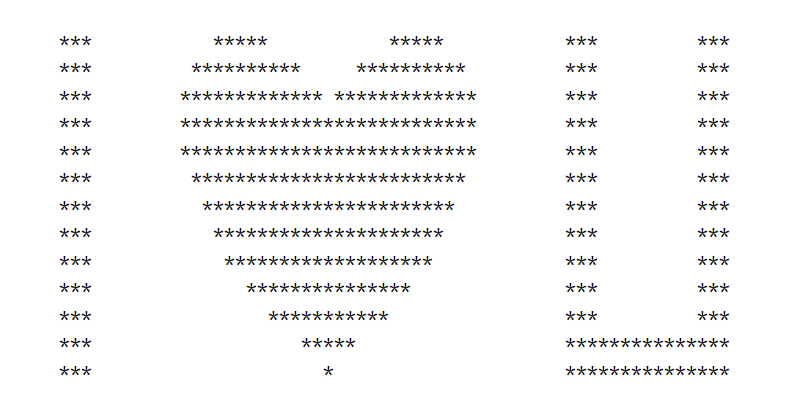
空格与星号可以换位置,运行会有不一样的效果。
import time
y = 2.5
while y>=-1.6:
    x = -3.0
    while x<=4.0:
        if (x*x+y*y-1)**3<=3.6*x*x*y*y*y or (x>-2.4 and x<-2.1 and y<1.5 and y>-1) or (((x<2.5 and x>2.2)or(x>3.4 and x<3.7)) and y>-1 and y<1.5) or (y>-1 and y<-0.6 and x<3.7 and x>2.2):
            print('*',end="")
        else:
            print(' ',end="")
        x += 0.1
    print()
    time.sleep(0.25)
    y -= 0.2
填充型
输出五个爱心,分别由Dear I love you forever! 五个单词填充而成。
import time
sentence = "Dear, I love you forever!"
for char in sentence.split():
   allChar = []
   for y in range(12, -12, -1):
       lst = []
       lst_con = ''
       for x in range(-30, 30):
            formula = ((x*0.05)**2+(y*0.1)**2-1)**3-(x*0.05)**2*(y*0.1)**3
            if formula <= 0:
                lst_con += char[(x) % len(char)]
            else:
                lst_con += ' '
       lst.append(lst_con)
       allChar += lst
   print('\n'.join(allChar))
   time.sleep(1)
动态画红心
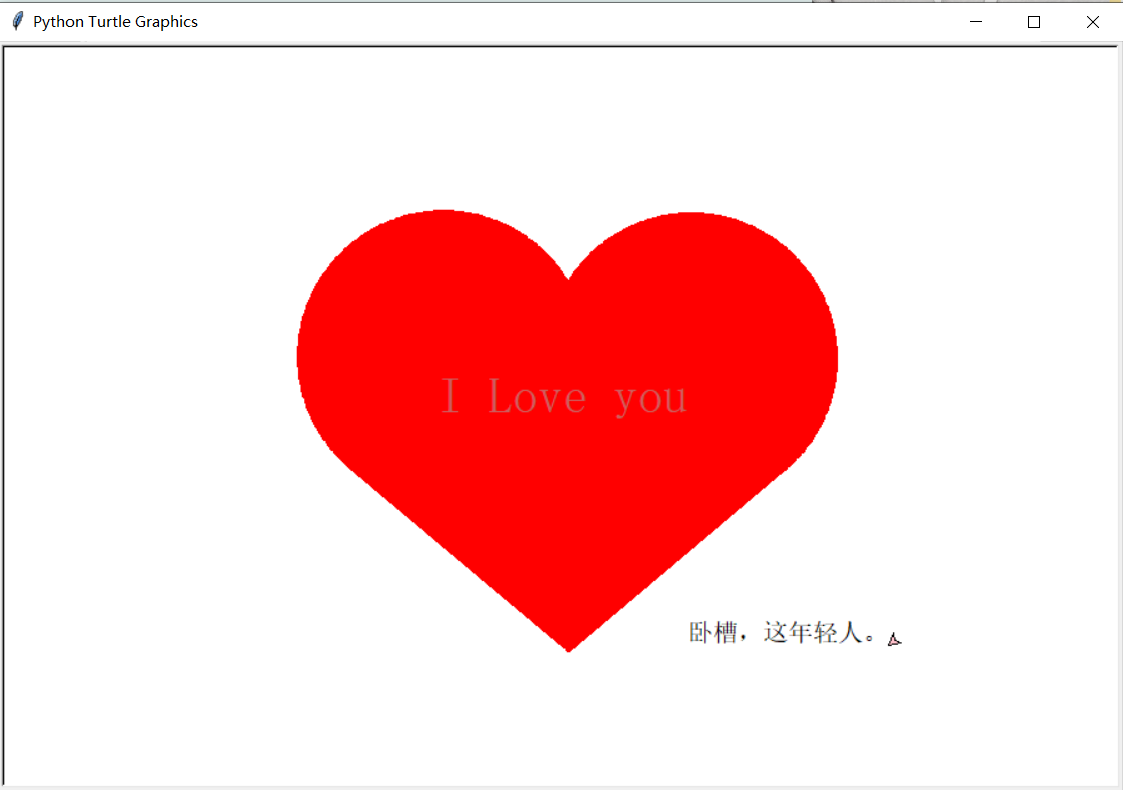
桃心
import turtle
import time
def LittleHeart():
    for i in range(200):
        turtle.right(1)
        turtle.forward(2)

# love = input('请输入表白语句,然后回车,默认为"I Love You":\n')
# me = input('请输入要表白的人:\n')
# if love=='':
# # 如果未输入表白语句,则使用默认语句
# love='I Love you'

love='I Love you'
me = '卧槽,这年轻人。'

turtle.setup(width=900,height=600)  # 爱心的画布的大小
turtle.color('red','red')          # 爱心的颜色及外边笔的颜色
turtle.pensize(5)                   # 画笔的粗细
turtle.speed(1000000)               # 绘制速度

turtle.up()                         # 画笔向上

turtle.hideturtle()
turtle.goto(0,-180)
turtle.showturtle()
turtle.down()
turtle.speed(5)
turtle.begin_fill()

# 开始填充
turtle.left(140)
turtle.forward(224)
LittleHeart()
turtle.left(120)
LittleHeart()
turtle.forward(224)
turtle.end_fill()
turtle.pensize(5)
turtle.up()
turtle.hideturtle()
turtle.goto(0,0)
turtle.showturtle()
turtle.color('#CD5C5C','pink')
turtle.write(love,font=('gungsuh',30,),align="center")
turtle.up()
turtle.hideturtle()

if me !='':
    turtle.color('black', 'pink')
    time.sleep(2)
    turtle.goto(180,-180)
    turtle.showturtle()
    turtle.write(me, font=(20,), align="center", move=True)
    window=turtle.Screen()
    window.exitonclick()
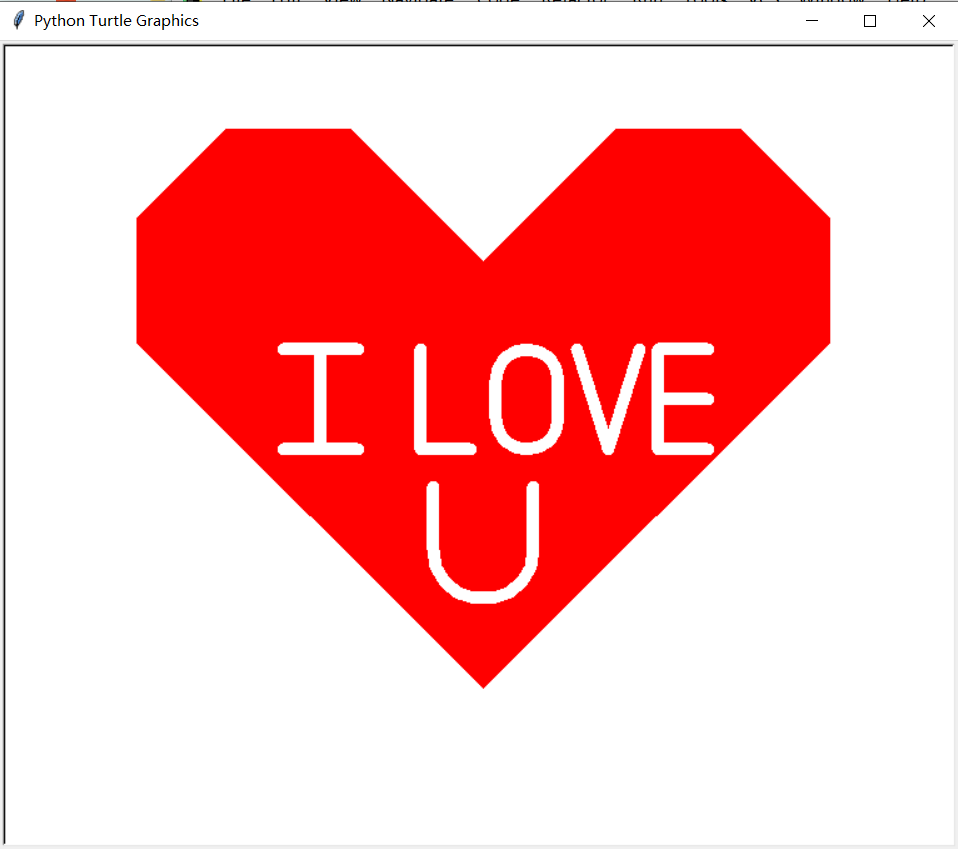
线性
import turtle
import math
turtle.pen()
t=turtle
t.up()
t.goto(0,150)
t.down()
t.color('red')
t.begin_fill()
t.fillcolor('red')
t.speed(1)
t.left(45)
t.forward(150)
t.right(45)
t.forward(100)
t.right(45)
t.forward(100)
t.right(45)
t.forward(100)
t.right(45)
t.forward(250+math.sqrt(2)*100)
t.right (90)
t.speed(2)
t.forward(250+100*math.sqrt(2))
t.right(45)
t.forward(100)
t.right(45)
t.forward(100)
t.right(45)
t.forward(100)
t.right(45)
t.forward(150)
t.end_fill()
t.goto(-10,0)
t.pencolor('white')
# L
t.pensize(10)
t.goto(-50,0)
t.goto(-50,80)
t.up ()
# I
t.goto(-100,0)
t.down()
t.goto(-160,0)
t.goto(-130,0)
t.goto(-130,80)
t.goto(-160,80)
t.goto(-100,80)
t.up()
# O
t.goto(10,25)
t.down()
t.right(45)
t.circle(25,extent=180)
t.goto(60,55)
t.circle(25,extent=180)
t.goto(10,25)
t.up()
t.goto(75,80)
t.down()
t.goto(100,0)
t.goto(125,80)
t.up()
t.goto(180,80)
t.down()
t.goto(140,80)
t.goto(140,0)
t.goto(180,0)
t.up()
t.goto(180,40)
t.down()
t.goto(140,40)
# U
t.up()
t.goto(-40,-30)
t.down()
t.goto(-40,-80)
t.circle(40,extent=180)
t.goto(40,-30)
t.hideturtle()

window=turtle.Screen()
window.exitonclick()
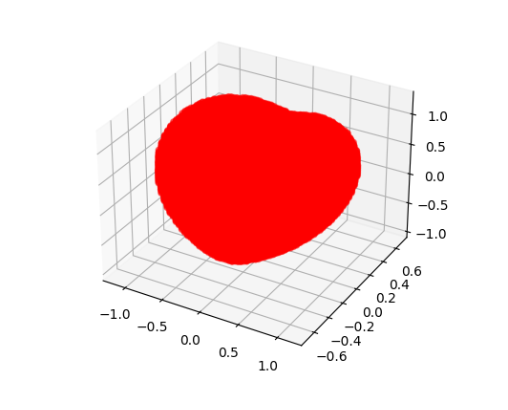
立体红心
import matplotlib
import matplotlib.pyplot as plt #导入绘图模块
from mpl_toolkits.mplot3d import Axes3D #3d绘图模块
import numpy as np #导入数值计算拓展模块
import time

start = time.time()

x_lim, y_lim, z_lim = np.linspace(-10,10,520), np.linspace(-10,10,520), np.linspace(-10,10,520)
# 用来存放绘图点X,Y,Z坐标
X_points, Y_points, Z_points = [], [], []

for x in x_lim:
    for y in y_lim:
        for z in z_lim:
            if (x**2+(9/4)*y**2+z**2-1)**3-(9/80)*y**2*z**3-x**2*z**3<=0:
                X_points.append(x)
                Y_points.append(y)
                Z_points.append(z)

end = time.time()

fig=plt.figure()                                # 画布初始化
ax=fig.add_subplot(111,projection='3d')         # 采用3d绘图
ax.scatter(X_points,Y_points,Z_points,s=20,alpha=0.5,color="red") # 3d散点图填充
plt.show()

print(end-start)
运行了八百多秒,有点久。。。
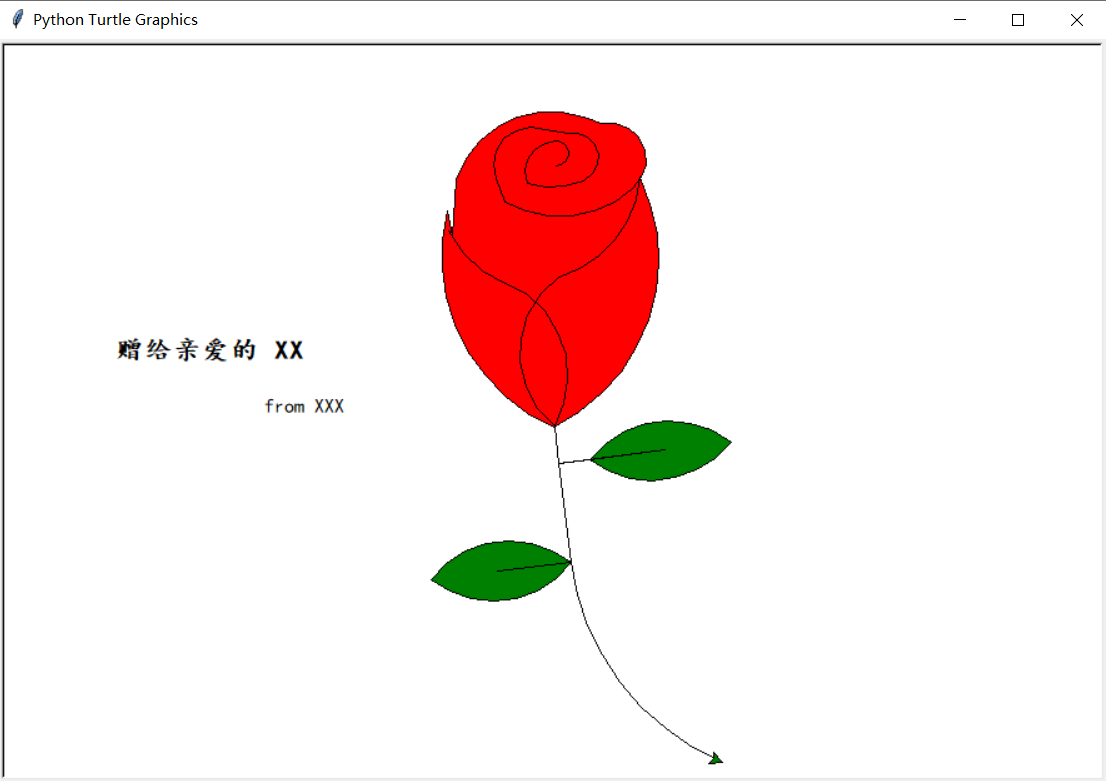
画一朵玫瑰花
# 绘制玫瑰花并添加文字
import turtle

# 设置画布大小
# turtle.screensize(canvwidth=None, canvheight=None, bg=None)
turtle.setup(width=0.6, height=0.6)
# 设置初始位置
turtle.penup()
turtle.left(90)
turtle.fd(200)
turtle.pendown()
turtle.right(90)

# 输出文字
printer = turtle.Turtle()
printer.hideturtle()
printer.penup()
printer.back(200)
printer.write("赠给亲爱的 XX\n\n", align="right", font=("楷体", 16, "bold"))
printer.write("from XXX", align="center", font=("楷体", 12, "normal"))

# 花蕊
turtle.fillcolor("red")
turtle.begin_fill()
turtle.circle(10, 180)
turtle.circle(25, 110)
turtle.left(50)
turtle.circle(60, 45)
turtle.circle(20, 170)
turtle.right(24)
turtle.fd(30)
turtle.left(10)
turtle.circle(30, 110)
turtle.fd(20)
turtle.left(40)
turtle.circle(90, 70)
turtle.circle(30, 150)
turtle.right(30)
turtle.fd(15)
turtle.circle(80, 90)
turtle.left(15)
turtle.fd(45)
turtle.right(165)
turtle.fd(20)
turtle.left(155)
turtle.circle(150, 80)
turtle.left(50)
turtle.circle(150, 90)
turtle.end_fill()

# 花瓣1
turtle.left(150)
turtle.circle(-90, 70)
turtle.left(20)
turtle.circle(75, 105)
turtle.setheading(60)
turtle.circle(80, 98)
turtle.circle(-90, 40)

# 花瓣2
turtle.left(180)
turtle.circle(90, 40)
turtle.circle(-80, 98)
turtle.setheading(-83)

# 叶子1
turtle.fd(30)
turtle.left(90)
turtle.fd(25)
turtle.left(45)
turtle.fillcolor("green")
turtle.begin_fill()
turtle.circle(-80, 90)
turtle.right(90)
turtle.circle(-80, 90)
turtle.end_fill()
turtle.right(135)
turtle.fd(60)
turtle.left(180)
turtle.fd(85)
turtle.left(90)
turtle.fd(80)

# 叶子2
turtle.right(90)
turtle.right(45)
turtle.fillcolor("green")
turtle.begin_fill()
turtle.circle(80, 90)
turtle.left(90)
turtle.circle(80, 90)
turtle.end_fill()
turtle.left(135)
turtle.fd(60)
turtle.left(180)
turtle.fd(60)
turtle.right(90)
turtle.circle(200, 60)

turtle.done()
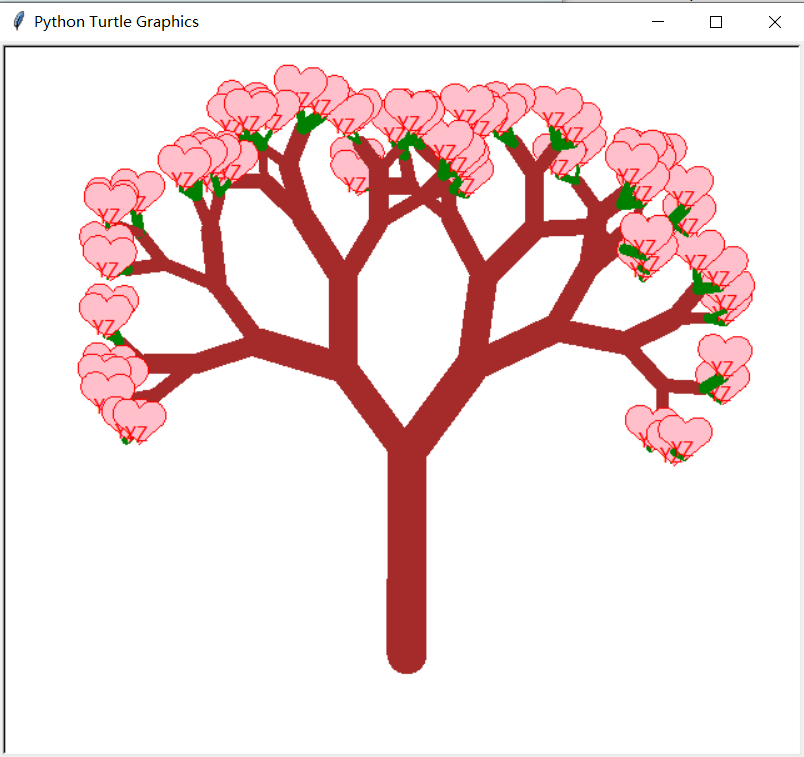
画树
import turtle
import random

def love(x, y):         # 在(x,y)处画爱心lalala
    lv = turtle.Turtle()
    lv.hideturtle()
    lv.up()
    lv.goto(x, y)       # 定位到(x,y)

    def curvemove():    # 画圆弧
        for i in range(20):
            lv.right(10)
            lv.forward(2)

    lv.color('red', 'pink')
    lv.speed(10000000)
    lv.pensize(1)
    # 开始画爱心lalala
    lv.down()
    lv.begin_fill()
    lv.left(140)
    lv.forward(22)
    curvemove()
    lv.left(120)
    curvemove()
    lv.forward(22)
    lv.write("YZ", font=("Arial", 12, "normal"), align="center")  # 写上表白的人的名字
    lv.left(140)  # 画完复位
    lv.end_fill()


def tree(branchLen, t):
    if branchLen > 5:       # 剩余树枝太少要结束递归
        if branchLen < 20:  # 如果树枝剩余长度较短则变绿
            t.color("green")
            t.pensize(random.uniform((branchLen + 5) / 4 - 2, (branchLen + 6) / 4 + 5))
            t.down()
            t.forward(branchLen)
            love(t.xcor(), t.ycor())  # 传输现在turtle的坐标
            t.up()
            t.backward(branchLen)
            t.color("brown")
            return
        t.pensize(random.uniform((branchLen + 5) / 4 - 2, (branchLen + 6) / 4 + 5))
        t.down()
        t.forward(branchLen)
        # 以下递归
        ang = random.uniform(15, 45)
        t.right(ang)
        tree(branchLen - random.uniform(12, 16), t)  # 随机决定减小长度
        t.left(2 * ang)
        tree(branchLen - random.uniform(12, 16), t)  # 随机决定减小长度
        t.right(ang)
        t.up()
        t.backward(branchLen)

myWin = turtle.Screen()
t = turtle.Turtle()
t.hideturtle()
t.speed(1000)
t.left(90)
t.up()
t.backward(200)
t.down()
t.color("brown")
t.pensize(32)
t.forward(60)
tree(100, t)
myWin.exitonclick()
附录
参考资料:https://blog.csdn.net/qq_32532663/article/details/106242488
如果想要把python文件转成exe文件,发送给没有安装Python的对象,在她/他的电脑上运行,可以参考 Pyinstaller(Python打包为exe文件)
版权声明:本文内容由互联网用户自发贡献,该文观点仅代表作者本人。本站仅提供信息存储空间服务,不拥有所有权,不承担相关法律责任。如发现本站有涉嫌侵权/违法违规的内容, 请发送邮件至 举报,一经查实,本站将立刻删除。
发布者:全栈程序员-站长,转载请注明出处:https://javaforall.net/182366.html原文链接:https://javaforall.net


