
大家好,又见面了,我是你们的朋友全栈君。如果您正在找激活码,请点击查看最新教程,关注关注公众号 “全栈程序员社区” 获取激活教程,可能之前旧版本教程已经失效.最新Idea2022.1教程亲测有效,一键激活。
Jetbrains全系列IDE稳定放心使用
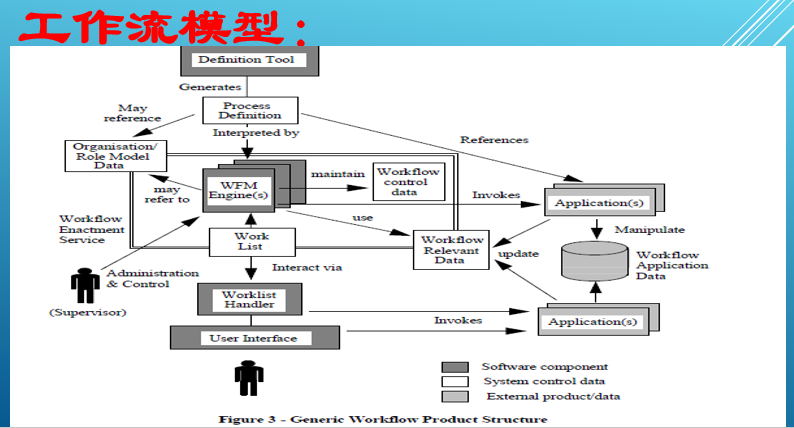
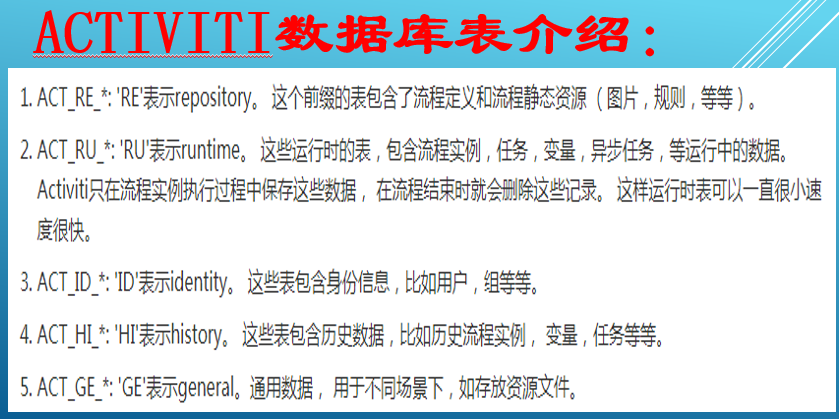
Activiti项目是一项新的基于Apache许可的开源BPM平台,从基础开始构建,旨在提供支持新的BPMN 2.0标准,包括支持对象管理组(OMG),面对新技术的机遇,诸如互操作性和云架构,提供技术实现。


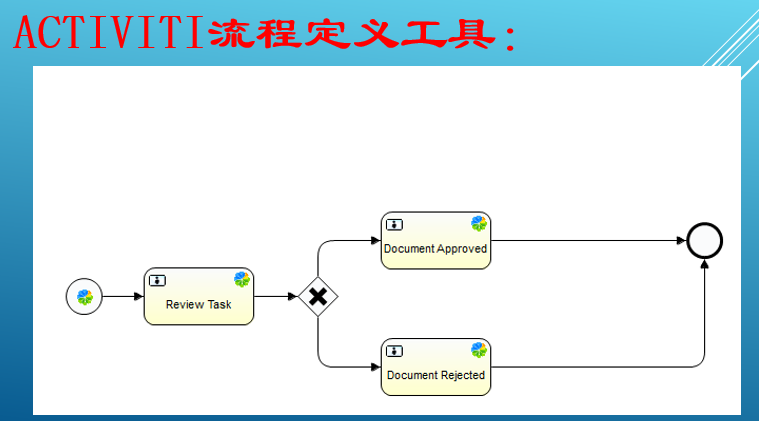
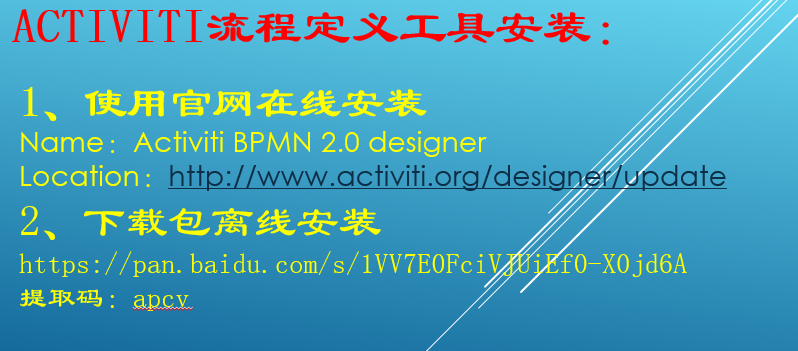
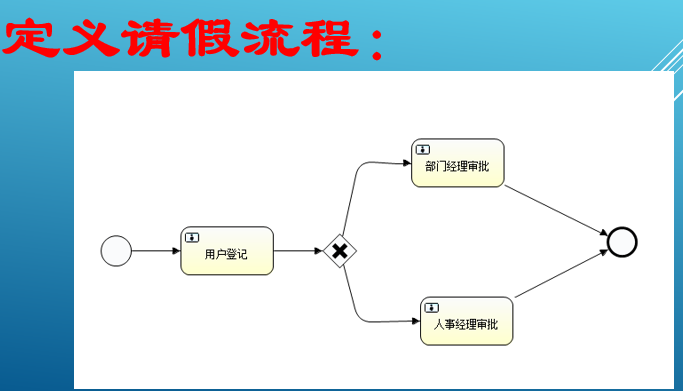
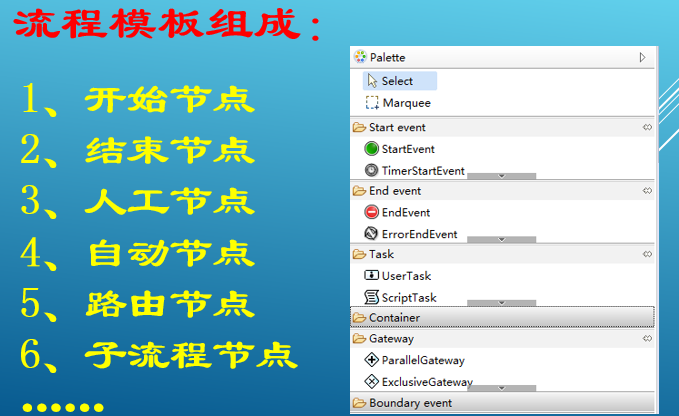
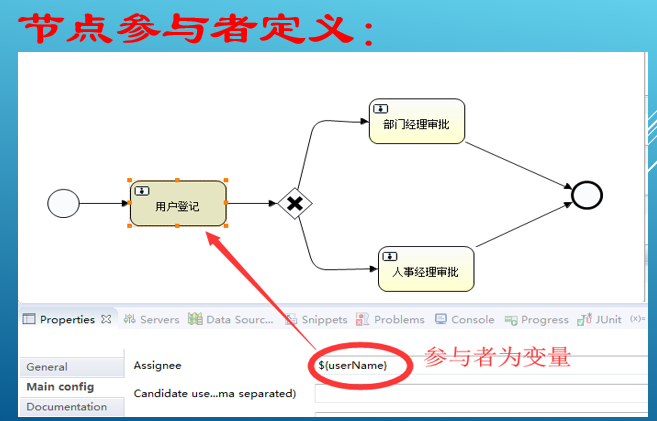
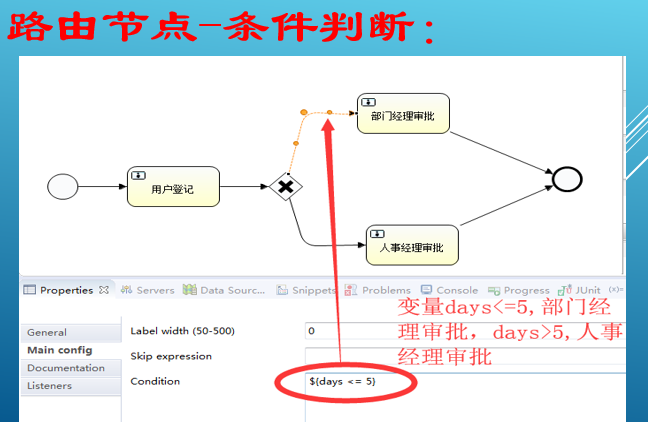
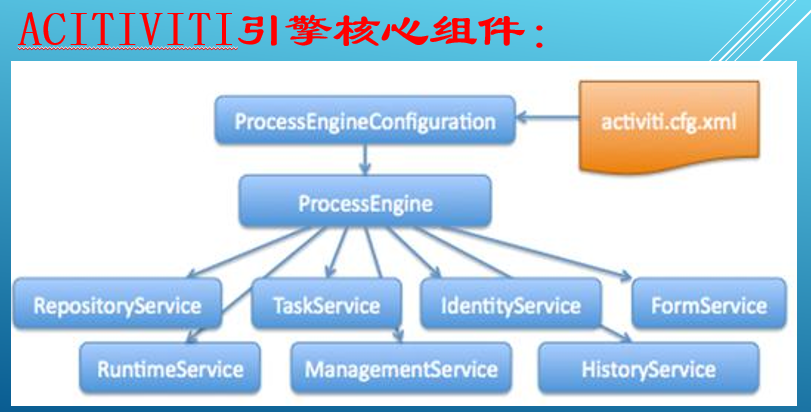
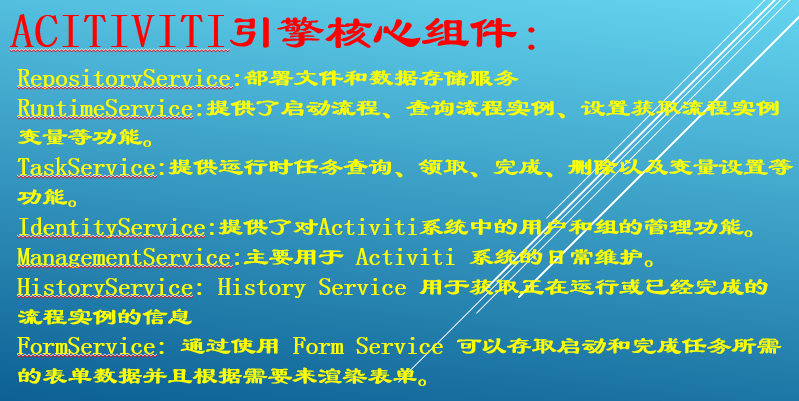
		<!--添加Activiti工作流的支持 一般需要exclusions -->
		<dependency>
			<groupId>org.activiti</groupId>
			<artifactId>activiti-engine</artifactId>
			<version>5.19.0.2</version>
		</dependency>
		<!--添加Activiti工作流对Spring的支持-->
		<dependency>
			<groupId>org.activiti</groupId>
			<artifactId>activiti-spring</artifactId>
			<version>5.19.0.2</version>
		</dependency>
		<dependency>
			<groupId>org.activiti</groupId>
			<artifactId>activiti-bpmn-model</artifactId>
			<version>5.19.0.2</version>
		</dependency>
        <!-- 数据库驱动依赖 -->
		<dependency>
			<groupId>mysql</groupId>
			<artifactId>mysql-connector-java</artifactId>
			<version>5.1.41</version>
		</dependency>
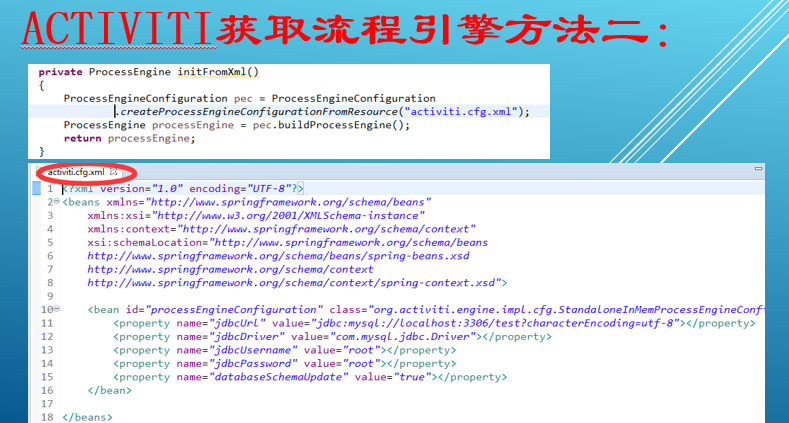
activity.cfg.xml
<?xml version="1.0" encoding="UTF-8"?>
<beans xmlns="http://www.springframework.org/schema/beans"
	xmlns:xsi="http://www.w3.org/2001/XMLSchema-instance"
	xmlns:context="http://www.springframework.org/schema/context"
	xsi:schemaLocation="http://www.springframework.org/schema/beans
	http://www.springframework.org/schema/beans/spring-beans.xsd
	http://www.springframework.org/schema/context
	http://www.springframework.org/schema/context/spring-context.xsd">

	<bean id="processEngineConfiguration" class="org.activiti.engine.impl.cfg.StandaloneInMemProcessEngineConfiguration">
		<property name="jdbcUrl" value="jdbc:mysql://localhost:3306/test?characterEncoding=utf-8"></property>
		<property name="jdbcDriver" value="com.mysql.jdbc.Driver"></property>
		<property name="jdbcUsername" value="root"></property>
		<property name="jdbcPassword" value="root"></property>
		<property name="databaseSchemaUpdate" value="true"></property>
	</bean>

</beans>
<?xml version="1.0" encoding="UTF-8"?>
<definitions xmlns="http://www.omg.org/spec/BPMN/20100524/MODEL" xmlns:xsi="http://www.w3.org/2001/XMLSchema-instance" xmlns:xsd="http://www.w3.org/2001/XMLSchema" xmlns:activiti="http://activiti.org/bpmn" xmlns:bpmndi="http://www.omg.org/spec/BPMN/20100524/DI" xmlns:omgdc="http://www.omg.org/spec/DD/20100524/DC" xmlns:omgdi="http://www.omg.org/spec/DD/20100524/DI" typeLanguage="http://www.w3.org/2001/XMLSchema" expressionLanguage="http://www.w3.org/1999/XPath" targetNamespace="http://www.activiti.org/test">
  <process id="myProcess" name="My process" isExecutable="true">
    <startEvent id="startevent1" name="Start"></startEvent>
    <endEvent id="endevent1" name="End"></endEvent>
    <userTask id="usertask1" name="用户登记" activiti:assignee="${userName}"></userTask>
    <exclusiveGateway id="exclusivegateway1" name="Exclusive Gateway"></exclusiveGateway>
    <userTask id="usertask2" name="部门经理审批" activiti:assignee="${userName}"></userTask>
    <userTask id="usertask3" name="人事经理审批" activiti:assignee="${userName}"></userTask>
    <sequenceFlow id="flow1" sourceRef="startevent1" targetRef="usertask1"></sequenceFlow>
    <sequenceFlow id="flow2" sourceRef="usertask1" targetRef="exclusivegateway1"></sequenceFlow>
    <sequenceFlow id="flow3" sourceRef="exclusivegateway1" targetRef="usertask2">
      <conditionExpression xsi:type="tFormalExpression"><![CDATA[${days <= 5}]]></conditionExpression>
    </sequenceFlow>
    <sequenceFlow id="flow4" sourceRef="exclusivegateway1" targetRef="usertask3">
      <conditionExpression xsi:type="tFormalExpression"><![CDATA[${days > 5}]]></conditionExpression>
    </sequenceFlow>
    <sequenceFlow id="flow5" sourceRef="usertask2" targetRef="endevent1"></sequenceFlow>
    <sequenceFlow id="flow6" sourceRef="usertask3" targetRef="endevent1"></sequenceFlow>
  </process>
  <bpmndi:BPMNDiagram id="BPMNDiagram_myProcess">
    <bpmndi:BPMNPlane bpmnElement="myProcess" id="BPMNPlane_myProcess">
      <bpmndi:BPMNShape bpmnElement="startevent1" id="BPMNShape_startevent1">
        <omgdc:Bounds height="35.0" width="35.0" x="30.0" y="190.0"></omgdc:Bounds>
      </bpmndi:BPMNShape>
      <bpmndi:BPMNShape bpmnElement="endevent1" id="BPMNShape_endevent1">
        <omgdc:Bounds height="35.0" width="35.0" x="600.0" y="180.0"></omgdc:Bounds>
      </bpmndi:BPMNShape>
      <bpmndi:BPMNShape bpmnElement="usertask1" id="BPMNShape_usertask1">
        <omgdc:Bounds height="55.0" width="105.0" x="120.0" y="180.0"></omgdc:Bounds>
      </bpmndi:BPMNShape>
      <bpmndi:BPMNShape bpmnElement="exclusivegateway1" id="BPMNShape_exclusivegateway1">
        <omgdc:Bounds height="40.0" width="40.0" x="279.0" y="187.0"></omgdc:Bounds>
      </bpmndi:BPMNShape>
      <bpmndi:BPMNShape bpmnElement="usertask2" id="BPMNShape_usertask2">
        <omgdc:Bounds height="55.0" width="105.0" x="380.0" y="81.0"></omgdc:Bounds>
      </bpmndi:BPMNShape>
      <bpmndi:BPMNShape bpmnElement="usertask3" id="BPMNShape_usertask3">
        <omgdc:Bounds height="55.0" width="105.0" x="390.0" y="259.0"></omgdc:Bounds>
      </bpmndi:BPMNShape>
      <bpmndi:BPMNEdge bpmnElement="flow1" id="BPMNEdge_flow1">
        <omgdi:waypoint x="65.0" y="207.0"></omgdi:waypoint>
        <omgdi:waypoint x="120.0" y="207.0"></omgdi:waypoint>
      </bpmndi:BPMNEdge>
      <bpmndi:BPMNEdge bpmnElement="flow2" id="BPMNEdge_flow2">
        <omgdi:waypoint x="225.0" y="207.0"></omgdi:waypoint>
        <omgdi:waypoint x="279.0" y="207.0"></omgdi:waypoint>
      </bpmndi:BPMNEdge>
      <bpmndi:BPMNEdge bpmnElement="flow3" id="BPMNEdge_flow3">
        <omgdi:waypoint x="299.0" y="187.0"></omgdi:waypoint>
        <omgdi:waypoint x="320.0" y="107.0"></omgdi:waypoint>
        <omgdi:waypoint x="380.0" y="108.0"></omgdi:waypoint>
      </bpmndi:BPMNEdge>
      <bpmndi:BPMNEdge bpmnElement="flow4" id="BPMNEdge_flow4">
        <omgdi:waypoint x="299.0" y="227.0"></omgdi:waypoint>
        <omgdi:waypoint x="320.0" y="287.0"></omgdi:waypoint>
        <omgdi:waypoint x="390.0" y="286.0"></omgdi:waypoint>
      </bpmndi:BPMNEdge>
      <bpmndi:BPMNEdge bpmnElement="flow5" id="BPMNEdge_flow5">
        <omgdi:waypoint x="432.0" y="136.0"></omgdi:waypoint>
        <omgdi:waypoint x="617.0" y="180.0"></omgdi:waypoint>
      </bpmndi:BPMNEdge>
      <bpmndi:BPMNEdge bpmnElement="flow6" id="BPMNEdge_flow6">
        <omgdi:waypoint x="442.0" y="259.0"></omgdi:waypoint>
        <omgdi:waypoint x="617.0" y="215.0"></omgdi:waypoint>
      </bpmndi:BPMNEdge>
    </bpmndi:BPMNPlane>
  </bpmndi:BPMNDiagram>
</definitions>
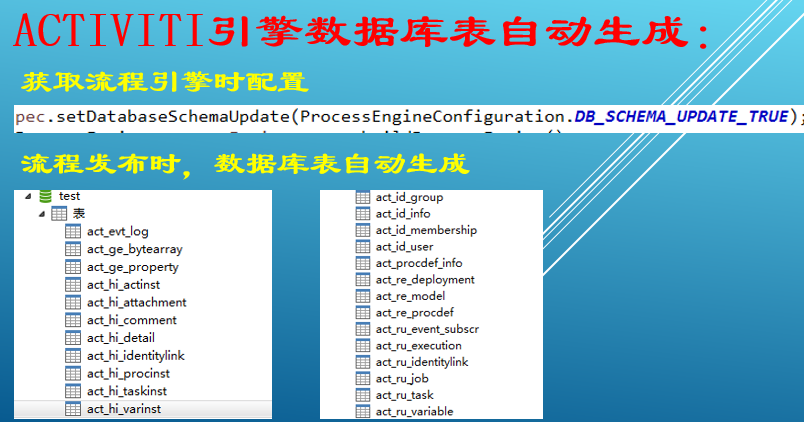
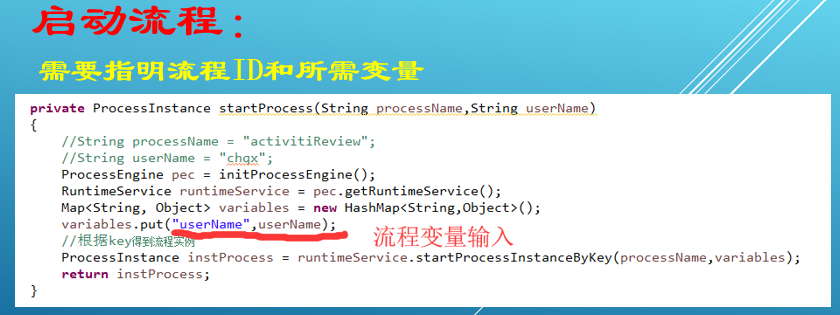
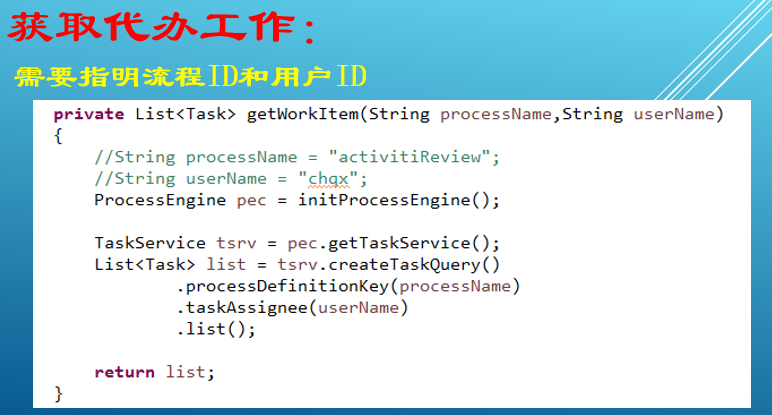
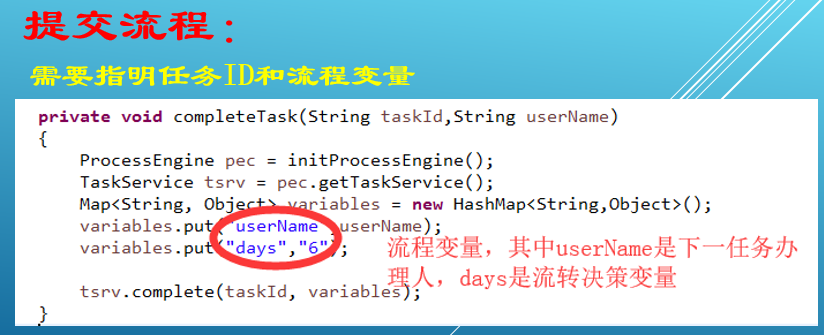
package com.test;

import java.util.HashMap;
import java.util.List;
import java.util.Map;

import org.activiti.engine.ProcessEngine;
import org.activiti.engine.ProcessEngineConfiguration;
import org.activiti.engine.ProcessEngines;
import org.activiti.engine.RepositoryService;
import org.activiti.engine.RuntimeService;
import org.activiti.engine.TaskService;
import org.activiti.engine.repository.Deployment;
import org.activiti.engine.runtime.ProcessInstance;
import org.activiti.engine.task.Task;
import org.junit.Test;
import org.junit.runner.RunWith;
import org.springframework.beans.factory.annotation.Autowired;
import org.springframework.boot.SpringApplication;
import org.springframework.boot.autoconfigure.SpringBootApplication;
import org.springframework.boot.test.context.SpringBootTest;
import org.springframework.test.context.junit4.SpringRunner;

import com.test.mapper.OrderMapper;

@RunWith(SpringRunner.class)
@SpringBootTest(classes=Starter.class)
public class Tester
{
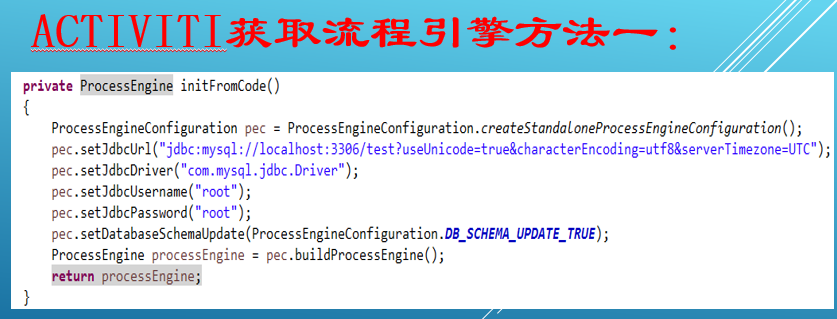
	private ProcessEngine initFromCode()
	{
		ProcessEngineConfiguration pec = ProcessEngineConfiguration.createStandaloneProcessEngineConfiguration();
		pec.setJdbcUrl("jdbc:mysql://localhost:3306/test?useUnicode=true&characterEncoding=utf8&serverTimezone=UTC");
		pec.setJdbcDriver("com.mysql.jdbc.Driver");
		pec.setJdbcUsername("root");
		pec.setJdbcPassword("root");
		pec.setDatabaseSchemaUpdate(ProcessEngineConfiguration.DB_SCHEMA_UPDATE_TRUE);
		ProcessEngine processEngine = pec.buildProcessEngine();
		return processEngine;
	}

	private ProcessEngine initFromXml()
	{
    	ProcessEngineConfiguration pec = ProcessEngineConfiguration
    			.createProcessEngineConfigurationFromResource("activiti.cfg.xml");
    	ProcessEngine processEngine = pec.buildProcessEngine();
    	return processEngine;
	}

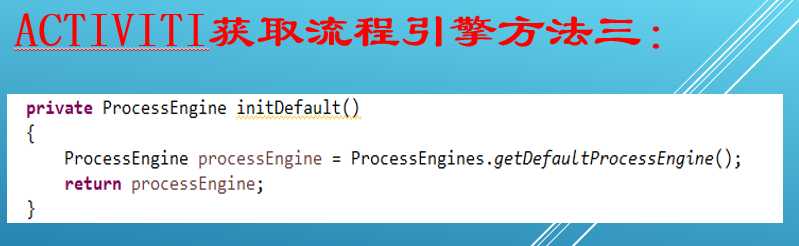
	private ProcessEngine initDefault()
	{
		ProcessEngine processEngine = ProcessEngines.getDefaultProcessEngine();
		return processEngine;
	}

	private ProcessEngine initProcessEngine()
	{
		return initFromCode();
	}

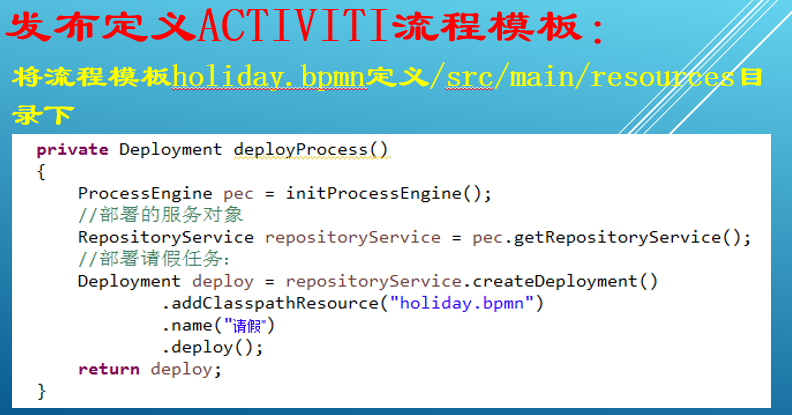
    private Deployment deployProcess()
    {
    	ProcessEngine pec = initProcessEngine();
		//部署的服务对象
		RepositoryService repositoryService = pec.getRepositoryService();
		//部署请假任务:
		Deployment deploy = repositoryService.createDeployment()
				.addClasspathResource("holiday.bpmn")
				.name("请假")
				.deploy();
		return deploy;
    }

    private ProcessInstance startProcess(String processName,String userName)
    {
    	//String processName = "activitiReview";
    	//String userName = "chqx";
    	ProcessEngine pec = initProcessEngine();
		RuntimeService runtimeService = pec.getRuntimeService();
		Map<String, Object> variables = new HashMap<String,Object>();
		variables.put("userName",userName);
		//根据key得到流程实例
		ProcessInstance instProcess = runtimeService.startProcessInstanceByKey(processName,variables);
		return instProcess;
    }

    private List<Task> getWorkItem(String processName,String userName)
    {
    	//String processName = "activitiReview";
    	//String userName = "chqx";
    	ProcessEngine pec = initProcessEngine();

    	TaskService tsrv = pec.getTaskService();
    	List<Task> list = tsrv.createTaskQuery()
                .processDefinitionKey(processName)
                .taskAssignee(userName)
                .list();

    	return list;
    }

    private void completeTask(String taskId,String userName)
    {
    	ProcessEngine pec = initProcessEngine();
    	TaskService tsrv = pec.getTaskService();
		Map<String, Object> variables = new HashMap<String,Object>();
		variables.put("userName",userName);
		variables.put("days","6");

    	tsrv.complete(taskId, variables);
    }

    @Test
    public void testActiviti()
    {
    	//Deployment deployment = deployProcess();
    	//System.out.println("工作流模板发布:"+deployment.getId()+","+deployment.getName());

    	String processName = "myProcess";
    	String userName = "wx";

    	//ProcessInstance instProc = startProcess(processName,userName);
    	//System.out.println("工作流实例:"+instProc.getId()+","+instProc.getName());


    	List<Task> tasks = getWorkItem(processName,userName);
    	for(Task task:tasks)
    	{
    		System.out.println("Task.id="+task.getId()+",参与者="+task.getAssignee()+",任务名称:="+task.getName());
    		completeTask(task.getId(),"wx");
    	}

    }

}
版权声明:本文内容由互联网用户自发贡献,该文观点仅代表作者本人。本站仅提供信息存储空间服务,不拥有所有权,不承担相关法律责任。如发现本站有涉嫌侵权/违法违规的内容, 请联系我们举报,一经查实,本站将立刻删除。
发布者:全栈程序员-站长,转载请注明出处:https://javaforall.net/185651.html原文链接:https://javaforall.net



