
欢迎来到WebGPU的世界
WebGPU是一门神奇的技术,在浏览器支持率0%,标准还没有定稿的情况下,就已经被Three.js和Babylon.js等主流3D和游戏框架支持了。而且被Tensorflow.js用来加速手机端的深度学习,比起WebGL能带来20~30倍的显著提升。
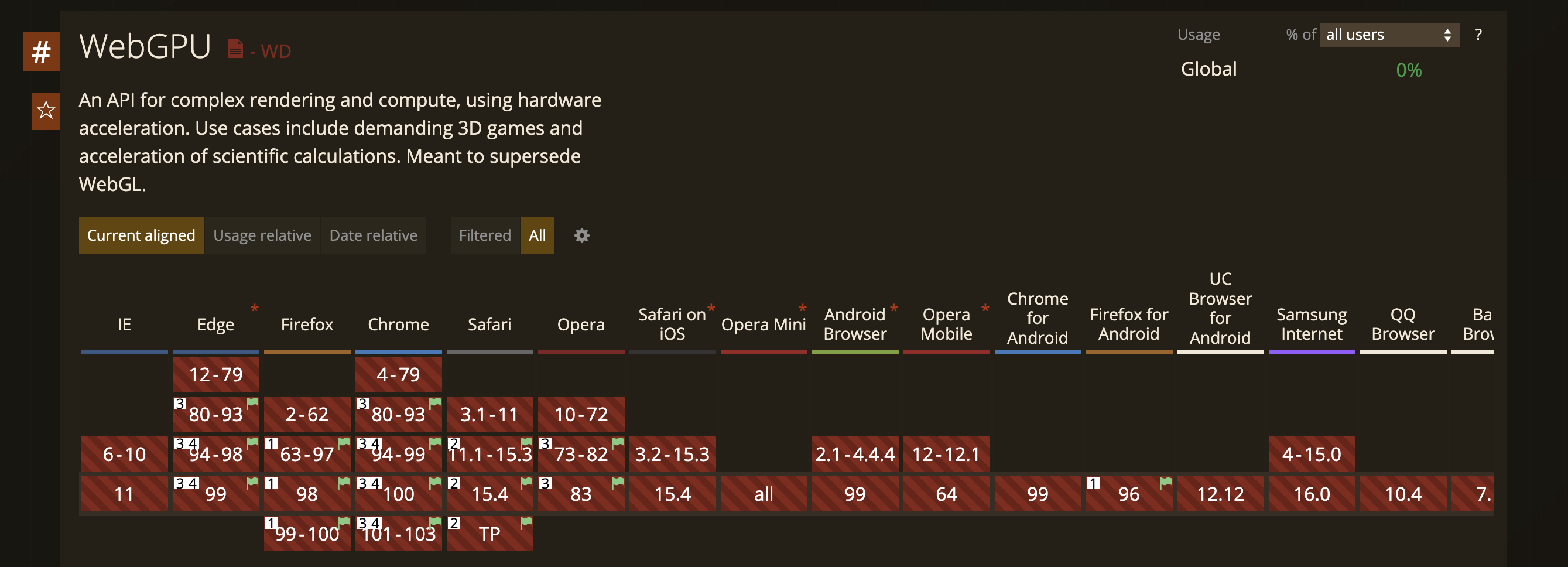

在主流框架中WebGPU的例子
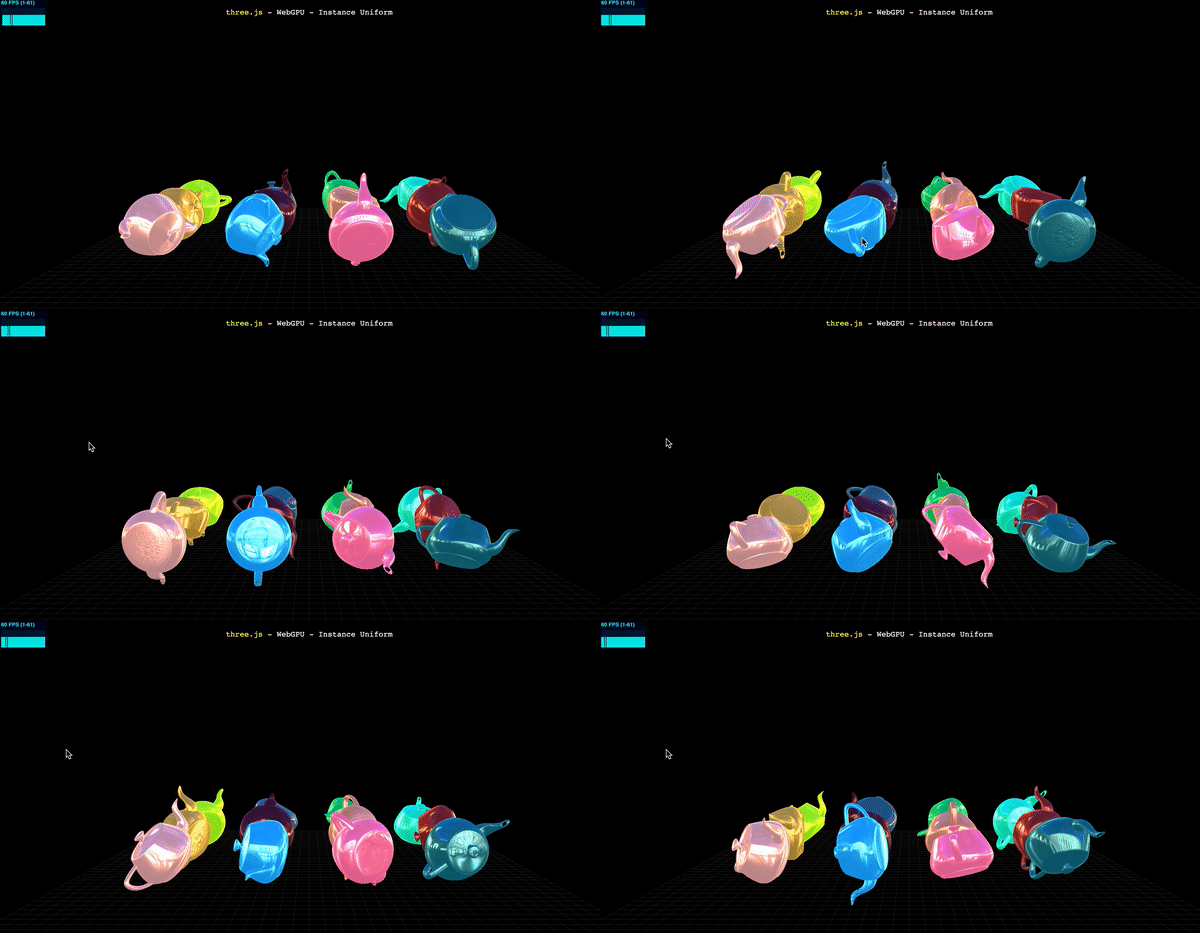
在Three.js中使用WebGPU
使用Three.js的封装,我们可以直接生成WebGPU的调用。
我们照猫画虎引入WebGPU相关的库:
 import * as THREE from 'three'; import * as Nodes from 'three-nodes/Nodes.js'; import {
    add, mul } from 'three-nodes/ShaderNode.js'; import WebGPU from './jsm/capabilities/WebGPU.js'; import WebGPURenderer from './jsm/renderers/webgpu/WebGPURenderer.js'; ...
剩下就跟普通的WebGL代码写起来差不多:
 async function init() {
    if ( WebGPU.isAvailable() === false ) {
    document.body.appendChild( WebGPU.getErrorMessage() ); throw new Error( 'No WebGPU support' ); } const container = document.createElement( 'div' ); document.body.appendChild( container ); camera = new THREE.PerspectiveCamera( 45, window.innerWidth / window.innerHeight, 1, 4000 ); camera.position.set( 0, 200, 1200 ); scene = new THREE.Scene(); ...
只不过渲染器使用WebGPURenderer:
renderer = new WebGPURenderer(); renderer.setPixelRatio( window.devicePixelRatio ); renderer.setSize( window.innerWidth, window.innerHeight ); container.appendChild( renderer.domElement ); ... 如果封装的不能满足需求了,我们可以使用WGSL语言进行扩展:
 material = new Nodes.MeshBasicNodeMaterial(); material.colorNode = desaturateWGSLNode.call( {
    color: new Nodes.TextureNode( texture ) } ); materials.push( material ); const getWGSLTextureSample = new Nodes.FunctionNode( ` fn getWGSLTextureSample( tex: texture_2d

      , tex_sampler: sampler, uv:vec2

       ) -> vec4

        { return textureSample( tex, tex_sampler, uv ) * vec4

         ( 0.0, 1.0, 0.0, 1.0 ); }


    ` ); const textureNode = new Nodes.TextureNode( texture ); material = new Nodes.MeshBasicNodeMaterial(); material.colorNode = getWGSLTextureSample.call( {
    tex: textureNode, tex_sampler: textureNode, uv: new Nodes.UVNode() } ); materials.push( material );
WGSL是WebGPU进行GPU指令编程的语言。类似于OpenGL的GLSL, Direct3D的HLSL。
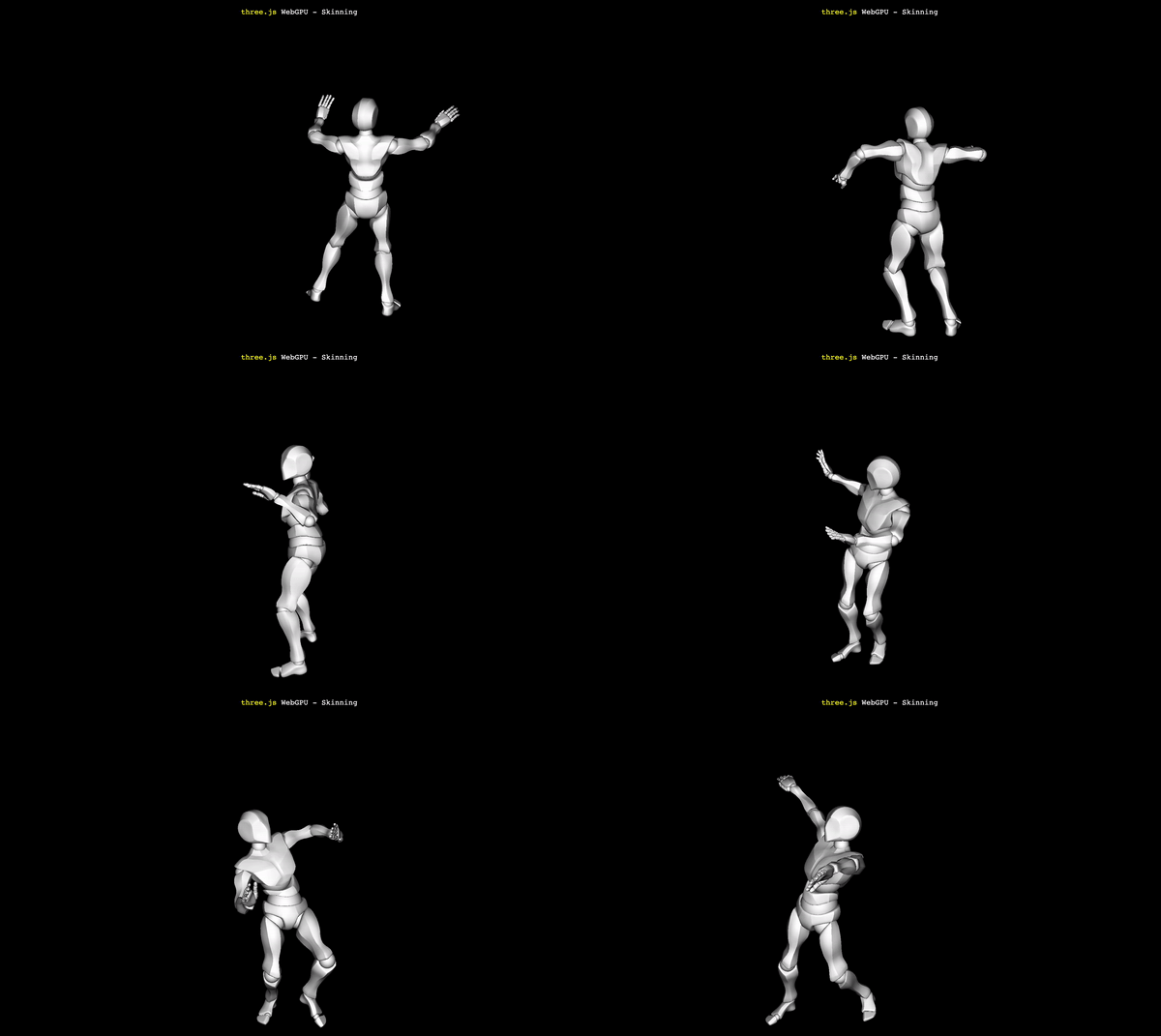
我们来看一个完整的例子,显示一个跳舞的小人,也不过100多行代码:
    DOCTYPE html> <html lang="en"> <head> <title>three.js - WebGPU - Skinning
      title> <meta charset="utf-8"> <meta name="viewport" content="width=device-width, user-scalable=no, minimum-scale=1.0, maximum-scale=1.0"> <link type="text/css" rel="stylesheet" href="main.css"> <meta http-equiv="origin-trial" content="AoS1pSJwCV3KRe73TO0YgJkK9FZ/qhmvKeafztp0ofiE8uoGrnKzfxGVKKICvoBfL8dgE0zpkp2g/oEJNS0fDgkAAABeeyJvcmlnaW4iOiJodHRwczovL3RocmVlanMub3JnOjQ0MyIsImZlYXR1cmUiOiJXZWJHUFUiLCJleHBpcnkiOjE2NTI4MzE5OTksImlzU3ViZG9tYWluIjp0cnVlfQ==">
       head> <body> <div id="info"> <a href="https://threejs.org" target="_blank" rel="noopener">three.js
        a> WebGPU - Skinning
         div> <script async src="https://unpkg.com/es-module-shims@1.3.6/dist/es-module-shims.js">
          script> <script type="importmap"> {
            "imports": {
            "three": "../build/three.module.js", "three-nodes/": "./jsm/nodes/" } }
           script> <script type="module"> import * as THREE from 'three'; import * as Nodes from 'three-nodes/Nodes.js'; import {
             FBXLoader } from './jsm/loaders/FBXLoader.js'; import WebGPU from './jsm/capabilities/WebGPU.js'; import WebGPURenderer from './jsm/renderers/webgpu/WebGPURenderer.js'; import LightsNode from 'three-nodes/lights/LightsNode.js'; let camera, scene, renderer; let mixer, clock; init().then( animate ).catch( error ); async function init() {
             if ( WebGPU.isAvailable() === false ) {
             document.body.appendChild( WebGPU.getErrorMessage() ); throw new Error( 'No WebGPU support' ); } camera = new THREE.PerspectiveCamera( 50, window.innerWidth / window.innerHeight, 1, 1000 ); camera.position.set( 100, 200, 300 ); scene = new THREE.Scene(); camera.lookAt( 0, 100, 0 ); clock = new THREE.Clock(); // 光照 const light = new THREE.PointLight( 0xffffff ); camera.add( light ); scene.add( camera ); const lightNode = new LightsNode().fromLights( [ light ] ); const loader = new FBXLoader(); loader.load( 'models/fbx/Samba Dancing.fbx', function ( object ) {
             mixer = new THREE.AnimationMixer( object ); const action = mixer.clipAction( object.animations[ 0 ] ); action.play(); object.traverse( function ( child ) {
             if ( child.isMesh ) {
             child.material = new Nodes.MeshStandardNodeMaterial(); child.material.lightNode = lightNode; } } ); scene.add( object ); } ); // 渲染 renderer = new WebGPURenderer(); renderer.setPixelRatio( window.devicePixelRatio ); renderer.setSize( window.innerWidth, window.innerHeight ); document.body.appendChild( renderer.domElement ); window.addEventListener( 'resize', onWindowResize ); return renderer.init(); } function onWindowResize() {
             camera.aspect = window.innerWidth / window.innerHeight; camera.updateProjectionMatrix(); renderer.setSize( window.innerWidth, window.innerHeight ); } function animate() {
             requestAnimationFrame( animate ); const delta = clock.getDelta(); if ( mixer ) mixer.update( delta ); renderer.render( scene, camera ); } function error( error ) {
             console.error( error ); }
            script>
             body>
              html>
在Babylon.js中使用WebGPU
Babylon.js的封装与Three.js大同小异,我们来看个PlayGround的效果:
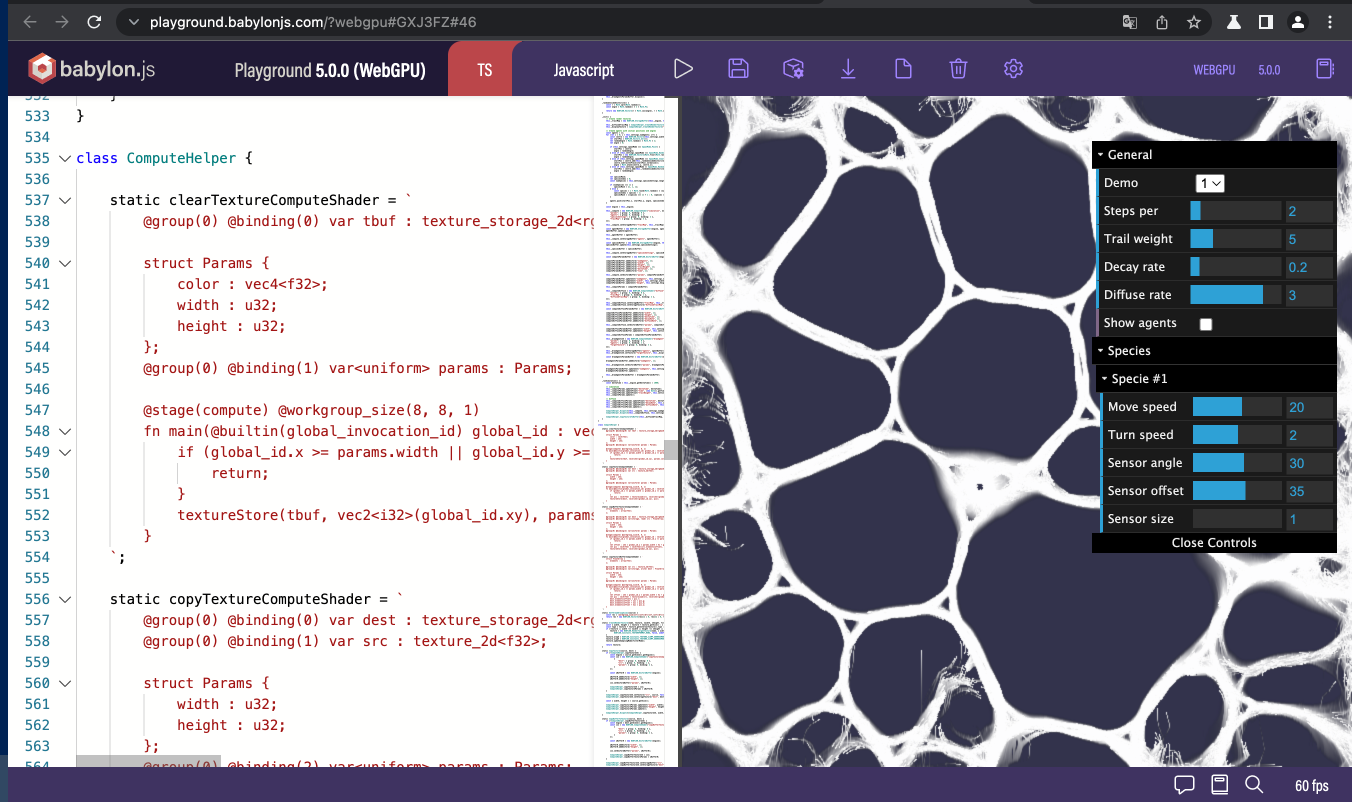
const supportCS = engine.getCaps().supportComputeShaders; 不过目前在macOS上,只有WebGPU支持计算着色器。
如果我们把环境切换成WebGL2,就变成下面这样了:
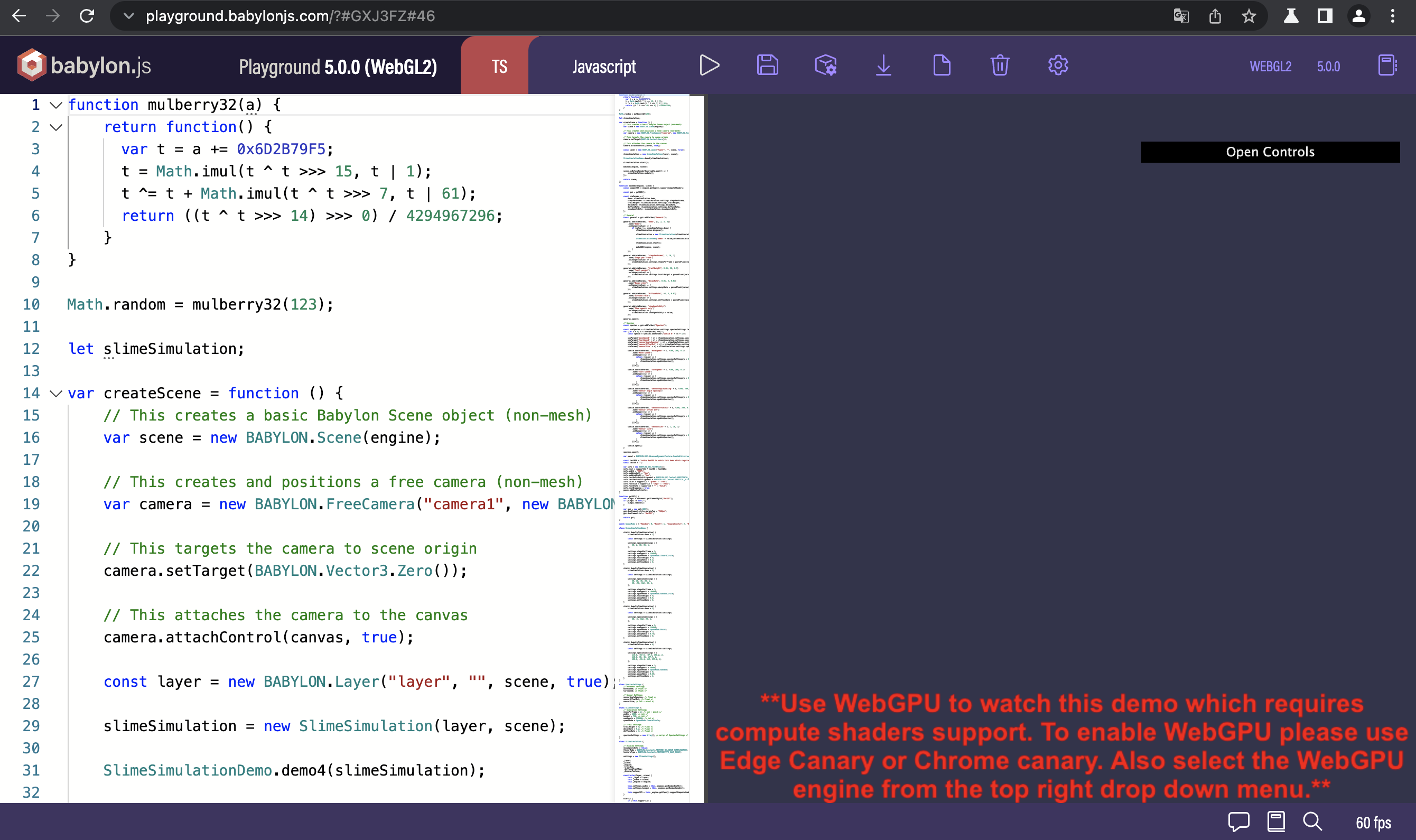
顺便说一句,Babylon.js判断WebGL2和WebGL时也是同样的逻辑,有高就用高。
如果对于着色器不熟悉,Babylon.js提供了练习Vertex Shader和Pixel Shader的环境:https://cyos.babylonjs.com/ , 带语法高亮和预览。

用WebGPU进行深度学习加速
除了3D界面和游戏,深度学习的推理器也是GPU的重度用户。所以Tensorflow.js也在还落不了地的时候就支持了WebGPU。实在是计算着色器太重要了。
写出来的加速代码就像下面一样,很多算子的实现最终是由WGSL代码来实现的,最终会转换成GPU的指令。
 getUserCode(): string {
    const rank = this.xShape.length; const type = getCoordsDataType(rank); const start = this.xShape.map((_, i) => `uniforms.pad${
     i}[0]`).join(','); const end = this.xShape .map( (_, i) => `uniforms.pad${
     i}[0] + uniforms.xShape${
      rank > 1 ? `[${
       i}]` : ''}`) .join(','); const startValue = rank > 1 ? `${
     type}(${
     start})` : `${
     start}`; const endValue = rank > 1 ? `${
     type}(${
     end})` : `${
     end}`; const leftPadCondition = rank > 1 ? `any(outC < start)` : `outC < start`; const rightPadCondition = rank > 1 ? `any(outC >= end)` : `outC >= end`; const unpackedCoords = rank > 1 ? ['coords[0]', 'coords[1]', 'coords[2]', 'coords[3]'].slice(0, rank) : 'coords'; const userCode = ` ${
     getMainHeaderAndGlobalIndexString()} if (index < uniforms.size) { let start = ${
     startValue}; let end = ${
     endValue}; let outC = getCoordsFromIndex(index); if (${
     leftPadCondition} || ${
     rightPadCondition}) { setOutputAtIndex(index, uniforms.constantValue); } else { let coords = outC - start; setOutputAtIndex(index, getX(${
     unpackedCoords})); } } } `; return userCode; }
无框架手写WebGPU代码
从Canvas说起
不管是WebGL还是WebGPU,都是对于Canvas的扩展。做为HTML 5的重要新增功能,大家对于2D的Canvas应该都不陌生。
比如我们要画一个三角形,就可以调用lineTo API来实现:
    DOCTYPE html> <html lang="en"> <head> <meta charset="UTF-8"> <title>Canvas
      title>
       head> <body> <canvas id="webcanvas" width="200" height="200" style="background-color: #eee">
        canvas> <script> const canvas=document.getElementById('webcanvas'); const ctx=canvas.getContext('2d'); ctx.beginPath(); ctx.moveTo(75,50); ctx.lineTo(100,75); ctx.lineTo(100,25); ctx.fill();
         script>
          body>
画出来的结果如下:

比如我们设成红色,可以这么写:
ctx.fillStyle = 'red'; 也可以这么写:
ctx.fillStyle = '#F00'; 还可以这么写:
ctx.fillStyle = 'rgb(255,0,0,1)'; 从2D到3D
从2D Canvas到3D WebGL的最大跨越,就是从调用API,到完全不同于JavaScript的新语言GLSL的出场。
第一步的步子我们迈得小一点,不画三角形了,只画一个点。
    DOCTYPE html> <html lang="en"> <head> <meta charset="UTF-8"> <title>Test OpenGL for a point
      title>
       head> <body> <canvas id="webgl" width="500" height="500" style="background-color: blue">
        canvas> <script> const canvas = document.getElementById('webgl'); const gl = canvas.getContext('webgl'); const program = gl.createProgram(); const vertexShaderSource = ` void main(){ gl_PointSize=sqrt(20.0); gl_Position =vec4(0.0,0.0,0.0,1.0); }`; const vertexShader = gl.createShader(gl.VERTEX_SHADER); gl.shaderSource(vertexShader, vertexShaderSource); gl.compileShader(vertexShader); gl.attachShader(program, vertexShader); const fragShaderSource = ` void main(){ gl_FragColor = vec4(1.0,0.0,0.0,1.0); } `; const fragmentShader = gl.createShader(gl.FRAGMENT_SHADER); gl.shaderSource(fragmentShader, fragShaderSource); gl.compileShader(fragmentShader); gl.attachShader(program, fragmentShader); gl.linkProgram(program); gl.useProgram(program); gl.drawArrays(gl.POINTS, 0, 1);
         script>
          body>
html> 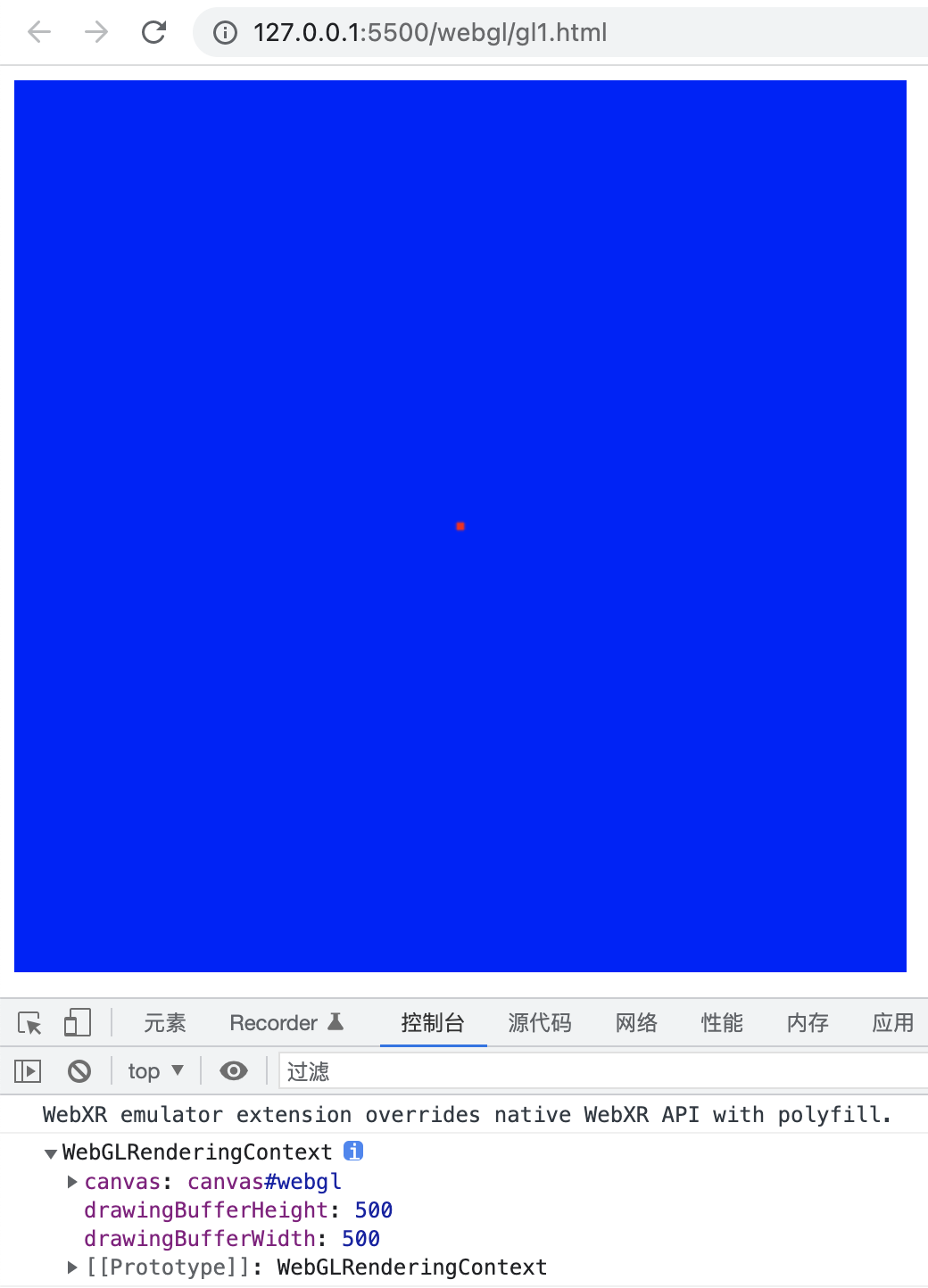
下面就引入了两段程序中的程序,第一段叫做顶点着色器,用于顶点的坐标信息。第二段叫做片元着色器,用于配置如何进行一些属性的操作,在本例中我们做一个最基本的操作,改颜色。
我们先看顶点着色器的代码:
void main(){ gl_PointSize=sqrt(20.0); gl_Position =vec4(0.0,0.0,0.0,1.0); } GLSL的数据类型很丰富,包括标量、向量、数组、矩阵、结构体和采样器等。
标量有布尔型bool, 有符号整数int, 无符号整数uint和浮点数float 4种类型。
类型的使用方式跟C语言一样,比如我们用float来定义浮点变量。
float pointSize = sqrt(20.0); gl_PointSize=pointSize; void main(){ mediump vec4 pointColor; pointColor.r = 1.0; pointColor.a = 1.0; gl_FragColor = pointColor; } - vec4: 浮点型向量
- ivec4: 整数型向量
- uvec4: 无符号整数向量
- bvec4: 布尔型向量。
另外还有vec2, vec3各有4种子类型,以此类推。
在GLSL里面,四元向量最常用的用途有两种,在顶点着色器里充当坐标,和在片元着色器里充当颜色。
当vec4作为坐标使用时,我们可以用x,y,z,w属性来对应4个维度。
我们来看个例子:
vec4 pos; pos.x = 0.0; pos.y = 0.0; pos.z = 0.0; pos.w = 1.0; gl_Position = pos; 同样,我们在片元着色器里面表示红色的时候只用指令r和a两个属性,g,b让它们默认是0:
void main(){ mediump vec4 pointColor; pointColor.r = 1.0; pointColor.a = 1.0; gl_FragColor = pointColor; } 更现代的GPU编程方法
我们先看一下完整代码有个印象:
    DOCTYPE html> <html lang="en"> <head> <meta charset="UTF-8"> <title>Test WebGPU
      title>
       head> <body> <canvas id="webgpu" width="500" height="500" style="background-color: blue">
        canvas> <script> async function testGPU() {
          const canvas = document.getElementById('webgpu'); const gpuContext = canvas.getContext('webgpu'); const adapter = await navigator.gpu.requestAdapter(); const device = await adapter.requestDevice(); presentationFormat = gpuContext.getPreferredFormat(adapter); gpuContext.configure({
          device, format: presentationFormat }); const triangleVertWGSL = ` @stage(vertex) fn main(@builtin(vertex_index) VertexIndex : u32) -> @builtin(position) vec4

            { var pos = array

             , 3>( vec2

              (0.0, 0.5), vec2

               (-0.5, -0.5), vec2

                (0.5, -0.5)); return vec4

                 (pos[VertexIndex], 0.0, 1.0); }


          `; const redFragWGSL = ` @stage(fragment) fn main() -> @location(0) vec4

            { return vec4

             (1.0, 0.0, 0.0, 1.0); }

          ` const commandEncoder = device.createCommandEncoder(); const textureView = gpuContext.getCurrentTexture().createView(); const pipeline = device.createRenderPipeline({
          vertex: {
          module: device.createShaderModule({
          code: triangleVertWGSL, }), entryPoint: 'main', }, fragment: {
          module: device.createShaderModule({
          code: redFragWGSL, }), entryPoint: 'main', targets: [ {
          format: presentationFormat, }, ], }, primitive: {
          topology: 'triangle-list', }, }); const renderPassDescriptor = {
          colorAttachments: [ {
          view: textureView, loadValue: {
          r: 1.0, g: 1.0, b: 1.0, a: 1.0 }, storeOp: 'store', }, ], }; const passEncoder = commandEncoder.beginRenderPass(renderPassDescriptor); console.log(passEncoder); passEncoder.setPipeline(pipeline); passEncoder.draw(3, 1, 0, 0); passEncoder.end(); device.queue.submit([commandEncoder.finish()]); } testGPU();
         script>
          body>
           html>
因为浏览器还没有支持,所以我们需要像Chrome Canary这样的支持最新技术的浏览器。而且还要打开支持的开关,比如在Chrome Canary里是enable-unsafe-webgpu.

三角形画出来的结果如下:
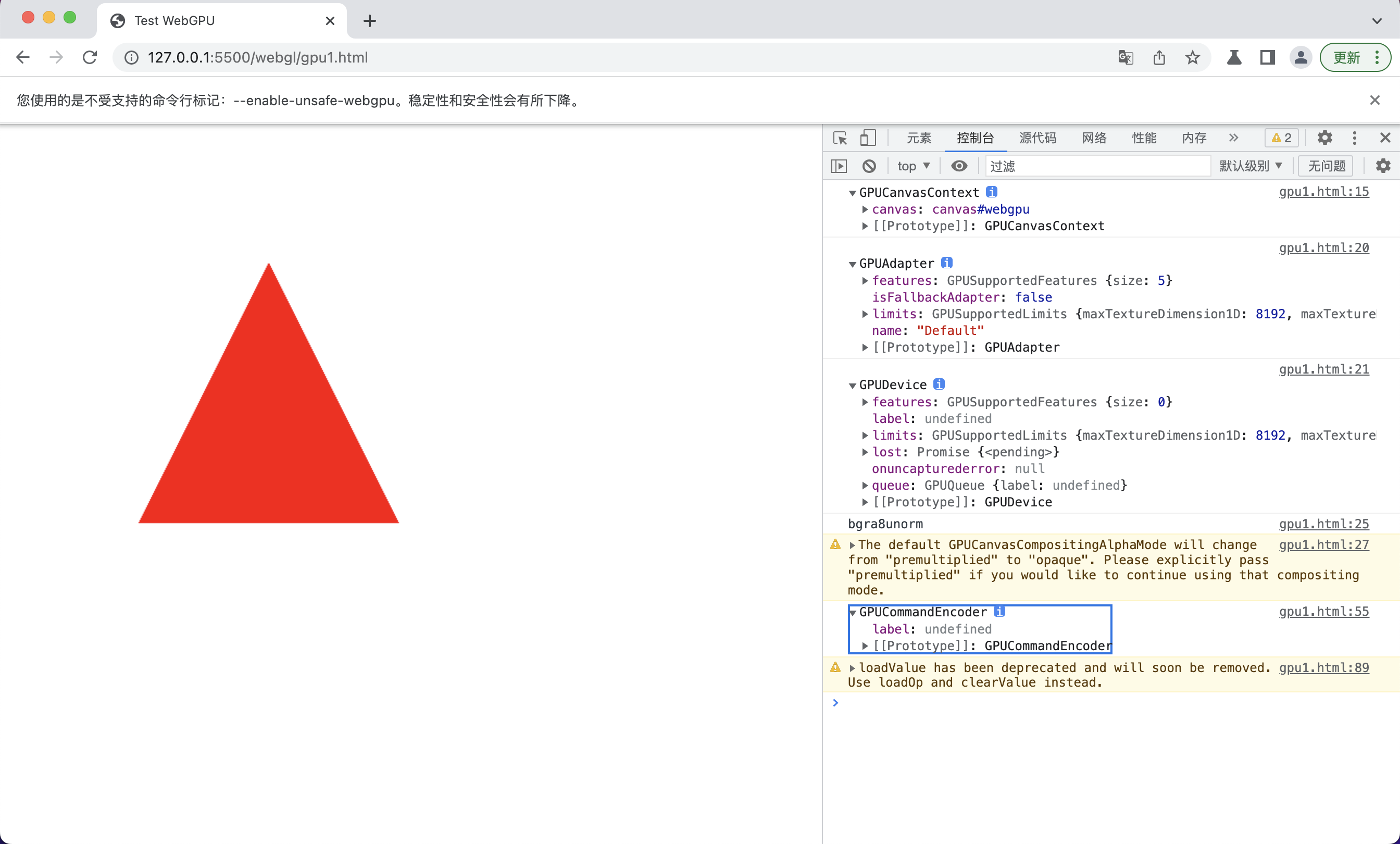
现在的Context从WebGL的WebGLRenderingContext变成了GPUCanvasContext。
WGSL语言的语法更像Rust,vec4这样的容器可以用泛型的写法绑定类型:
 @stage(vertex) fn main(@builtin(vertex_index) VertexIndex : u32) -> @builtin(position) vec4

    { var pos = array

     , 3>( vec2

      (0.0, 0.5), vec2

       (-0.5, -0.5), vec2

        (0.5, -0.5)); return vec4

         (pos[VertexIndex], 0.0, 1.0); }
对比下Rust的代码看看像不像:
fn fib2(n: i32) -> i64 {
    if n <= 2 {
    return 1i64 } else {
    return fib2(n - 1) + fib2(n - 2) } }
在WebGPU和WGSL还未定版,资料还比较缺乏的情况下,我们可以先学习Vulkan相关的知识,然后迁移到WebGPU上来。本质上是同样的东西,只是封装略有不同。
我们之前学习的GLSL的知识同样用得上,而且在这种类Rust风格中可以写得更爽一些。
比如同样是给片元用的颜色值,在保留了vec4可以继续使用r,g,b,a分量的好处之外,因为指定了f32的精度,就不需要mediump了。而且,类型可以自动推断,我们直接给个var就好了:
 @stage(fragment) fn main() -> @location(0) vec4

    { var triColor = vec4

     (0.0,0.0,0.0,0.0); triColor.r = 1.0; triColor.a = 1.0; return triColor; }
小结
相对于基于OpenGL ES 2.0的WebGL 1.0,WebGPU更接近于Vulkan这样更能发挥GPU能力的新API,可以更有效地发挥出新的GPU的能力。就像渲染上Three.js和Babylon.js给我们展示的那样和计算上Tensorflow.js的飞跃一样。
虽然浏览器还不支持,但是不成熟的主要是封装,底层的Vulkan和Metal技术已经非常成熟,并且广泛被客户端所使用了。
WebGPU这个能力暴露给H5和小程序之后,将给元宇宙等热门应用插上性能倍增的翅膀。结合WebXR等支持率更成问题的新技术一起,成为未来几年前端的主要工具。
发布者:全栈程序员-站长,转载请注明出处:https://javaforall.net/199862.html原文链接:https://javaforall.net



