
摘记项目的一些片段来品味一下,都是一些值得背下来的基本用法
// i.putExtra("course",course); 则直接讲course对象小包序列化取出 course= getIntent().getParcelableExtra("course"); FragmentManager fm = getFragmentManager(); FragmentTransaction ft = fm.beginTransaction(); if(planCate == 1){
tvLeft.setText(getString(R.string.plan_week_plan)); //直接把layout里的空白的FrameLayout给替换掉 // 考虑到week_plan和course_table的高度相似性 FgtPlanWeek weekPlanFragment = new FgtPlanWeek(); ft.replace(R.id.plan_content_frame,weekPlanFragment).commit(); } else if (planCate == 2){
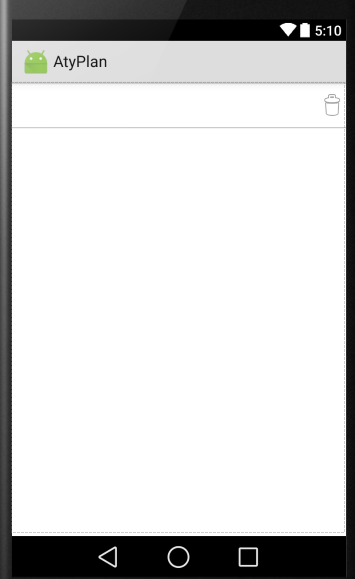
tvLeft.setText(getString(R.string.plan_course_table)); FgtPlanCourseTable courseFragment = new FgtPlanCourseTable(); ft.replace(R.id.plan_content_frame,courseFragment).commit(); } 附上plan的layout和截图一张(可以看到基本是空白的)
<FrameLayout android:layout_width="fill_parent" android:layout_height="50dp"> <TextView android:layout_width="wrap_content" android:layout_height="fill_parent" android:id="@+id/plan_textview_left" android:layout_gravity="start" android:textSize="30sp" android:gravity="center_vertical"/> <ImageView android:layout_width="wrap_content" android:layout_height="wrap_content" android:src="@android:drawable/ic_menu_delete" android:layout_gravity="end|center_vertical"/>
FrameLayout> <View android:layout_width="fill_parent" android:layout_height="1dp" android:background="#ffb0b0b0"/> <FrameLayout android:layout_width="fill_parent" android:layout_height="fill_parent" android:id="@+id/plan_content_frame"/> 
 @Override public View getChildView(final int groupPosition, final int childPosition, boolean isLastChild, View convertView, ViewGroup parent) {
    TextView myText; if (convertView == null) {
    convertView = LayoutInflater.from(context).inflate(R.layout.plan_child, parent, false); } myText = (TextView) convertView.findViewById(R.id.plan_child_text); lesson = getChild(groupPosition, childPosition); myText.setText(lesson.getTitle()); ImageView iv = (ImageView) convertView.findViewById(R.id.plan_child_indicator); if (lesson.isLearned()) {
    iv.setImageResource(R.drawable.lesson_completed); } else {
    iv.setImageResource(R.drawable.lesson_uncompleted); } loadingButton = (LoadingButton) convertView.findViewById(R.id.plan_child_load_video); """ //when scroll ListView the ChildView will reuse/create/destroy ,so we need bind AtyPlan.setLoadingButton(loadingButton, course, lesson, context); //这个方法将按钮、按钮对应的课程进行绑定 return convertView;""" }
版权声明:本文内容由互联网用户自发贡献,该文观点仅代表作者本人。本站仅提供信息存储空间服务,不拥有所有权,不承担相关法律责任。如发现本站有涉嫌侵权/违法违规的内容, 请联系我们举报,一经查实,本站将立刻删除。
发布者:全栈程序员-站长,转载请注明出处:https://javaforall.net/200305.html原文链接:https://javaforall.net



