
安装部署启动Metricbeat,Windows
(1)下载Metricbeat:

(2)下载其中的Windows zip压缩文件,解压到一个目录。通过Windows命令cd到metricbeat.exe的目录下:
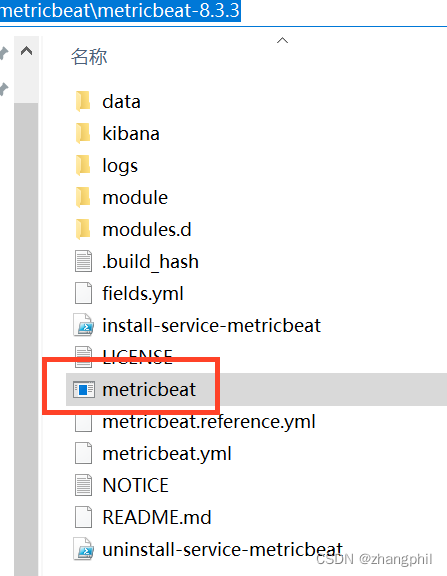

此时可以通过命令:
metricbeat modules list预览当前的metricbeat包含有多少组件。另外还有一些常用的命令:
# 启用modules # metricbeat modules enable 模块名 # 禁用modules # metricbeat modules disable 模块名 # 启用system # metricbeat modules enable system(3)启动metricbeat:
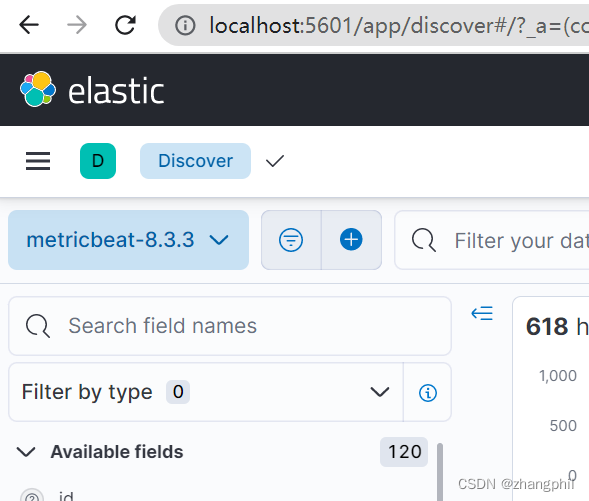
start metricbeat新版(8.3.3)metricbeat,如果默认的es和kibana都是默认配置,那么上述命令执行后,就可以在kibana上看到有metricbeat的数据了。
版权声明:本文内容由互联网用户自发贡献,该文观点仅代表作者本人。本站仅提供信息存储空间服务,不拥有所有权,不承担相关法律责任。如发现本站有涉嫌侵权/违法违规的内容, 请联系我们举报,一经查实,本站将立刻删除。
发布者:全栈程序员-站长,转载请注明出处:https://javaforall.net/201449.html原文链接:https://javaforall.net




