
axios 官网:axios中文网
方式一:将 axios 绑定到 vue 原型上
安装:
npm install axios main.js中导入并绑定
import Vue from 'vue' import App from './App' import axios from 'axios' Vue.prototype.$axios = axios new Vue({
el: '#app', components: {
App }, template: '
使用:
<template> <div id="app"> <button @click="handleClick">点击
     button>
      div>
       template> <script> export default {
        name: "App", methods: {
        handleClick() {
        // this.$axios({
        // method: "get", // url: "http://localhost:8081/hello" // }).then(res => {
        // console.log(res.data); // }); this.$axios.get("http://localhost:8081/hello").then(response => {
        console.log(response.data); }); } } };
        script> <style>
         style>
方式二:使用 vue-axios
安装:
npm install --save axios vue-axios main.js 中安装
import Vue from 'vue' import App from './App' import axios from 'axios' import VueAxios from 'vue-axios' // VueAxios 与 axios 的位置不能交换,否则出现 TypeError: Cannot read property 'protocol' of undefined Vue.use( VueAxios , axios) new Vue({
el: '#app', components: {
App }, template: '
使用:
<template> <div id="app"> <button @click="handleClick">点击
     button>
      div>
       template> <script> export default {
        name: "App", methods: {
        handleClick() {
        // this.axios({
        // method: "get", // url: "http://localhost:8081/hello" // }).then(res => {
        // console.log(res.data); // }); this.axios.get("http://localhost:8081/hello").then(response => {
        console.log(response.data); }); } } };
        script> <style>
         style>
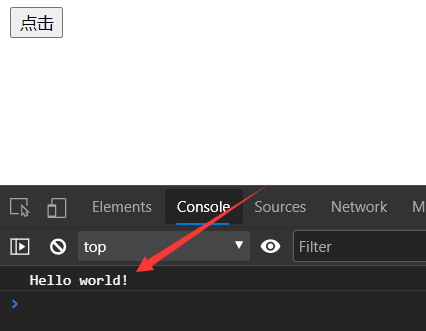
补充:发送 post 请求
this.axios({
    method: "post", url: "http://localhost:8081/hello", data: {
    username: "admin", password: "123" } }).then((res)=>{
    console.log(res.data); })
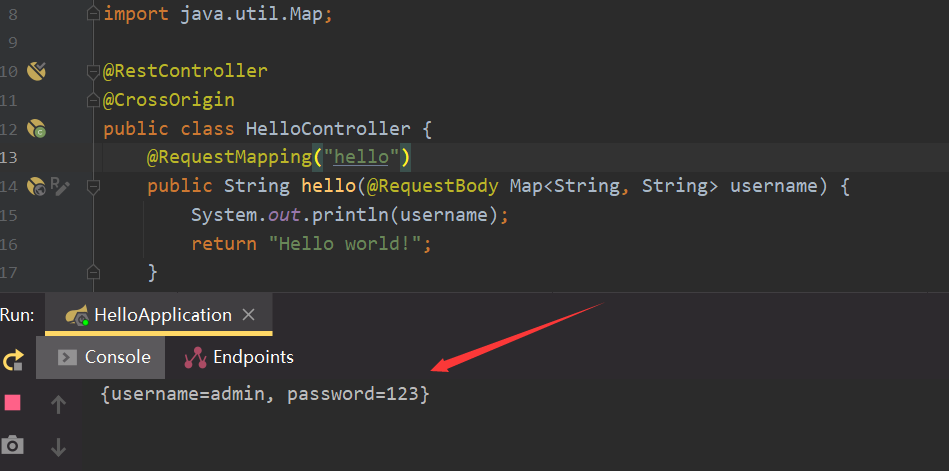
后端 springboot 代码
@RestController @CrossOrigin public class HelloController {
    @RequestMapping("hello") public String hello(@RequestBody Map<String, String> username) {
    System.out.println(username); return "Hello world!"; } }
结果:

版权声明:本文内容由互联网用户自发贡献,该文观点仅代表作者本人。本站仅提供信息存储空间服务,不拥有所有权,不承担相关法律责任。如发现本站有涉嫌侵权/违法违规的内容, 请联系我们举报,一经查实,本站将立刻删除。
发布者:全栈程序员-站长,转载请注明出处:https://javaforall.net/204609.html原文链接:https://javaforall.net



