
0. 写在前面
安装环境:ubuntu18.04(16和18差不多,但是18太爽了)和python3(具体版本忘了,应该是3.6)
参考链接:参考了验证程序
1. 安装pyCUDA之前必须安装CUDA
参考本人上一个博客
2.安装pyCUDA
首先用pip3安装一般服务器会超时,这个时候也可以用清华源或者其他国内源安装,标准命令是”pip3 install pycuda”,但是这种安装方式我没试过。
如果用sudo apt install python3-pycuda会发现这个包并不是最新包,除非降低显卡驱动版本,反正我不愿意。
以下是本人实测的方法。
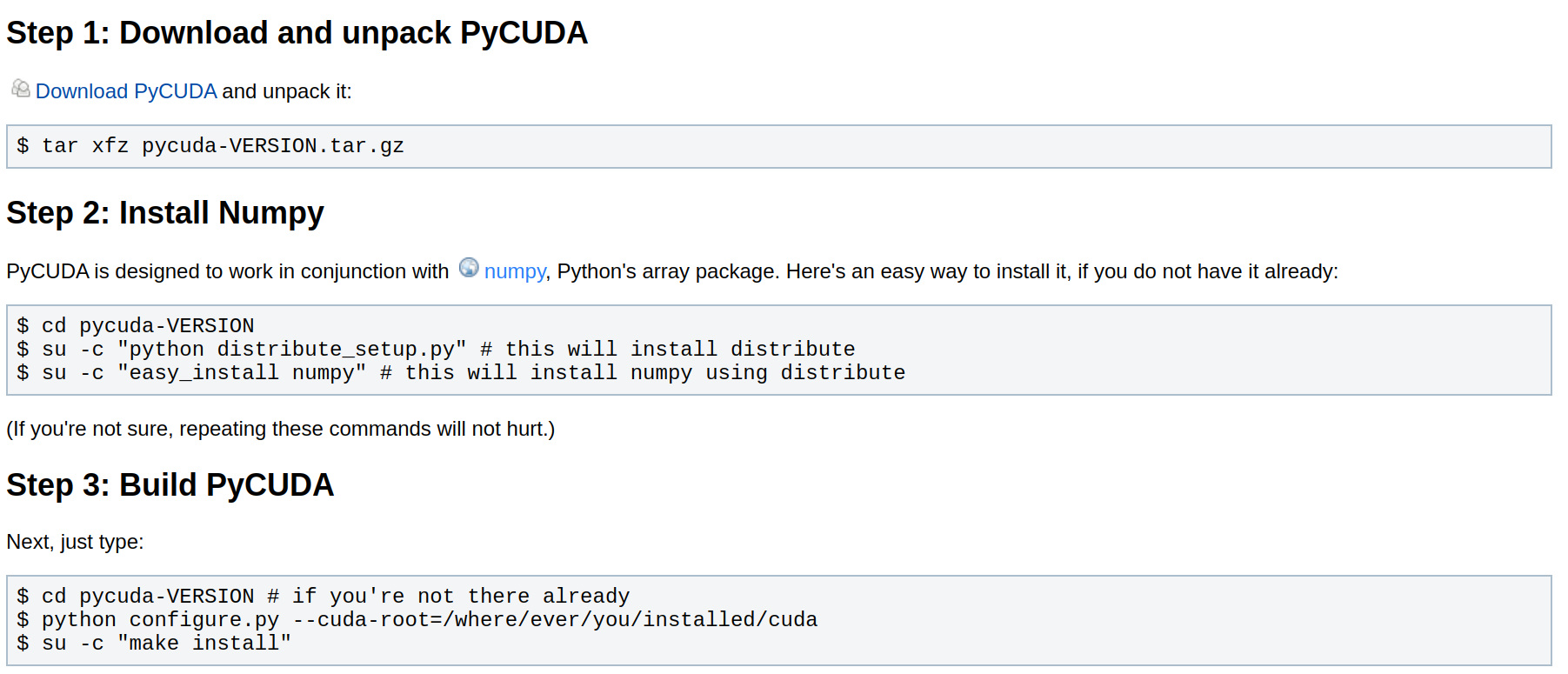
pyCUDA各版本的变化可以参考这个,最新的编译包贴在这,python.org上也有,github有各版本压缩包,安装步骤参考这个的第一步和第三步(如下图),第二步忽略(一般都是安装numpy了的),注意对于python3第三步中的”python configure.py …”改成”python3 …”

3. 检验pyCUDA安装
新建py脚本如下
import pycuda
import pycuda.driver as drv
drv.init()
print('CUDA device query (PyCUDA version) \n')
print('Detected {} CUDA Capable device(s) \n'.format(drv.Device.count()))
for i in range(drv.Device.count()):

    gpu_device = drv.Device(i)
    print('Device {}: {}'.format( i, gpu_device.name() ) )
    compute_capability = float( '%d.%d' % gpu_device.compute_capability() )
    print('\t Compute Capability: {}'.format(compute_capability))
    print('\t Total Memory: {} megabytes'.format(gpu_device.total_memory()//(10242)))

    # The following will give us all remaining device attributes as seen
    # in the original deviceQuery.
    # We set up a dictionary as such so that we can easily index
    # the values using a string descriptor.

    device_attributes_tuples = gpu_device.get_attributes().items()
    device_attributes = {}

    for k, v in device_attributes_tuples:
        device_attributes[str(k)] = v

    num_mp = device_attributes['MULTIPROCESSOR_COUNT']

    # Cores per multiprocessor is not reported by the GPU!
    # We must use a lookup table based on compute capability.
    # See the following:
    # http://docs.nvidia.com/cuda/cuda-c-programming-guide/index.html#compute-capabilities

    cuda_cores_per_mp = { 5.0 : 128, 5.1 : 128, 5.2 : 128, 6.0 : 64, 6.1 : 128, 6.2 : 128}[compute_capability]

    print('\t ({}) Multiprocessors, ({}) CUDA Cores / Multiprocessor: {} CUDA Cores'.format(num_mp, cuda_cores_per_mp, num_mp*cuda_cores_per_mp))

    device_attributes.pop('MULTIPROCESSOR_COUNT')

    for k in device_attributes.keys():
        print('\t {}: {}'.format(k, device_attributes[k]))
应该得到输出结果如下
CUDA device query (PyCUDA version) Detected 1 CUDA Capable device(s) Device 0: GeForce GTX 1060 Compute Capability: 6.1 Total Memory: 6078 megabytes (10) Multiprocessors, (128) CUDA Cores / Multiprocessor: 1280 CUDA Cores ASYNC_ENGINE_COUNT: 2 CAN_MAP_HOST_MEMORY: 1 CLOCK_RATE: COMPUTE_CAPABILITY_MAJOR: 6 COMPUTE_CAPABILITY_MINOR: 1 COMPUTE_MODE: DEFAULT CONCURRENT_KERNELS: 1 .... .... TEXTURE_PITCH_ALIGNMENT: 32 TOTAL_CONSTANT_MEMORY: 65536 UNIFIED_ADDRESSING: 1 WARP_SIZE: 32
版权声明:本文内容由互联网用户自发贡献,该文观点仅代表作者本人。本站仅提供信息存储空间服务,不拥有所有权,不承担相关法律责任。如发现本站有涉嫌侵权/违法违规的内容, 请联系我们举报,一经查实,本站将立刻删除。
发布者:全栈程序员-站长,转载请注明出处:https://javaforall.net/207475.html原文链接:https://javaforall.net



