
MaxScript – a Comprehensive Introduction
基础语法
select $Box* – select any objects with the name box at the beginning of them.
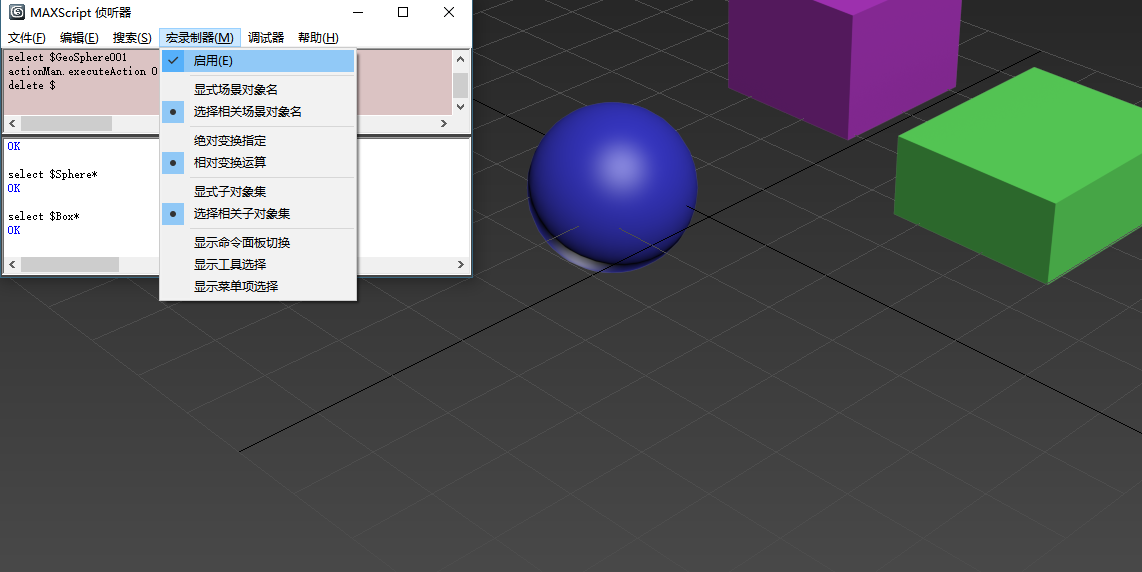
打开MAXScript侦听器窗口,开启宏录制器。

这样,每当我们进行一个操作,比如创建一个Box,那么宏录制器中会显示当前动作所对应的MAXScript命令。
Use Loop
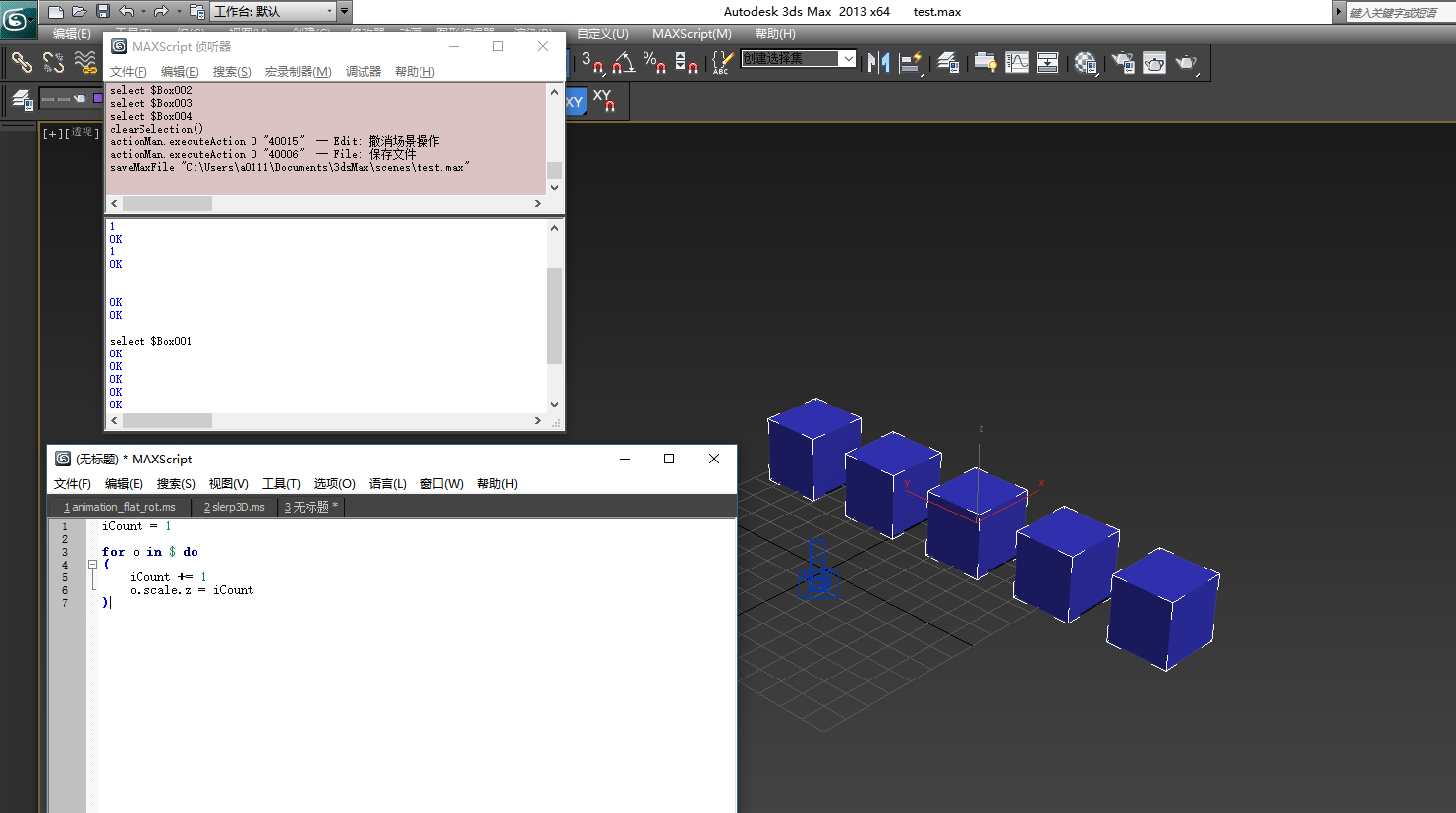
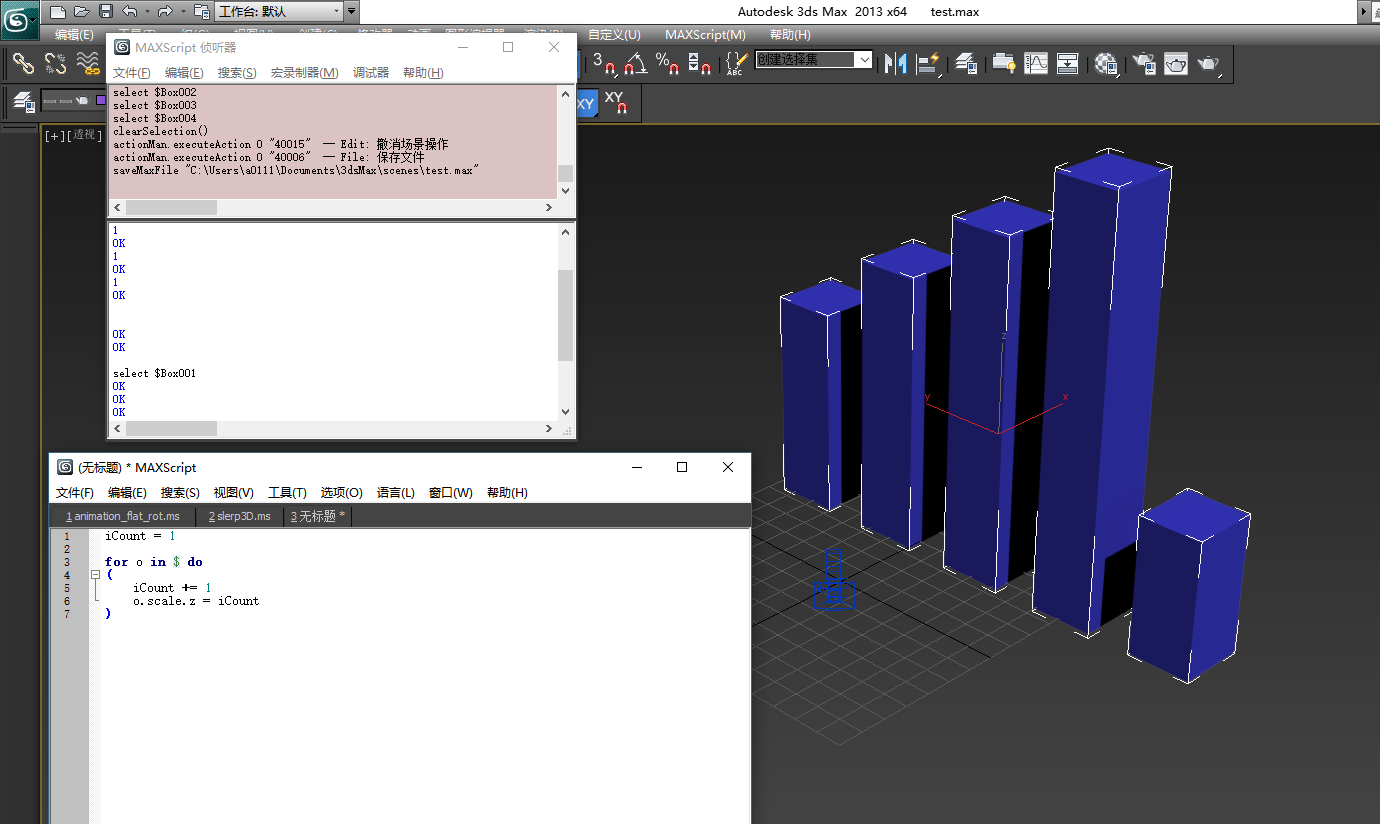
注意, $ 中的元素顺序与你选择的时候的顺序相关联。
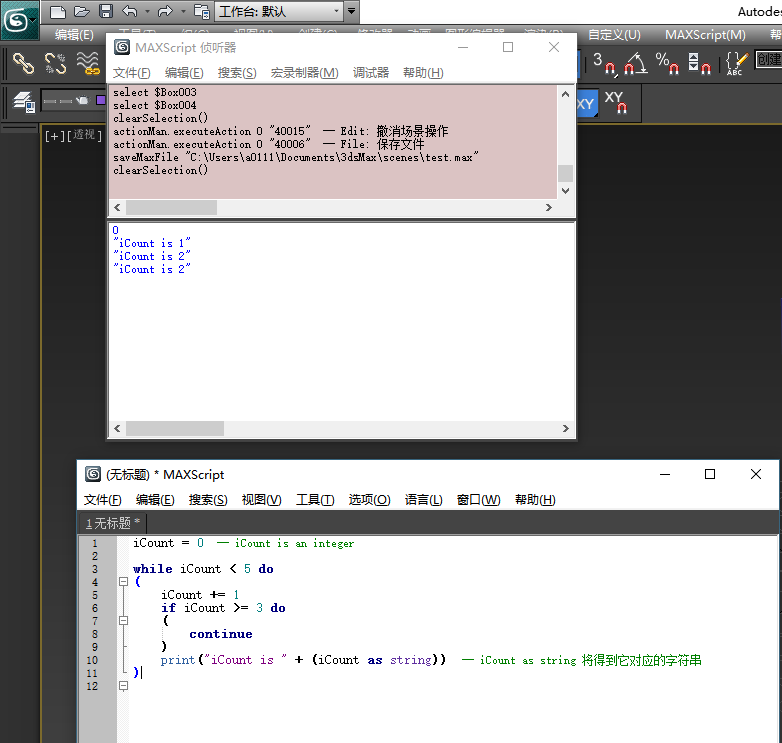
while loop and if condition
function
fn TalkToMe = ( Messagebox "hello" ) fn RotateMe obj xamount = ( obj.rotation.x_rotation += xamount ) --RotateMe $* 90 -- everything --RotateMe $Box* 90 -- Box... RotateMe $*01 90function with return
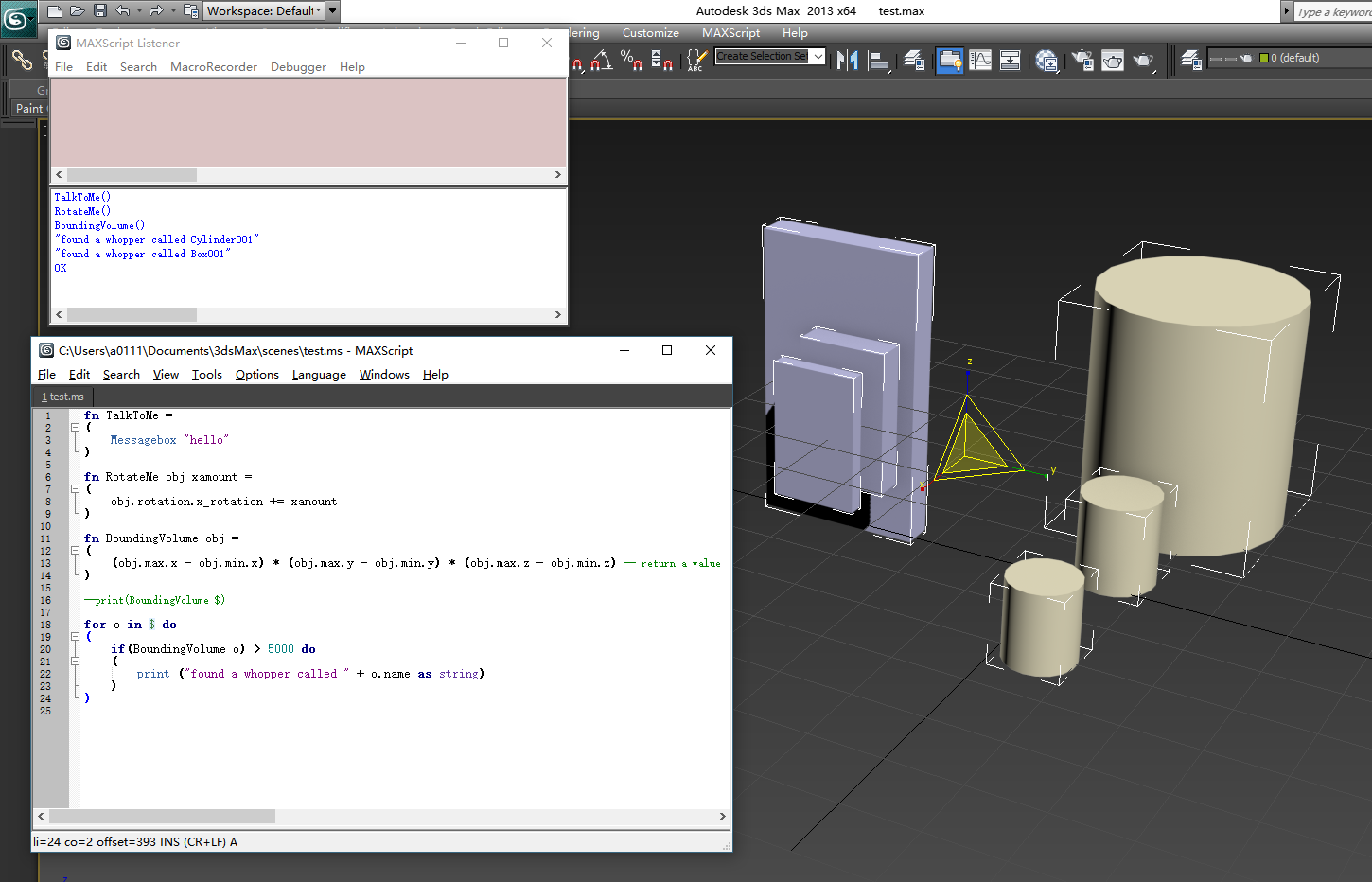
3个函数,3中类型
fn TalkToMe = ( Messagebox "hello" ) fn RotateMe obj xamount = ( obj.rotation.x_rotation += xamount ) fn BoundingVolume obj = ( (obj.max.x - obj.min.x) * (obj.max.y - obj.min.y) * (obj.max.z - obj.min.z) -- return a value ) --print(BoundingVolume $) for o in $ do ( if(BoundingVolume o) > 5000 do ( print ("found a whopper called " + o.name as string) ) ) 一个例子,用到了 rollout
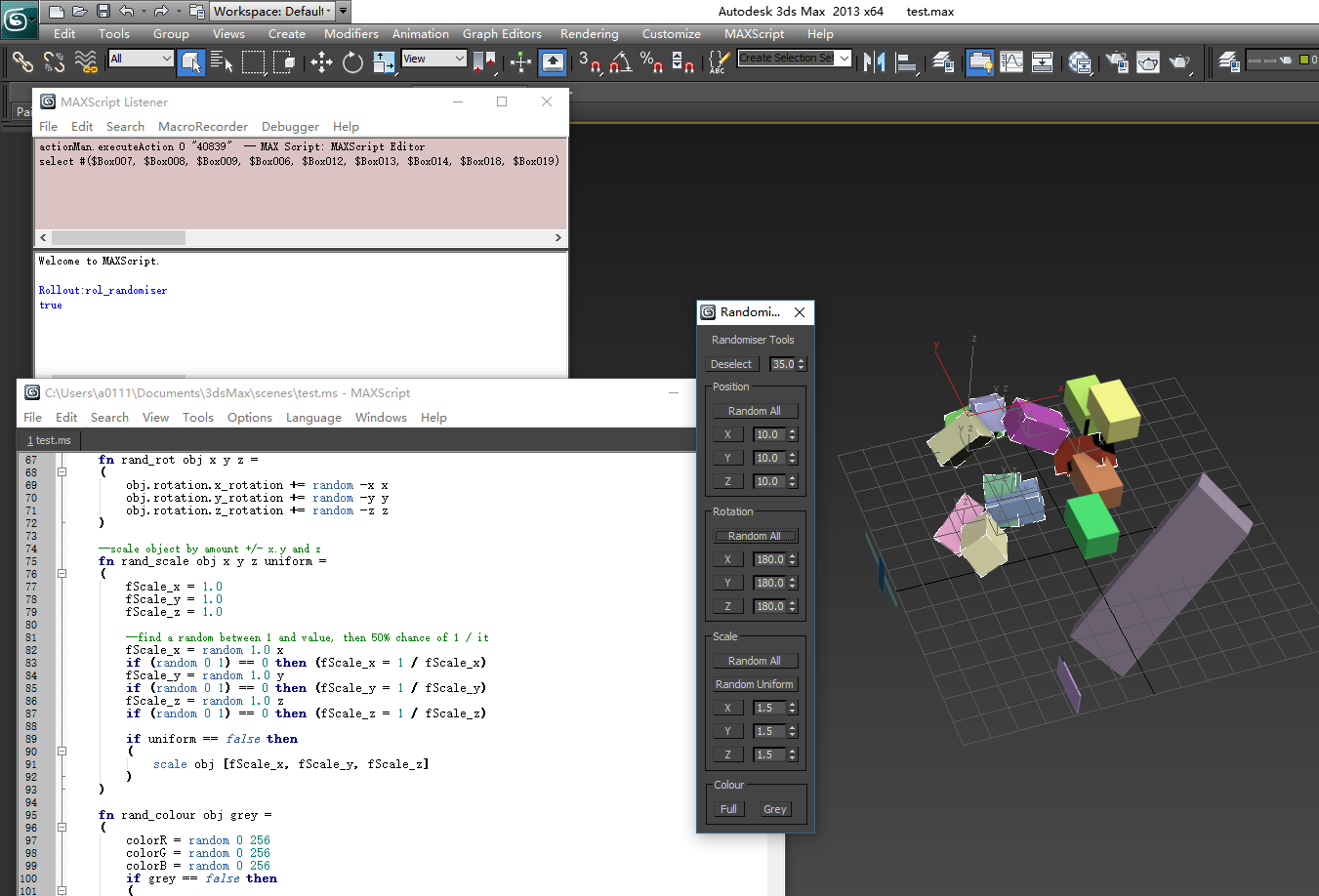
代码在这里
rollout rol_randomiser "Randomiser" width:120 height:520 ( --UI label lbl_title "Randomiser Tools" pos:[16,8] width:88 height:16 button btn_deselect "Deselect" pos:[8,32] width:56 height:16 spinner spn_deselect "" pos:[73,32] width:40 height:16 range:[0,99.0,35] GroupBox grp_pos "Position" pos:[8,56] width:104 height:120 button btn_pos_all "Random All" pos:[16,80] width:88 height:16 button btn_pos_x "X" pos:[16,104] width:32 height:16 button btn_pos_y "Y" pos:[16,128] width:32 height:16 button btn_pos_z "Z" pos:[16,152] width:32 height:16 spinner spn_pos_x "" pos:[56,104] width:48 height:16 range:[0,999.9,10] spinner spn_pos_y "" pos:[56,128] width:48 height:16 range:[0,999.9,10] spinner spn_pos_z "" pos:[56,152] width:48 height:16 range:[0,999.9,10] GroupBox grp_rot "Rotation" pos:[8,184] width:104 height:120 button btn_rot_all "Random All" pos:[16,208] width:88 height:16 button btn_rot_x "X" pos:[16,232] width:32 height:16 button btn_rot_y "Y" pos:[16,256] width:32 height:16 button btn_rot_z "Z" pos:[16,280] width:32 height:16 spinner spn_rot_x "" pos:[56,232] width:48 height:16 range:[0,180,180] spinner spn_rot_y "" pos:[56,256] width:48 height:16 range:[0,180,180] spinner spn_rot_z "" pos:[56,280] width:48 height:16 range:[0,180,180] GroupBox grp_scale "Scale" pos:[8,312] width:104 height:145 button btn_scale_all "Random All" pos:[16,336] width:88 height:16 button btn_scale_uniform "Random Uniform" pos:[16,360] width:88 height:16 button btn_scale_x "X" pos:[16,384] width:32 height:16 button btn_scale_y "Y" pos:[16,408] width:32 height:16 button btn_scale_z "Z" pos:[16,432] width:32 height:16 spinner spn_scale_x "" pos:[56,384] width:48 height:16 range:[0,20,1.5] spinner spn_scale_y "" pos:[56,408] width:48 height:16 range:[0,20,1.5] spinner spn_scale_z "" pos:[56,432] width:48 height:16 range:[0,20,1.5] GroupBox grp_colour "Colour" pos:[9,464] width:104 height:48 button btn_colour_full "Full" pos:[17,488] width:32 height:16 button btn_colour_grey "Grey" pos:[65,488] width:32 height:16 --Functions --creates a new array. appending probability-success objects. then selects array fn rand_deselect prob = ( newselection = #() --an empty array for o in $ do ( --random 0.0 100.0 ??? ???? if (random 0.0 100.0) >= prob then ( append newselection o --????? o ??? ?? newselection ? ) ) select newselection ) --move objects position by amount +/- x.y and z fn rand_pos obj x y z = ( obj.pos += [random -x x, random -y y, random -z z] ) --rotate object by amount +/- x.y and z fn rand_rot obj x y z = ( obj.rotation.x_rotation += random -x x obj.rotation.y_rotation += random -y y obj.rotation.z_rotation += random -z z ) --scale object by amount +/- x.y and z fn rand_scale obj x y z uniform = ( fScale_x = 1.0 fScale_y = 1.0 fScale_z = 1.0 --find a random between 1 and value, then 50% chance of 1 / it fScale_x = random 1.0 x if (random 0 1) == 0 then (fScale_x = 1 / fScale_x) fScale_y = random 1.0 y if (random 0 1) == 0 then (fScale_y = 1 / fScale_y) fScale_z = random 1.0 z if (random 0 1) == 0 then (fScale_z = 1 / fScale_z) if uniform == false then ( scale obj [fScale_x, fScale_y, fScale_z] ) ) fn rand_colour obj grey = ( colorR = random 0 256 colorG = random 0 256 colorB = random 0 256 if grey == false then ( obj.wirecolor = color colorR colorG colorB ) else ( obj.wirecolor = color colorR colorR colorR ) ) --Events --deselect on btn_deselect pressed do ( rand_deselect spn_deselect.value --? spn_deselect ?????????? rand_deselect ) --position on btn_pos_all pressed do ( for o in $ do ( rand_pos o spn_pos_x.value spn_pos_y.value spn_pos_z.value ) ) on btn_pos_x pressed do ( for o in $ do ( rand_pos o spn_pos_x.value 0 0 ) ) on btn_pos_y pressed do ( for o in $ do ( rand_pos o 0 spn_pos_y.value 0 ) ) on btn_pos_z pressed do ( for o in $ do ( rand_pos o 0 0 spn_pos_z.value ) ) --rotation on btn_rot_all pressed do ( for o in $ do ( rand_rot o spn_rot_x.value spn_rot_y.value spn_rot_z.value ) ) on btn_rot_x pressed do ( for o in $ do ( rand_rot o spn_rot_x.value 0 0 ) ) on btn_rot_y pressed do ( for o in $ do ( rand_rot o 0 spn_rot_y.value 0 ) ) on btn_rot_z pressed do ( for o in $ do ( rand_rot o 0 0 spn_rot_z.value ) ) --scale on btn_scale_all pressed do ( for o in $ do ( rand_scale o spn_scale_x.value spn_scale_y.value spn_scale_z.value false ) ) on btn_scale_x pressed do ( for o in $ do ( rand_scale o spn_scale_x.value 1 1 false ) ) on btn_scale_y pressed do ( for o in $ do ( rand_scale o 1 spn_scale_y.value 1 false ) ) on btn_scale_z pressed do ( for o in $ do ( rand_scale o 1 1 spn_scale_z.value false ) ) on btn_colour_full pressed do ( for o in $ do ( rand_colour o false ) ) on btn_colour_grey pressed do ( for o in $ do ( rand_colour o true ) ) ) createdialog rol_randomiser 我的实践
phase1
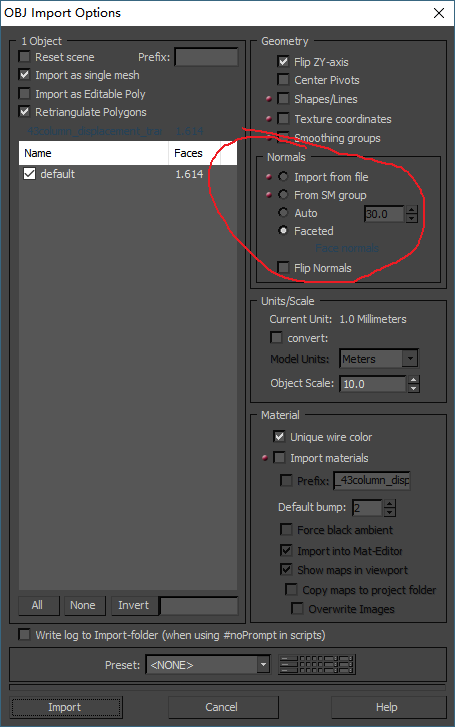
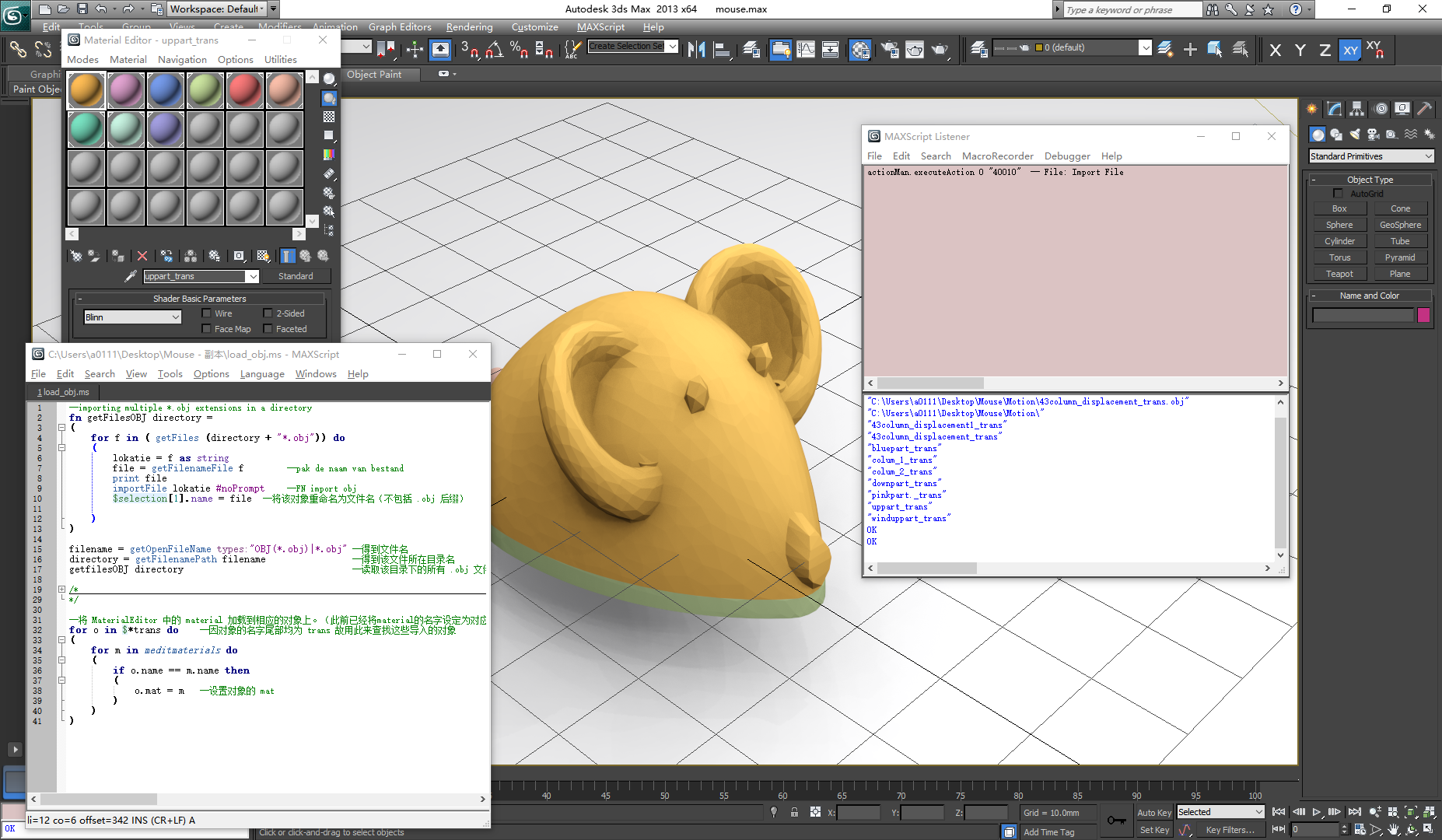
--importing multiple *.obj extensions in a directory fn getFilesOBJ directory = ( for f in ( getFiles (directory + "*.obj")) do ( lokatie = f as string file = getFilenameFile f --pak de naam van bestand print file importFile lokatie #noPrompt --FN import obj $selection[1].name = file --将该对象重命名为文件名(不包括 .obj 后缀) ) ) filename = getOpenFileName types:"OBJ(*.obj)|*.obj" --得到文件名 directory = getFilenamePath filename --得到该文件所在目录名 getfilesOBJ directory --读取该目录下的所有 .obj 文件 --将 MaterialEditor 中的 material 加载到相应的对象上。(此前已经将material的名字设定为对应object的名字) for o in $*trans do ( for m in meditmaterials do ( if o.name == m.name then o.mat = m ) )注:导入.obj文件将不会打开交互窗口,将会沿用之前的设置,为了使图像导入为 flat 而不是 smooth 风格,需要注意下面的那个选项
phase 2
-- animate On -- ( -- at time 0f($uppart_trans.pos=[0,0,0]; $uppart_trans.scale=[1,1,0.25]) -- -- at time 100f($uppart_trans.pos=[100,0,0]; $uppart_trans.scale=[1,1,3]) -- )其它的一些积累
使用 string 来选取对象,这里需要用到 getNodeByName 函数
--If your variable "a" refer to the object itself: a = $Box01 select a --But if "a" is just the name as string then: a = "Box01" select (getNodeByName a)版权声明:本文内容由互联网用户自发贡献,该文观点仅代表作者本人。本站仅提供信息存储空间服务,不拥有所有权,不承担相关法律责任。如发现本站有涉嫌侵权/违法违规的内容, 请联系我们举报,一经查实,本站将立刻删除。
发布者:全栈程序员-站长,转载请注明出处:https://javaforall.net/210185.html原文链接:https://javaforall.net



