
光栅操作模式说明了GDI是如何组合输出操作中的颜色,包括当前画刷、可能的源位图和目标位图。可以为下列值之一:
示例如下:
正常全屏显示:
pDC->StretchBlt(0,0,rect.Width(),rect.Height(),&memDC,0,0,m_bmp.bmWidth,m_bmp.bmHeight,SRCCOPY);

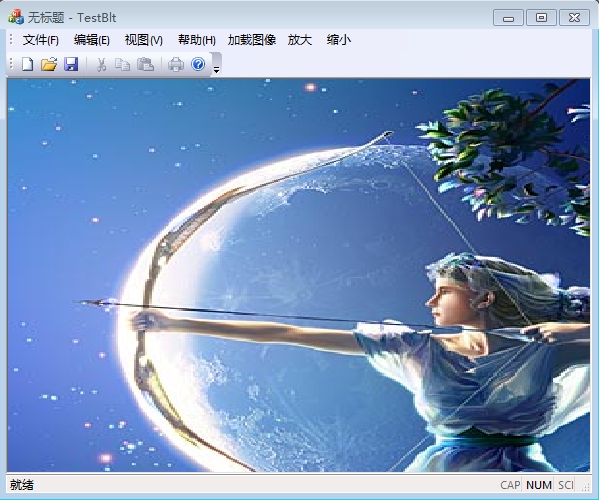
修改目标矩形x,y坐标后:
pDC->StretchBlt(100,100,rect.Width(),rect.Height(),&memDC,0,0,m_bmp.bmWidth,m_bmp.bmHeight,SRCCOPY);

修改目标矩形宽度和高度:
pDC->StretchBlt(0,0,rect.Width()/2,rect.Height()/2,&memDC,0,0,m_bmp.bmWidth,m_bmp.bmHeight,SRCCOPY);

修改源矩形x,y坐标:
(截取xy坐标右下的图像区域,由于截取图像比原图要小,应相应该变原图大小为截取后图像大小)
pDC->StretchBlt(0,0,rect.Width(),rect.Height(),&memDC,100,100,m_bmp.bmWidth,m_bmp.bmHeight,SRCCOPY);

若想上图全屏显示,还要修改源矩形宽和高
pDC->StretchBlt(0,0,rect.Width(),rect.Height(),&memDC,100,100,m_srcWidth-100,m_srcHeight-100,SRCCOPY);

修改源矩形宽和高:
pDC->StretchBlt(0,0,rect.Width(),rect.Height(),&memDC,0,0,m_bmp.bmWidth/2,m_bmp.bmHeight/2,SRCCOPY);

发布者:全栈程序员-站长,转载请注明出处:https://javaforall.net/213243.html原文链接:https://javaforall.net



