
NetworkX提供了4种常见网络的建模方法,分别是:规则图,ER随机图,WS小世界网络和BA无标度网络。
一. Networkx的下载安装
画图之前先将NetworkX装好,直接pip install Networkx的话会特别慢,而且通常会失败,所以我一般都是先把库下载下来,再在本地安装。
二. 规则图
import networkx as nx import matplotlib.pyplot as plt #生成了包含20个节点、每个节点有3个邻居的规则图 RG = nx.random_graphs.random_regular_graph(3, 20) #spectral布局 pos = nx.spectral_layout(RG) nx.draw(RG, pos, with_labels = False, node_size = 30) plt.show() 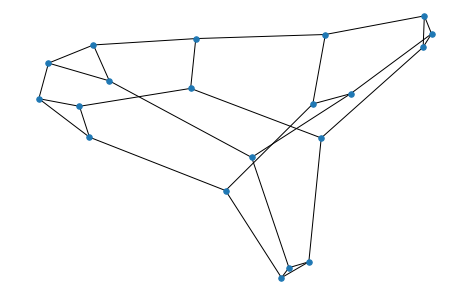

三、ER随机图
import networkx as nx import matplotlib.pyplot as plt #生成一个含有20个节点、以概率p = 0.2连接的ER随机图: ER = nx.random_graphs.erdos_renyi_graph(20, 0.2) #shell布局 pos = nx.shell_layout(ER) nx.draw(ER, pos, with_labels = False, node_size = 30) plt.show() 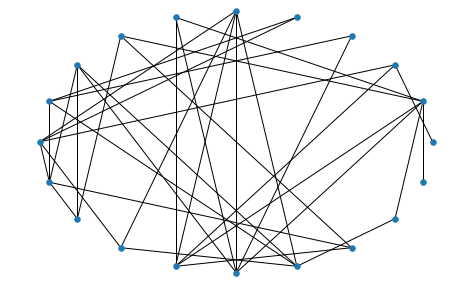
四、WS小世界网络
用random_graphs.watts_strogatz_graph(n, k, p)方法生成一个含有n个节点、每个节点有k个邻居、以概率p随机化重连边的WS小世界网络。
import networkx as nx import matplotlib.pyplot as plt #生成一个含有20个节点、每个节点有4个邻居、以概率p=0.3随机化重连边的WS小世界网络 WS = nx.random_graphs.watts_strogatz_graph(20, 4, 0.3) # circular 布局 pos = nx.circular_layout(WS) nx.draw(WS, pos, with_labels = False, node_size = 30) plt.show() 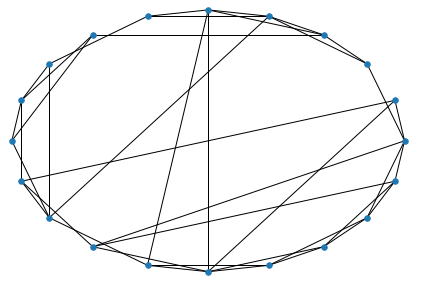
五、BA无标度网络
用random_graphs.barabasi_albert_graph(n, m)方法生成一个含有n个节点、每次加入m条边的BA无标度网络。
import networkx as nx import matplotlib.pyplot as plt #生成一个含有20个节点、每次加入1条边的BA无标度网络。 BA = nx.random_graphs.barabasi_albert_graph(20, 1) # spring 布局 pos = nx.spring_layout(BA) nx.draw(BA, pos, with_labels = False, node_size = 30) plt.show() 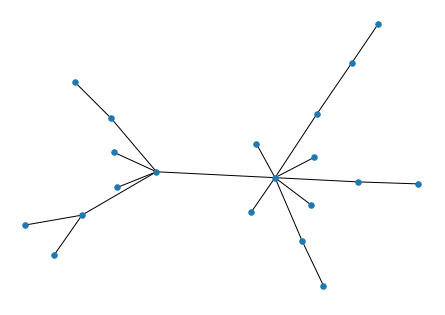
六. 总结
import networkx as nx #导入networkx包 import matplotlib.pyplot as plt #导入绘图包matplotlib(需要安装,方法见第一篇笔记) G =nx.random_graphs.barabasi_albert_graph(100,1) #生成一个BA无标度网络G nx.draw(G) #绘制网络G #plt.savefig("ba.png") #输出方式1: 将图像存为一个png格式的图片文件 plt.savefig("ba_svg.svg") #svg矢量图通常放入自己的论文中 plt.show() #输出方式2: 在窗口中显示这幅图像 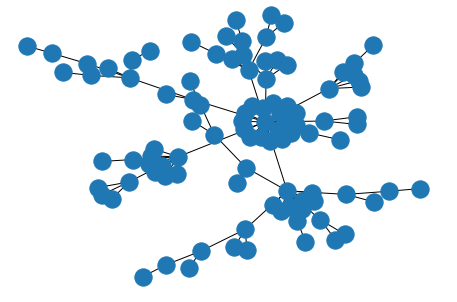

版权声明:本文内容由互联网用户自发贡献,该文观点仅代表作者本人。本站仅提供信息存储空间服务,不拥有所有权,不承担相关法律责任。如发现本站有涉嫌侵权/违法违规的内容, 请联系我们举报,一经查实,本站将立刻删除。
发布者:全栈程序员-站长,转载请注明出处:https://javaforall.net/213904.html原文链接:https://javaforall.net



