
Lazarus 使用 Free Pascal 的编译器,支持 Object Pascal 语言,与 Delphi 高度兼容,并看做后者的自由软件替代品。
Lazarus 下载与安装
我们先去 Lazarus 官网下载 http://www.lazarus-ide.org/ Windows (64 Bits) 版本的安装程序,我用的电脑是Win10 64位,下载后开始安装即可,安装界面如下:
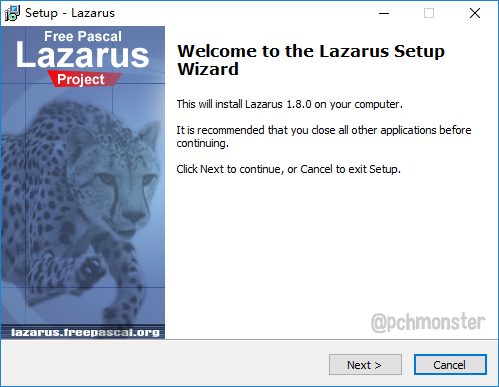
一路 Next 即可安装完毕,安装完在桌面上就有了 Lazarus 图标,一个豹子的图标。
双击 Lazarus 图标后,先出来 Lazarus IDE Configure 窗口,如下图:
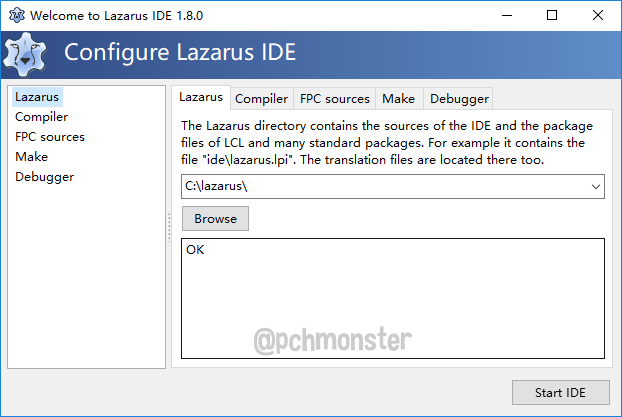
保持默认设置即可,直接点右下角的 Start IDE 按钮,启动 IDE。

Hello world
界面是不是很熟悉呀,Delphi 7的感觉又回来了。下面我们试着写写 Hello world 吧。
1、在 Form1 窗口上放置一个 TButton 按钮
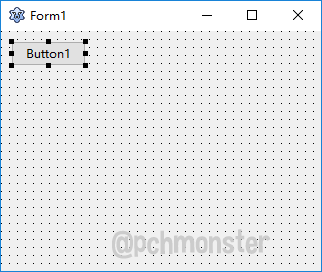
2、双击 Button1 按钮,在 TFrom1.Button1Click 事件中添加如下代码:
procedure TForm1.Button1Click(Sender: TObject); begin ShowMessage('Hello world'); end;
3、按 F9 键,开始运行,点击 Button1 按钮后弹出 Hello world 对话框。
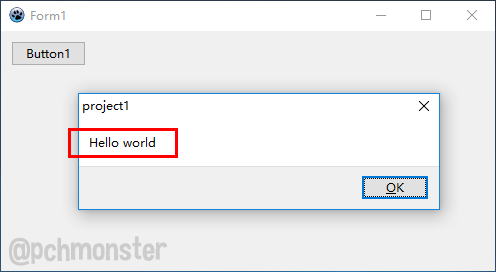
通过以上示例,我们对 Lazarus IDE 有了初步的熟悉,和 Delphi 保持高度的兼容,快捷键呀,界面呀,很容易上手。
A Text File Converter 示例
下面我们参考 Marco Cantù 《Essential Pascal》第四版中第 131 页,编写一个 A Text File Converter(文本转化控制台程序),程序功能是通过参数-U –R –C 来实现将文本文件转化为大写,句子首字母大写等。
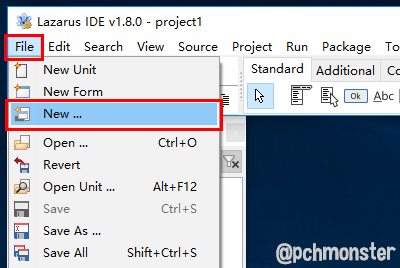
1、在 Lazarus 菜单中选择 【File –> New…】
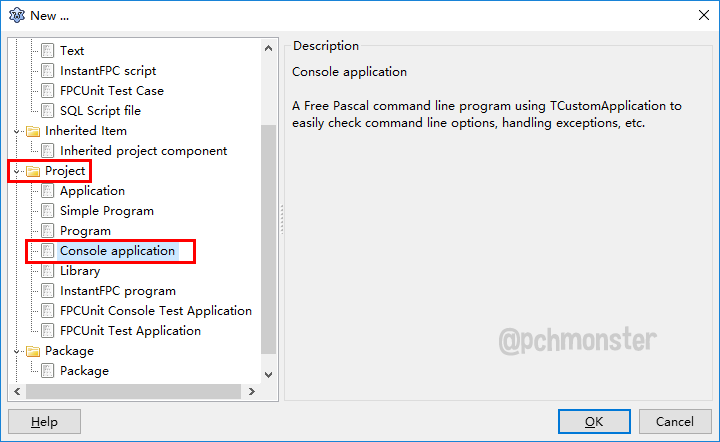
2、在弹出的 New… 对话框选择 【Project – Console application】,创建一个控制台程序。
3、弹出 New console application 对话框,我们只创建最简单的控制台程序,直接点 Cancel 按钮关闭就行。

4、这样我就得到了最简单的控制台程序 project1.dpr 代码如下:
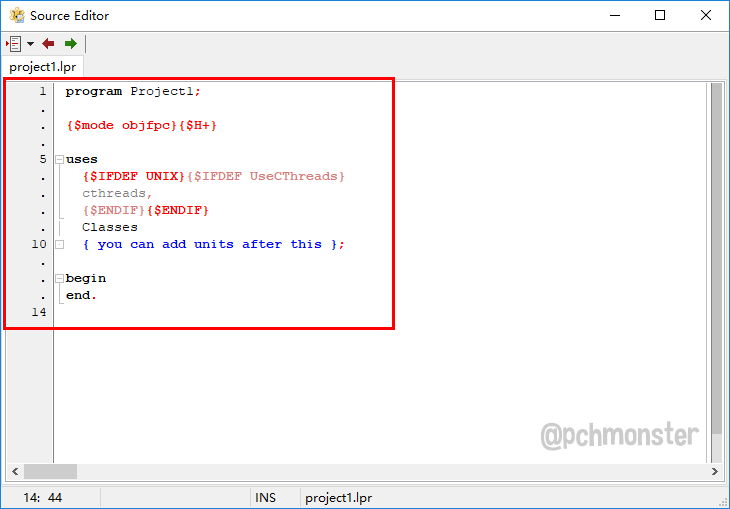
5、点击 【File – Save All】,将程序保存,文件结构如下:

6、在 project1.lpr 中添加如下代码:
program project1; {
    $mode objfpc}{
    $H+} uses {
    $IFDEF UNIX}{
    $IFDEF UseCThreads} cthreads, {
    $ENDIF}{
    $ENDIF} Convert {
     you can add units after this }; var I: Integer; Flag: char; inputFile, outputFile: string; begin // command line processing for I := 1 to ParamCount do begin if ParamStr(i) [1] = '-' then Flag := ParamStr(i) [2] else if inputFile = '' then inputFile := ParamStr(i) else outputFile := ParamStr(i); end; // check we have the two files and a flag if (inputFile = '') or (outputFile = '') or not (Flag in ['U', 'R', 'C']) then begin writeln ('Missing or wrong parameters'); readln; Exit; end; // process the files  DoConvert (inputFile, outputFile, Flag); readln; end.
7、新建一个 Unit 文件,并保存为 Convert.pas 文件,其中代码如下:
unit Convert; {
    $mode objfpc}{
    $H+} interface procedure DoConvert (const inputfile, outputfile: string; flag: Char); procedure ConvUpper; procedure ConvCapitalize; procedure ConvSymbols; implementation uses SysUtils; var FileIn, FileOut: TextFile; FileLength: LongInt; procedure DoConvert (const inputfile, outputfile: string; flag: Char); var F: file of Byte; begin // compute the input file length  AssignFile (F, inputfile); Reset (F); FileLength := FileSize (F); CloseFile (F); // open the text files  AssignFile (FileIn, inputfile); Reset (FileIn); AssignFile (FileOut, outputfile); Rewrite (FileOut); // conversion...} // check the input flag case Flag of 'U': ConvUpper; 'C': ConvCapitalize; 'R': ConvSymbols; end; // close the files  CloseFile (FileOut); CloseFile (FileIn); end; procedure ConvUpper; var Ch: Char; Position: LongInt; begin Position := 0; while not Eof (FileIn) do begin Read (FileIn, Ch); Ch := UpCase (Ch); Write (FileOut, Ch); Inc (Position); end; end; function LowCase (C: Char): Char; begin if C in ['A'..'Z'] then LowCase := Chr (Ord (C) - Ord ('A') + Ord ('a')) else LowCase := C; end; procedure ConvCapitalize; var Ch: Char; Period: Boolean; Position: LongInt; begin Period := True; Position := 0; while not Eof (FileIn) do begin Read (FileIn, Ch); case Ch of 'A'..'Z': if Period then begin Write (FileOut, Ch); Period := False; end else begin Ch := LowCase (Ch); Write (FileOut, Ch); Period := False; end; 'a'..'z': if Period then begin Ch := UpCase (ch); Write (FileOut, Ch); Period := False; end else begin Write (FileOut, Ch); Period := False; end; '.', '?', '!': begin Period := True; Write (FileOut, Ch); end; else Write (FileOut, Ch); end; // case  Inc (Position); end; // while end; procedure ConvSymbols; var Ch: Char; Position: LongInt; begin Position := 0; while not Eof (FileIn) do begin Read (FileIn, Ch); if Ch < Chr (127) then Write (FileOut, Ch); Inc (Position); end; end; end.
8、按 Ctrl + F9 编译通过,在 Run 菜单下选择 Build File,生成 project1.exe 文件,最终目录如下:
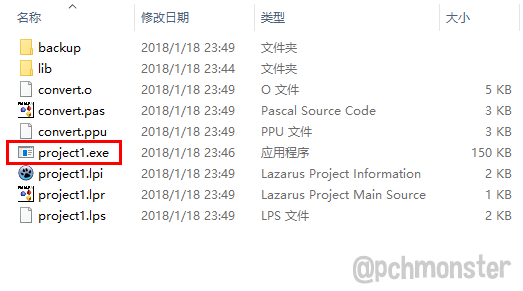
9、在 project1.exe 目录下我们新建一个 input.txt 文件和 output.txt 文件,其中 input.txt 文件内容下:
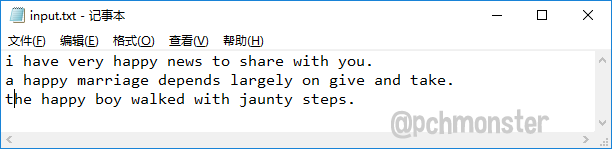
10、在 cmd 窗口中输入下面的命令,用到 –U 参数,将文本转化为大写

11、回车执行命令后,打开 output.txt 我们发现,文本已经是大写了。
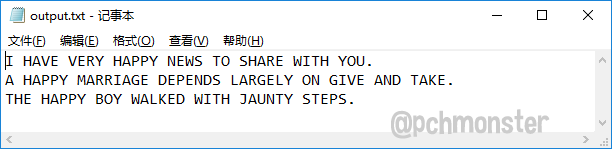
12、我们继续测试 –C 参数,目的是将每个句子首字母变成大写。

13、回车执行后,打开 output.txt 文本中每个句子首字母已经是大写字母了。

以上代码在 Lazarus IDE v1.8.0 中测试通过,示例代码请下载
LazarusATextFileConverter.rar
发布者:全栈程序员-站长,转载请注明出处:https://javaforall.net/215775.html原文链接:https://javaforall.net




