
小程序图片上传:
需求:
点击上传和删除选中图片功能 实例:
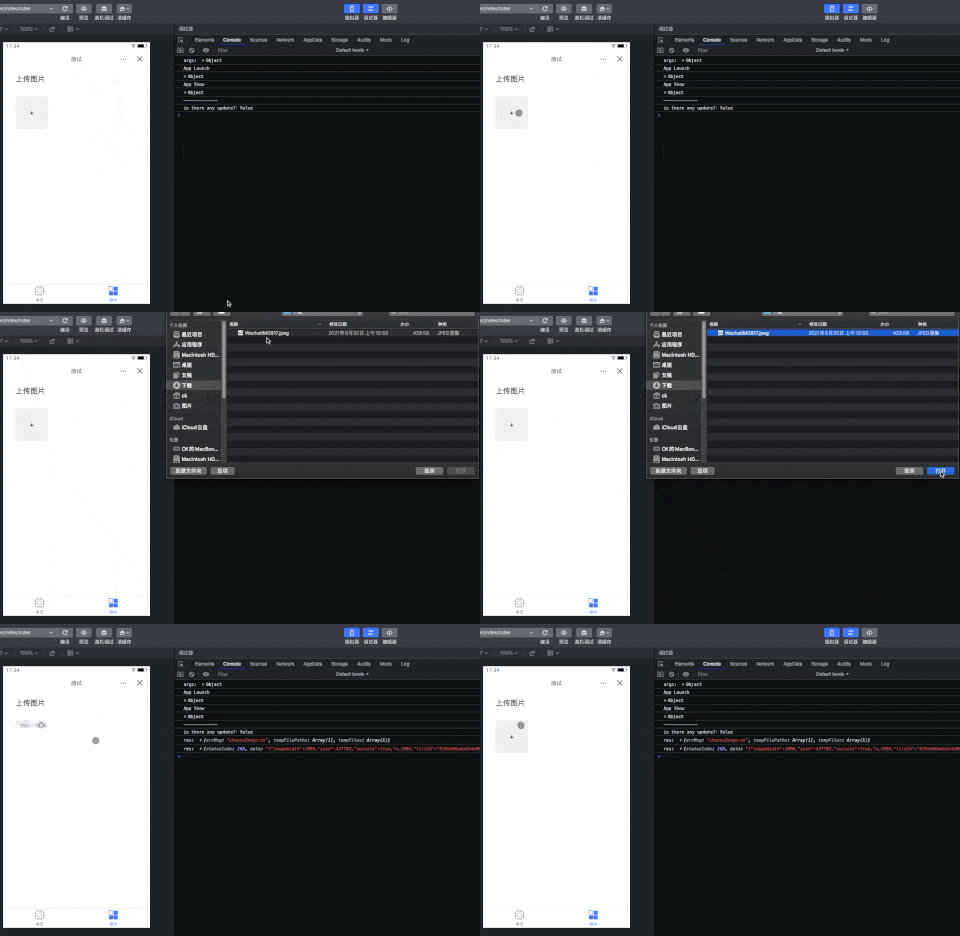

分析过程:
1.HTML
<view class="container"> <view class="main"> <view class="title">上传图片</view> <!-- 点击上传前的页面 --> <view class="content" tt:if="{
   {!imgPreview}}" bindtap="handleUploadImg"> <text class="plus">+</text> </view> <!-- 点击上传后的页面 --> <view class="selectImg" tt:if="{
   {imgPreview}}"> <view class="deleteBox" bindtap="deleteImg"> <view class="deleteBtn">x</view> </view> <image class="img" src="{
   {imgPreview}}" bindtap="previewImg"> </view> </view> </view>
2.CSS
.container {
    width: 100%; } .main {
    display: flex; padding: 0 16px; flex-direction: column; background-color: #fff; } .title {
    margin: 16px; } .content {
    width: 80px; height: 80px; display: flex; justify-content: center; align-items: center; margin: 16px; background-color: #eee; border: 1px dashed #ddd; border-radius: 4px; } .selectImg {
    position: relative; } .selectImg .img {
    width: 80px; height: 80px; border-radius: 4px; overflow: hidden; object-fit: contain; margin: 16px; } .deleteBox {
    position: absolute; top: 20px; left: 74px; width: 16px; height: 16px; line-height: 14px; text-align: center; border-radius: 50%; background-color: #a59f99; } .deleteBtn {
    color: #fff; }
3.JS
Page({
    data: {
    imgPreview: '' }, onLoad: function () {
    }, // 选择并上传 handleUploadImg: function() {
    const that = this // 从相册或相机拍摄 tt.chooseImage({
    sourceType: ["album", "camera"], // PC端无效 count: 1,//最多可选择的图片数量 sizeType: ["compressed"], //图片压缩 success: (res) => {
    console.log('res: ', res); const previewData = res.tempFilePaths[0] //得到选择图片的网络地址 http://127.0.0.1:3000/.....IMG917.jpeg // 将本地文件上传到网络 tt.uploadFile({
    url: 'https://......./service/rest/tk.File/collection/upload', //项目的文件上传接口地址 filePath: res.tempFilePaths[0], // 本地文件路径 name: 'file', // HTTP请求的文件名 success: (res) => {
    console.log('res: ', res); if(res.statusCode === 200) {
    that.setData({
    imgPreview: previewData }) } } }); } }); }, // 预览图片 previewImg: function() {
    const {
    imgPreview } = this.data let url = imgPreview tt.previewImage({
    urls: [url], // 图片地址列表 current: 1, //默认显示的图片的地址 success: (res) => {
    console.log('预览调用成功'); }, fail: (res) =>{
    console.log('预览调用失败'); } }); }, // 删除选中的图片 deleteImg: function() {
    const {
    imgPreview } = this.data this.setData({
    imgPreview: '' }) } });
版权声明:本文内容由互联网用户自发贡献,该文观点仅代表作者本人。本站仅提供信息存储空间服务,不拥有所有权,不承担相关法律责任。如发现本站有涉嫌侵权/违法违规的内容, 请联系我们举报,一经查实,本站将立刻删除。
发布者:全栈程序员-站长,转载请注明出处:https://javaforall.net/229295.html原文链接:https://javaforall.net



