
大家好,又见面了,我是你们的朋友全栈君。如果您正在找激活码,请点击查看最新教程,关注关注公众号 “全栈程序员社区” 获取激活教程,可能之前旧版本教程已经失效.最新Idea2022.1教程亲测有效,一键激活。
Jetbrains全系列IDE使用 1年只要46元 售后保障 童叟无欺
一、前言
在开发的过程中,总希望方法执行完了可以看到完整是sql语句,从而判断执行的是否正确,所以就希望有一个可以打印sql语句的插件。p6spy就是一款针对数据库访问操作的动态监控框架,他可以和数据库无缝截取和操纵,而不必对现有应该用程序的代码做任何修改。
通过p6spy可以直接打印数据库执行的语句,下面向大家介绍一下p6spy。
二、使用p6spy,需要什么?
-
p6spy的jar包
-
spy.properties
-
自定义日志格式
-
修改相关配置文件
三、使用过程
3.1 添加p6spy的依赖
		 <!--打印数据库SQL语句-->
        <dependency>
            <groupId>p6spy</groupId>
            <artifactId>p6spy</artifactId>
            <version>3.6.0</version>
        </dependency>
3.2 修改Dao相关配置文件
在连接数据源的配置文件中,添加p6spy连接设置:
<?xml version="1.0" encoding="UTF-8"?>
<beans xmlns="http://www.springframework.org/schema/beans"
       xmlns:context="http://www.springframework.org/schema/context" xmlns:p="http://www.springframework.org/schema/p"
       xmlns:aop="http://www.springframework.org/schema/aop" xmlns:tx="http://www.springframework.org/schema/tx"
       xmlns:xsi="http://www.w3.org/2001/XMLSchema-instance"
       xsi:schemaLocation="http://www.springframework.org/schema/beans http://www.springframework.org/schema/beans/spring-beans-4.2.xsd
	http://www.springframework.org/schema/context http://www.springframework.org/schema/context/spring-context-4.2.xsd
	http://www.springframework.org/schema/aop http://www.springframework.org/schema/aop/spring-aop-4.2.xsd http://www.springframework.org/schema/tx http://www.springframework.org/schema/tx/spring-tx-4.2.xsd
	http://www.springframework.org/schema/util http://www.springframework.org/schema/util/spring-util-4.2.xsd">
    <!--p6spy连接设置-->
    <bean id="dataSource" class="com.p6spy.engine.spy.P6DataSource">
        <constructor-arg>
            <ref bean="dataSourceDefault"/>
        </constructor-arg>
    </bean>

    <!-- 数据库连接池 -->
    <!-- 加载配置文件 -->
    <context:property-placeholder location="classpath:conf/db.properties" />
    <!-- 数据库连接池 -->
    <bean id="dataSourceDefault" class="com.alibaba.druid.pool.DruidDataSource"
          destroy-method="close">
       <!-- 基本属性 url username password driverClassName-->
        <property name="url" value="${jdbc.url}" />
        <property name="username" value="${jdbc.username}" />
        <property name="password" value="${jdbc.password}" />
        <!--<property name="driverClassName" value="${jdbc.driver}" />-->

        <!--配置初始化大小、最小、最多连接数-->
        <property name="initialSize" value="1"/>
        <property name="maxActive" value="100" />
        <property name="minIdle" value="5" />

        <!--配置获取连接等待超时时间-->
        <property name="maxWait" value="3000"/>

        <!--配置间隔多久进行一次检测,检测需要关闭的空闲连接,单位是毫秒-->
        <property name="timeBetweenEvictionRunsMillis" value="6000"/>

        <!--配置一个连接在连接池中,最小生存的时间,单位是毫秒-->
        <property name="minEvictableIdleTimeMillis" value="30000"/>

        <property name="validationQuery" value="SELECT 'x'" />
        <property name="testWhileIdle" value="true" />
        <property name="testOnBorrow" value="false" />
        <property name="testOnReturn" value="false" />

        <!--打开PSCache,并且指定每个连接上的PSCache的大小-->
        <property name="poolPreparedStatements" value="true"/>
        <property name="maxPoolPreparedStatementPerConnectionSize" value="20"/>

        <!-- 配置监控统计拦截的filters,去掉后监控界面sql无法统计 -->
        <property name="filters" value="stat" />

    </bean>
    <!-- 让spring管理sqlsessionfactory 使用mybatis和spring整合包中的 -->
    <bean id="sqlSessionFactory" class="org.mybatis.spring.SqlSessionFactoryBean">
        <!-- 数据库连接池 -->
        <property name="dataSource" ref="dataSource" />
        <!-- 加载mybatis的全局配置文件 -->
        <property name="configLocation" value="classpath:mybatis/SqlMapConfig.xml" />
    </bean>
    <bean class="org.mybatis.spring.mapper.MapperScannerConfigurer">
        <property name="basePackage" value="com.dmsd.dao" />
    </bean>
</beans>
3.2 添加spy.properties
文件内容如下:
###
# #%L
# P6Spy
# %%
# Copyright (C) 2013 P6Spy
# %%
# Licensed under the Apache License, Version 2.0 (the "License");
# you may not use this file except in compliance with the License.
# You may obtain a copy of the License at
#
#      http://www.apache.org/licenses/LICENSE-2.0
#
# Unless required by applicable law or agreed to in writing, software
# distributed under the License is distributed on an "AS IS" BASIS,
# WITHOUT WARRANTIES OR CONDITIONS OF ANY KIND, either express or implied.
# See the License for the specific language governing permissions and
# limitations under the License.
# #L%
###
#################################################################
# P6Spy Options File                                            #
# See documentation for detailed instructions                   #
# http://p6spy.github.io/p6spy/2.0/configandusage.html          #
#################################################################
#################################################################
# MODULES                                                       #
#                                                               #
# Module list adapts the modular functionality of P6Spy.		#
# Only modules listed are active.						        #
# (default is com.p6spy.engine.logging.P6LogFactory and         #
# com.p6spy.engine.spy.P6SpyFactory)                            #
# Please note that the core module (P6SpyFactory) can't be		#
# deactivated. 													#
# Unlike the other properties, activation of the changes on     #
# this one requires reload.										#
#################################################################
#modulelist=com.p6spy.engine.spy.P6SpyFactory,com.p6spy.engine.logging.P6LogFactory,com.p6spy.engine.outage.P6OutageFactory
################################################################
# CORE (P6SPY) PROPERTIES                                      #
################################################################
# A comma separated list of JDBC drivers to load and register.
# (default is empty)
#
# Note: This is normally only needed when using P6Spy in an
# application server environment with a JNDI data source or when
# using a JDBC driver that does not implement the JDBC 4.0 API
# (specifically automatic registration).
#driverlist=
driverlist=com.mysql.jdbc.Driver
# for flushing per statement
# (default is false)
#autoflush = false
# sets the date format using Java's SimpleDateFormat routine.
# In case property is not set, miliseconds since 1.1.1970 (unix time) is used (default is empty)
#dateformat=
# prints a stack trace for every statement logged
#stacktrace=false
# if stacktrace=true, specifies the stack trace to print
#stacktraceclass=
# determines if property file should be reloaded
# Please note: reload means forgetting all the previously set
# settings (even those set during runtime - via JMX)
# and starting with the clean table
# (default is false)
#reloadproperties=false
reloadproperties=true
# determines how often should be reloaded in seconds
# (default is 60)
#reloadpropertiesinterval=60
# specifies the appender to use for logging
# Please note: reload means forgetting all the previously set
# settings (even those set during runtime - via JMX)
# and starting with the clean table
# (only the properties read from the configuration file)
# (default is com.p6spy.engine.spy.appender.FileLogger)
#appender=com.p6spy.engine.spy.appender.Slf4JLogger
#appender=com.p6spy.engine.spy.appender.StdoutLogger
#appender=com.p6spy.engine.spy.appender.FileLogger
appender=com.p6spy.engine.spy.appender.Slf4JLogger
# name of logfile to use, note Windows users should make sure to use forward slashes in their pathname (e:/test/spy.log)
# (used for com.p6spy.engine.spy.appender.FileLogger only)
# (default is spy.log)
#logfile = spy.log
# append to the p6spy log file. if this is set to false the
# log file is truncated every time. (file logger only)
# (default is true)
#append=true
# class to use for formatting log messages (default is: com.p6spy.engine.spy.appender.SingleLineFormat)
#logMessageFormat=com.p6spy.engine.spy.appender.SingleLineFormat
#自定义日志格式,在类中定义
logMessageFormat= com.dmsd.tool.P6SpyLogger
# format that is used for logging of the date/time/... (has to be compatible with java.text.SimpleDateFormat)
# (default is dd-MMM-yy)
#databaseDialectDateFormat=dd-MMM-yy
databaseDialectDateFormat=yyyy-MM-dd HH:mm:ss
# whether to expose options via JMX or not
# (default is true)
#jmx=true
# if exposing options via jmx (see option: jmx), what should be the prefix used?
# jmx naming pattern constructed is: com.p6spy(.<jmxPrefix>)?:name=<optionsClassName>
# please note, if there is already such a name in use it would be unregistered first (the last registered wins)
# (default is none)
#jmxPrefix=
#################################################################
# DataSource replacement                                        #
#                                                               #
# Replace the real DataSource class in your application server  #
# configuration with the name com.p6spy.engine.spy.P6DataSource #
# (that provides also connection pooling and xa support).       #
# then add the JNDI name and class name of the real             #
# DataSource here                                               #
#                                                               #
# Values set in this item cannot be reloaded using the          #
# reloadproperties variable. Once it is loaded, it remains      #
# in memory until the application is restarted.                 #
#                                                               #
#################################################################
#realdatasource=/RealMySqlDS
#realdatasourceclass=com.mysql.jdbc.jdbc2.optional.MysqlDataSource
#################################################################
# DataSource properties                                         #
#                                                               #
# If you are using the DataSource support to intercept calls    #
# to a DataSource that requires properties for proper setup,    #
# define those properties here. Use name value pairs, separate  #
# the name and value with a semicolon, and separate the         #
# pairs with commas.                                            #
#                                                               #
# The example shown here is for mysql                           #
#                                                               #
#################################################################
#realdatasourceproperties=port;3306,serverName;myhost,databaseName;jbossdb,foo;bar
#################################################################
# JNDI DataSource lookup                                        #
#                                                               #
# If you are using the DataSource support outside of an app     #
# server, you will probably need to define the JNDI Context     #
# environment.                                                  #
#                                                               #
# If the P6Spy code will be executing inside an app server then #
# do not use these properties, and the DataSource lookup will   #
# use the naming context defined by the app server.             #
#                                                               #
# The two standard elements of the naming environment are       #
# jndicontextfactory and jndicontextproviderurl. If you need    #
# additional elements, use the jndicontextcustom property.      #
# You can define multiple properties in jndicontextcustom,      #
# in name value pairs. Separate the name and value with a       #
# semicolon, and separate the pairs with commas.                #
#                                                               #
# The example shown here is for a standalone program running on #
# a machine that is also running JBoss, so the JDNI context     #
# is configured for JBoss (3.0.4).                              #
#                                                               #
# (by default all these are empty)                              #
#################################################################
#jndicontextfactory=org.jnp.interfaces.NamingContextFactory
#jndicontextproviderurl=localhost:1099
#jndicontextcustom=java.naming.factory.url.pkgs;org.jboss.nameing:org.jnp.interfaces
#jndicontextfactory=com.ibm.websphere.naming.WsnInitialContextFactory
#jndicontextproviderurl=iiop://localhost:900
################################################################
# P6 LOGGING SPECIFIC PROPERTIES                               #
################################################################
# filter what is logged
# please note this is a precondition for usage of: include/exclude/sqlexpression
# (default is false)
#filter=false
# comma separated list of strings to include
# please note that special characters escaping (used in java) has to be done for the provided regular expression
# (default is empty)
#include =
# comma separated list of strings to exclude
# (default is empty)
#exclude =
# sql expression to evaluate if using regex
# please note that special characters escaping (used in java) has to be done for the provided regular expression
# (default is empty)
#sqlexpression =
#list of categories to exclude: error, info, batch, debug, statement,
#commit, rollback and result are valid values
# (default is info,debug,result,resultset,batch)
#excludecategories=info,debug,result,resultset,batch
excludecategories=info,debug,result,resultset
# Execution threshold applies to the standard logging of P6Spy.
# While the standard logging logs out every statement
# regardless of its execution time, this feature puts a time
# condition on that logging. Only statements that have taken
# longer than the time specified (in milliseconds) will be
# logged. This way it is possible to see only statements that
# have exceeded some high water mark.
# This time is reloadable.
#
# executionThreshold=integer time (milliseconds)
# (default is 0)
#executionThreshold=
################################################################
# P6 OUTAGE SPECIFIC PROPERTIES                                #
################################################################
# Outage Detection
#
# This feature detects long-running statements that may be indicative of
# a database outage problem. If this feature is turned on, it will log any
# statement that surpasses the configurable time boundary during its execution.
# When this feature is enabled, no other statements are logged except the long
# running statements. The interval property is the boundary time set in seconds.
# For example, if this is set to 2, then any statement requiring at least 2
# seconds will be logged. Note that the same statement will continue to be logged
# for as long as it executes. So if the interval is set to 2, and the query takes
# 11 seconds, it will be logged 5 times (at the 2, 4, 6, 8, 10 second intervals).
#
# outagedetection=true|false
# outagedetectioninterval=integer time (seconds)
#
# (default is false)
#outagedetection=false
# (default is 60)
#outagedetectioninterval=30
注意:
在文档中,自定义日志格式,logMessageFormat= com.dmsd.tool.P6SpyLogger,在类中定义,指明了路径,在跳转第三步,需要自己定义。
3.3 创建P6SpyLogger类,自定义日志格式
因为这个都会使用,所以就定义在了tool工具类里:
package com.dmsd.tool;

import com.p6spy.engine.spy.appender.MessageFormattingStrategy;
import java.text.SimpleDateFormat;
import java.util.Date;

public class P6SpyLogger implements MessageFormattingStrategy {
    private SimpleDateFormat format = new SimpleDateFormat("yyyy-MM-dd HH:mm:ss:SSS");

    public P6SpyLogger() {
    }

    @Override
    public String formatMessage(int connectionId, String now, long elapsed, String category, String prepared, String sql) {
        return !"".equals(sql.trim())?this.format.format(new Date()) + " | took " + elapsed + "ms | " + category + " | connection " + connectionId + "\n " + sql + ";":"";
    }
}
3.5 运行结果对比
没有使用:什么都没有,看的不清晰。
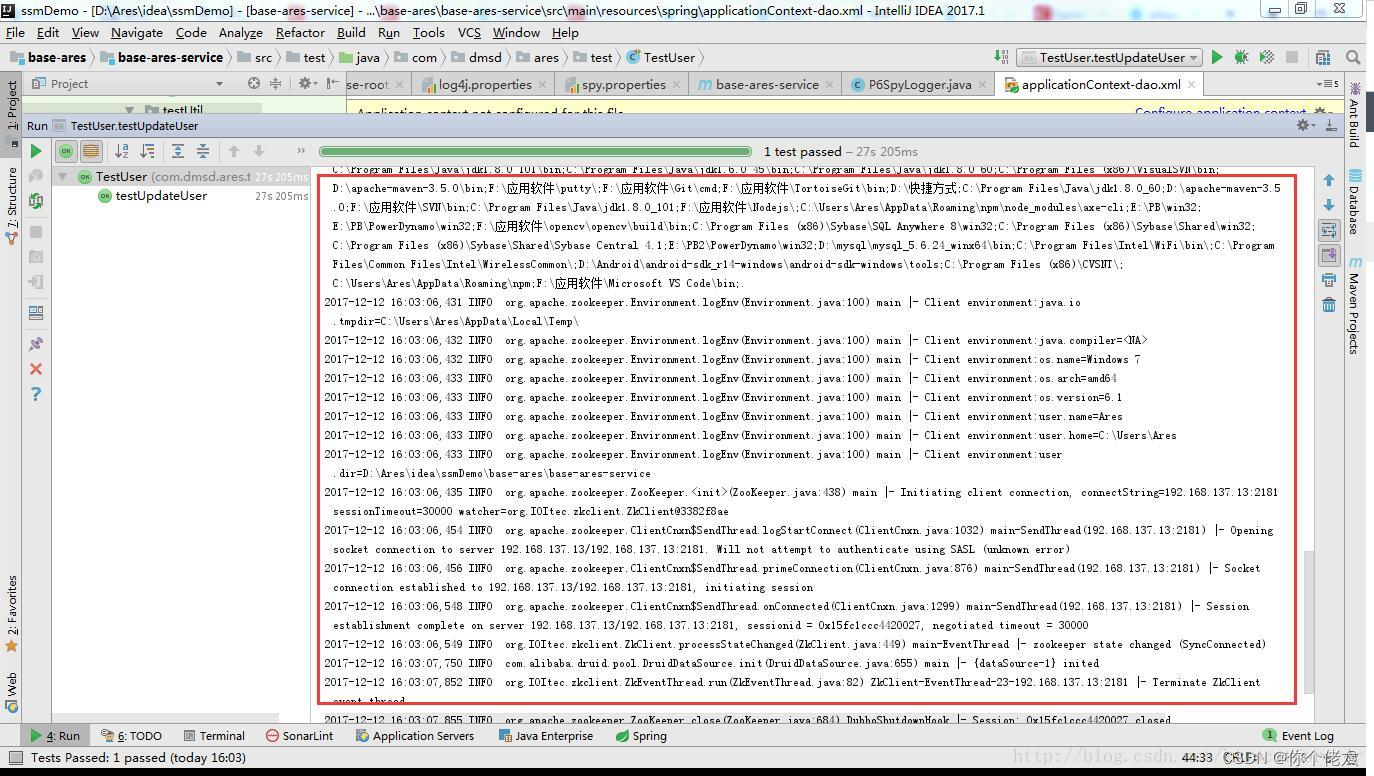

使用之后:

四、小结
通过测试使用,提高了自己的代码能力,也从一定方向上,提升了思考问题的能力。有的时候就需要我们用工具去解决问题,程序员的创造力是无穷的。
版权声明:本文内容由互联网用户自发贡献,该文观点仅代表作者本人。本站仅提供信息存储空间服务,不拥有所有权,不承担相关法律责任。如发现本站有涉嫌侵权/违法违规的内容, 请联系我们举报,一经查实,本站将立刻删除。
发布者:全栈程序员-站长,转载请注明出处:https://javaforall.net/189164.html原文链接:https://javaforall.net



