
使用RabbitMQ异步执行业务
1.导入依赖
    <dependency> <groupId>org.springframework.boot
     groupId> <artifactId>spring-boot-starter-amqp
      artifactId>
       dependency>
2.编写RabbitMQ配置文件
# rabbitmq配置 spring.rabbitmq.host=localhost spring.rabbitmq.port=5672 spring.rabbitmq.username=root spring.rabbitmq.password=root spring.rabbitmq.virtual-host=/handsomeforum # 手动指定ack spring.rabbitmq.listener.simple.acknowledge-mode=manual # 开启confirm机制 spring.rabbitmq.publisher-confirm-type=simple # 开启return机制 spring.rabbitmq.publisher-returns=true 3.编写RabbitMQ配置类
package com.handsome.rabbitmq; import org.springframework.amqp.core.Binding; import org.springframework.amqp.core.BindingBuilder; import org.springframework.amqp.core.Queue; import org.springframework.amqp.core.TopicExchange; import org.springframework.context.annotation.Bean; import org.springframework.context.annotation.Configuration; / * @Author Handsome * @Date 2022/7/4 10:12 * @Version 1.0 */ @SuppressWarnings({
   "all"}) @Configuration public class RabbitMQConfig {
    // 1.创建交换机 @Bean public TopicExchange getTopicExchange() {
    return new TopicExchange("handsomeforum-topic-exchange", true, false); } // 2.创建队列 @Bean public Queue getQueue() {
    return new Queue("handsomeforum-queue", true, false, false, null); } // 3.将交换机和队列绑定在一起 @Bean public Binding getBinding() {
    return BindingBuilder.bind(getQueue()).to(getTopicExchange()).with("handsomeforum.*"); } }
4.设置Return和Confirm机制
package com.handsome.rabbitmq; import lombok.extern.slf4j.Slf4j; import org.springframework.amqp.core.Message; import org.springframework.amqp.rabbit.connection.CorrelationData; import org.springframework.amqp.rabbit.core.RabbitTemplate; import org.springframework.beans.factory.annotation.Autowired; import org.springframework.stereotype.Component; import javax.annotation.PostConstruct; / * @Author Handsome * @Date 2022/7/4 12:11 * @Version 1.0 */ @SuppressWarnings({
   "all"}) @Component @Slf4j public class PublisherConfirmAndReturnConfig implements RabbitTemplate.ConfirmCallback, RabbitTemplate.ReturnCallback {
    @Autowired private RabbitTemplate rabbitTemplate; @PostConstruct private void initMethod() {
    rabbitTemplate.setConfirmCallback(this); rabbitTemplate.setReturnCallback(this); } @Override public void confirm(CorrelationData correlationData, boolean ack, String cause) {
    if (ack) {
    log.info("消息已经送到Exchange中~"); } else {
    log.error("消息没有送到Exchange中~"); } } @Override public void returnedMessage(Message message, int replyCode, String replyText, String exchange, String routingKey) {
    log.error("消息没有送到Queue中~"); } }
5.将消息发送到交换机
// 发消息给mq异步更新文章浏览量 Map mqMap = new HashMap<>(); mqMap.put("bid", bid); rabbitTemplate.convertAndSend("handsomeforum-topic-exchange", "handsomeforum.readblog", JSONObject.toJSONString(mqMap)); 6.消费者消费消息
package com.handsome.rabbitmq; import com.alibaba.fastjson.JSON; import com.alibaba.fastjson.JSONObject; import com.baomidou.mybatisplus.core.conditions.query.QueryWrapper; import com.handsome.pojo.Blog; import com.handsome.pojo.Question; import com.handsome.pojo.UserLogin; import com.handsome.service.BlogService; import com.handsome.service.QuestionService; import com.handsome.service.UserLoginService; import com.handsome.service.VerifyMailboxService; import com.handsome.utils.HandsomeUtils; import com.rabbitmq.client.Channel; import lombok.extern.slf4j.Slf4j; import org.springframework.amqp.core.Message; import org.springframework.amqp.rabbit.annotation.RabbitListener; import org.springframework.beans.factory.annotation.Autowired; import org.springframework.beans.factory.annotation.Value; import org.springframework.mail.javamail.JavaMailSenderImpl; import org.springframework.mail.javamail.MimeMessageHelper; import org.springframework.messaging.handler.annotation.Payload; import org.springframework.stereotype.Component; import javax.mail.internet.MimeMessage; import java.io.IOException; / * @Author Handsome * @Date 2022/7/4 10:24 * @Version 1.0 */ @SuppressWarnings({
   "all"}) @Component @Slf4j public class Consumer {
    // 配置文件中取值 @Value(value = "${handsome.myMailbox}") private String myMailbox; @Autowired JavaMailSenderImpl mailSender; @Autowired VerifyMailboxService verifyMailboxService; @Autowired UserLoginService userLoginService; @Autowired BlogService blogService; @Autowired QuestionService questionService; // 自动ack // @RabbitListener(queues = "handsomeforum-queue") // public void getMessage(Object message) {
    // System.out.println("接收到的消息->" + message); // } @RabbitListener(queues = "handsomeforum-queue") public void getMessage(@Payload String msg, Channel channel, Message message) throws IOException {
    // 1.获取routingKey String routingKey = message.getMessageProperties().getReceivedRoutingKey(); // 2.使用switch switch (routingKey) {
    // 更新文章浏览量 case "handsomeforum.readblog": JSONObject readblogObject = JSON.parseObject(msg); String bid = (String) readblogObject.get("bid"); Blog blog = blogService.getOne(new QueryWrapper<Blog>().eq("bid", bid)); blog.setViews(blog.getViews() + 1); // todo: redis缓存. 防止阅读重复 blogService.updateById(blog); // 手动ack channel.basicAck(message.getMessageProperties().getDeliveryTag(), false); break; } } }
7.RabbitMQ的作用
RabbitMq忘记用户名和密码怎么办?
1.启动RabbitMq容器


2.进入RabbitMq容器

3.创建账号

rabbitmqctl add_user newadmin newpassword 4.设置用户角色

rabbitmqctl set_user_tags newadmin administrator 5.设置用户权限

rabbitmqctl set_permissions -p / newadmin "." "." ".*" 6.newadmin为新管理员账号 newpassword为密码 进行登录
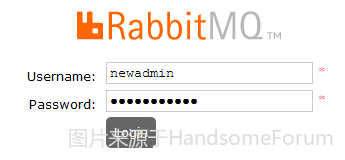
7.登录成功
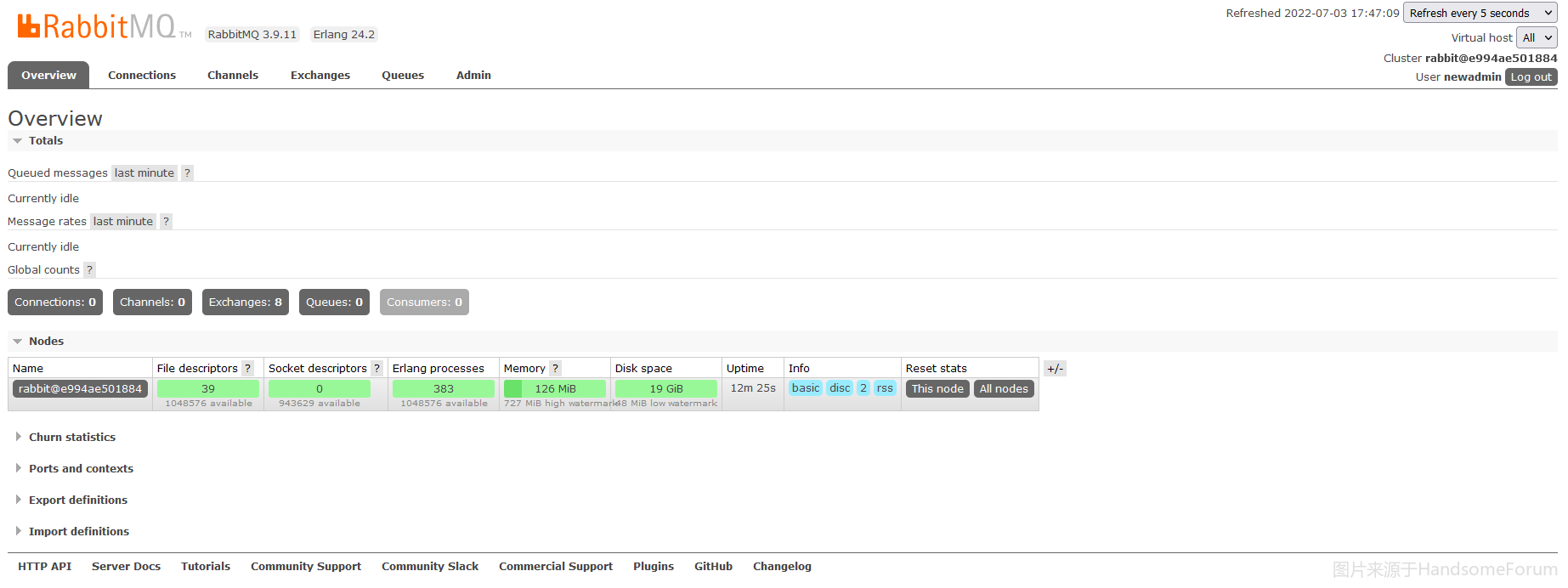
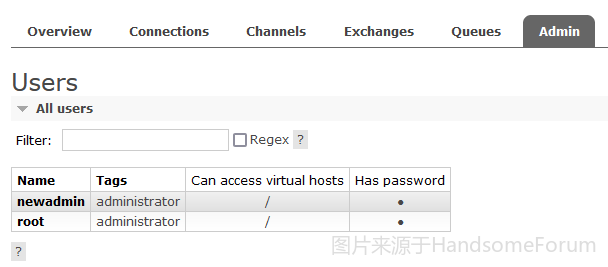
8.找回原用户名
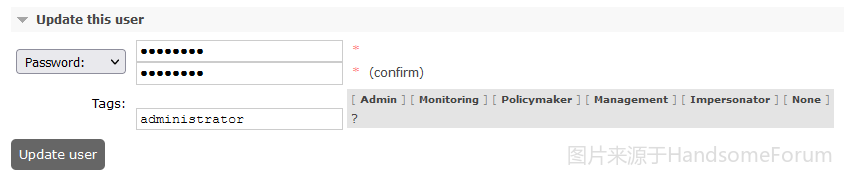
9.更新root用户密码
10.用root用户登录
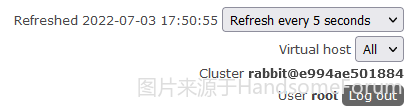
11.删除newadmin用户
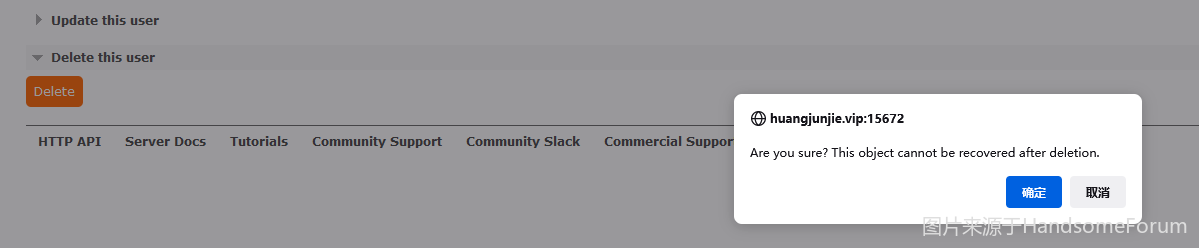
12.成功找回root用户,非常非常的nice~
我的学习论坛
版权声明:本文内容由互联网用户自发贡献,该文观点仅代表作者本人。本站仅提供信息存储空间服务,不拥有所有权,不承担相关法律责任。如发现本站有涉嫌侵权/违法违规的内容, 请联系我们举报,一经查实,本站将立刻删除。
发布者:全栈程序员-站长,转载请注明出处:https://javaforall.net/202659.html原文链接:https://javaforall.net



