
目录
二:如何打包工程中的使用到的其他文件(如,excel,cfg等)
三. 通过pyinstaller打包后的resources,如何找到呢
一. 简单使用
1. 在虚拟环境中,添加pyinstaller lib
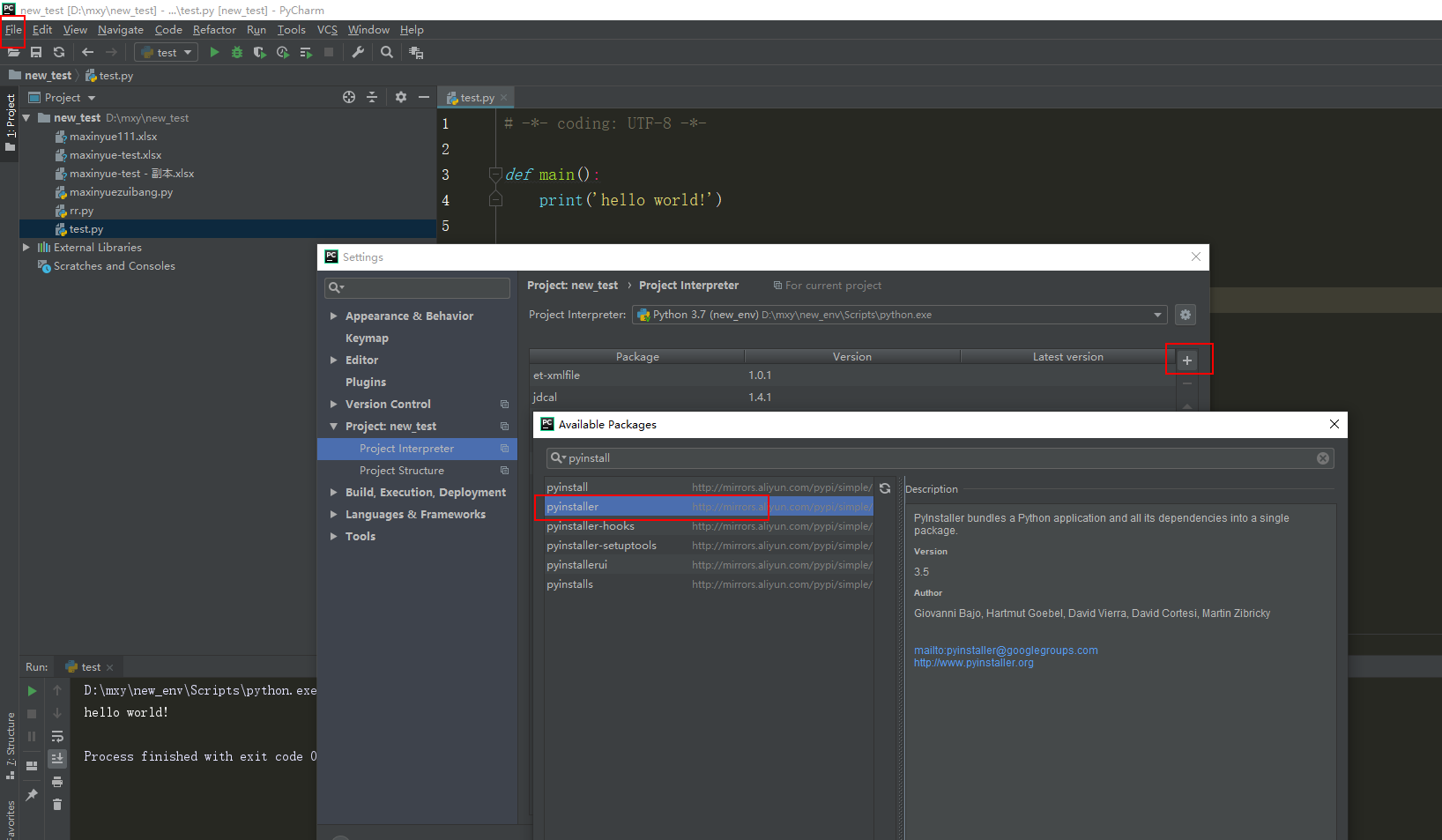

2. 将pyinstaller tool加入到pycharm的 extern tool中
- -D, –onedir Create a one-folder bundle containing an executable (default)
- -F, –onefile Create a one-file bundled executable.
- -i, –可选择可执行文件的图标
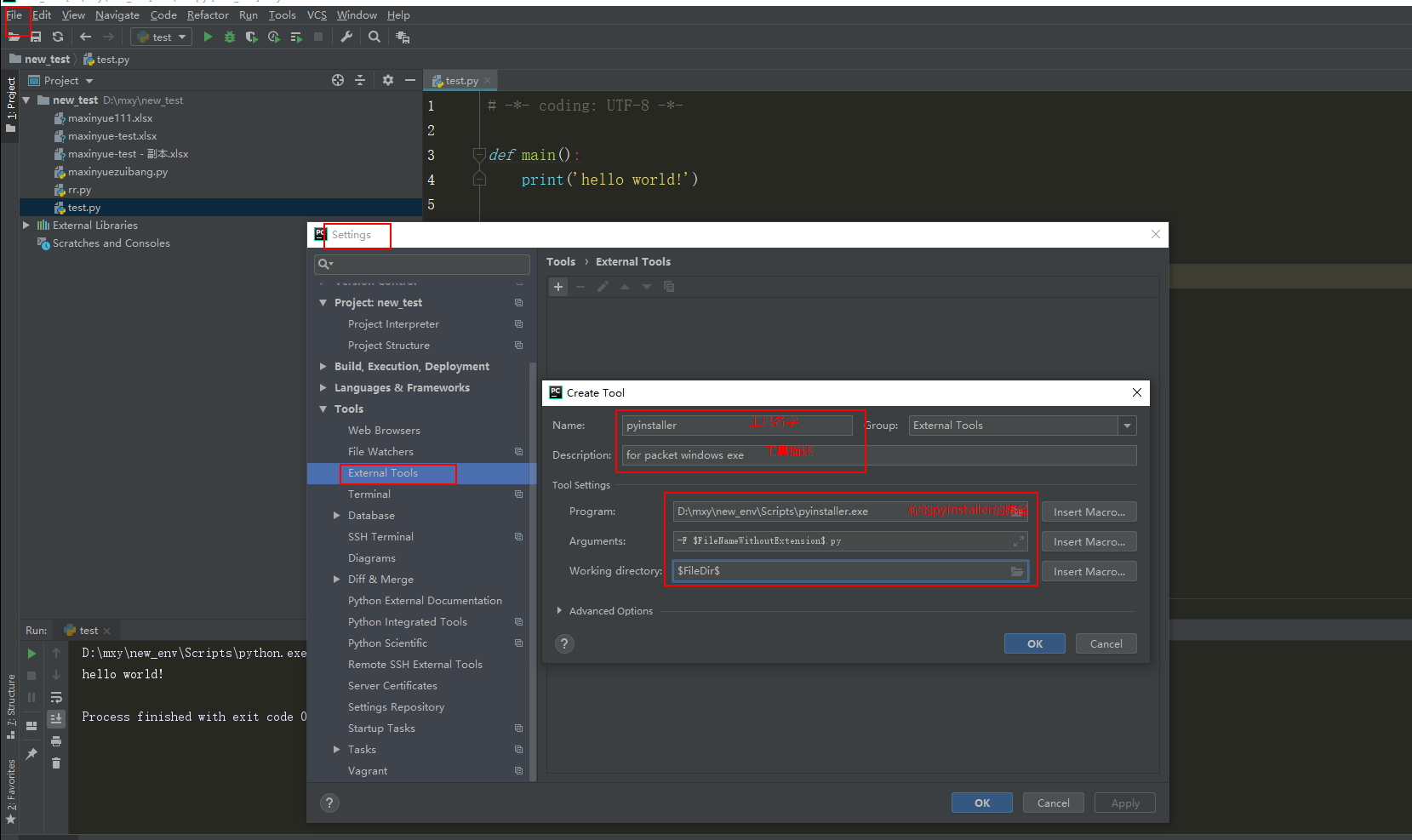
3. 使用pycharm tools的pyinstaller打包py,生成exe

4.查看自己的exe文件

二:如何打包工程中的使用到的其他文件(如,excel,cfg等)
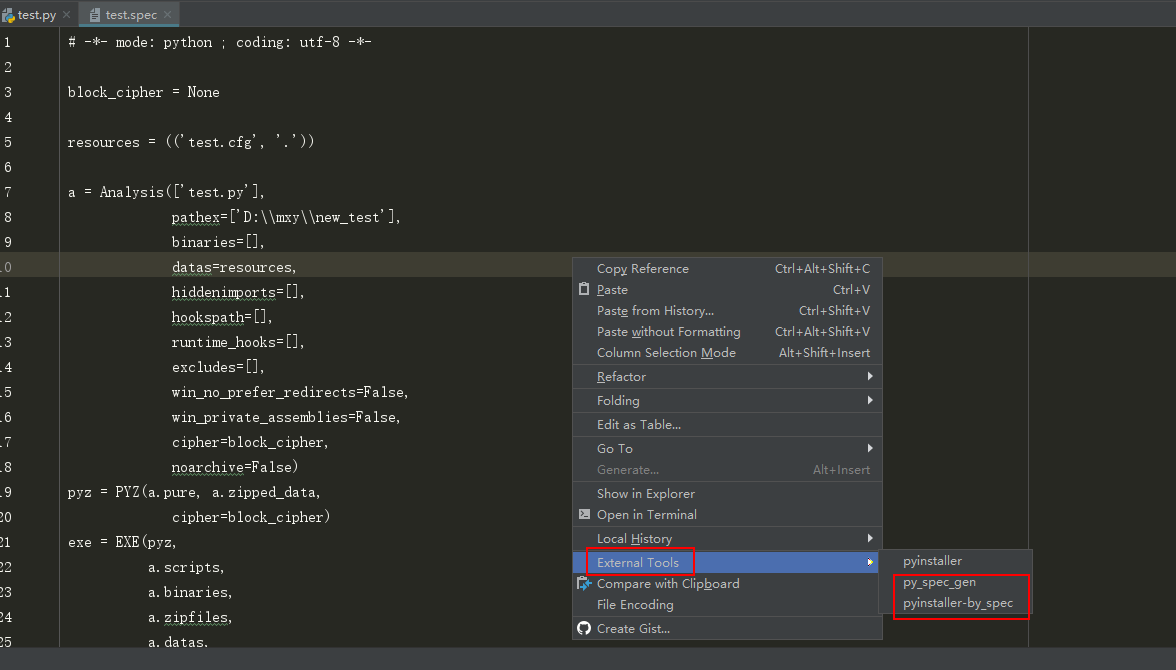
1. 添加生成spec的tool

2. 添加用指定spec生成exe的tool
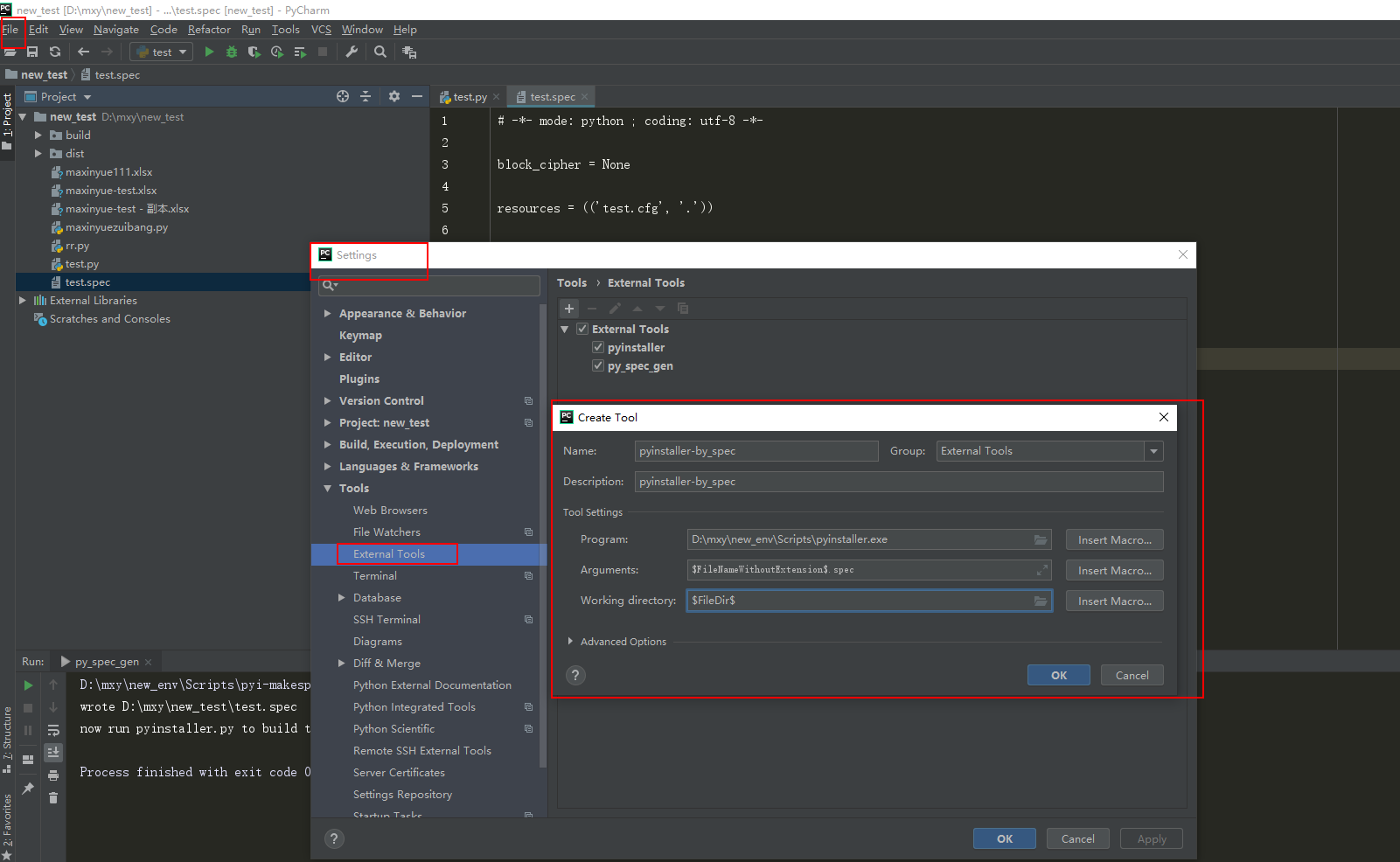
3. 生成spec文件,以及修改spec文件(添加自己的resources)

三. 通过pyinstaller打包后的resources,如何找到呢
import os import sys # 获取打包资源的路径基地址 def get_resource_path(): if hasattr(sys, "_MEIPASS"): base_path = sys._MEIPASS else: base_path = os.path.abspath('.') return base_path # 获取可执行档的路径(如,exe的路径和py文件的路径) def get_app_path(): if hasattr(sys, "frozen"): base_path = os.path.dirname(sys.executable) else: base_path = os.path.dirname(__file__) return base_path
版权声明:本文内容由互联网用户自发贡献,该文观点仅代表作者本人。本站仅提供信息存储空间服务,不拥有所有权,不承担相关法律责任。如发现本站有涉嫌侵权/违法违规的内容, 请联系我们举报,一经查实,本站将立刻删除。
发布者:全栈程序员-站长,转载请注明出处:https://javaforall.net/215069.html原文链接:https://javaforall.net




