
Java中使用POI导出excel文件
前言
在系统开发中最常用的功能就是列表数据的导出了,Java中常用的方法是用apache的POI进行操作的,现在我们就一起来学习下POI导出excel文件的基本用法。
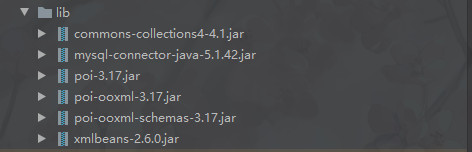
需要的jar包

上代码
使用JDBC连接数据库获取导出的数据
MySQL数据库表结构

实体类代码
package com.cgp.excelexport.pojo; public class Person {
    private Long id; private String name; private int age; private String phone; public Long getId() {
    return id; } public void setId(Long id) {
    this.id = id; } public String getName() {
    return name; } public void setName(String name) {
    this.name = name; } public int getAge() {
    return age; } public void setAge(int age) {
    this.age = age; } public String getPhone() {
    return phone; } public void setPhone(String phone) {
    this.phone = phone; } @Override public String toString() {
    return "Person{" + "id=" + id + ", name='" + name + '\'' + ", age=" + age + ", phone='" + phone + '\'' + '}'; } }
DBHelper连接MySQL数据库
package com.cgp.excelexport.utils; import java.sql.Connection; import java.sql.DriverManager; public class DBHelper {
    //MySQL数据库驱动 private static final String driver = "com.mysql.jdbc.Driver"; //数据库连接地址 private static final String url = "jdbc:mysql://localhost:3306/test_1?useUnicode=true&characterEncoding=UTF-8"; //数据库用户名 private static final String username = "root"; //数据库密码 private static final String password = "root"; //声明数据库连接对象 private static Connection conn = null; //静态代码块先加载驱动 static {
    try {
    Class.forName(driver); } catch (ClassNotFoundException e) {
    e.printStackTrace(); } } //创建数据库连接,供外部调用 public static Connection getConnection() throws Exception {
    if(conn==null) {
    //连接数据库 conn = DriverManager.getConnection(url, username, password); return conn; } return conn; } }
这里有静态代码块,静态方法和静态的常量,小伙伴们可以思考下这三个在类中加载顺序,在下面的评论区互相讨论下。
数据操作Dao类
package com.cgp.excelexport.dao; import com.cgp.excelexport.pojo.Person; import com.cgp.excelexport.utils.DBHelper; import java.sql.Connection; import java.sql.PreparedStatement; import java.sql.ResultSet; import java.util.ArrayList; import java.util.List; public class PersonDao {
    private static Connection conn = null; private static PreparedStatement pst = null; private static ResultSet rs = null; public List<Person> getPersonList() {
    List<Person> list = new ArrayList<>(); try {
    conn = DBHelper.getConnection(); String sql = "select * from person"; pst = conn.prepareStatement(sql); rs = pst.executeQuery(); while (rs.next()) {
    Person person = new Person(); person.setId(rs.getLong(1)); person.setName(rs.getString(2)); person.setAge(rs.getInt(3)); person.setPhone(rs.getString(4)); list.add(person); } } catch (Exception e) {
    e.printStackTrace(); } return list; }
我这里使用最原始的JDBC来连接数据库,大家现实开发中会用到mybatis这种持久化框架,请以实际开发为准。
导出excel文件的工具类代码
package com.cgp.excelexport.utils; import com.cgp.excelexport.pojo.Person; import org.apache.poi.ss.usermodel.*; import org.apache.poi.xssf.streaming.SXSSFWorkbook; import java.io.FileOutputStream; import java.io.IOException; import java.util.List; public class ExportExcelUtil {
    public static void ExportExcel(List<Person> list, String[] titles) {
    SXSSFWorkbook wb = new SXSSFWorkbook(100); Sheet sheet = wb.createSheet(); Row row = sheet.createRow(0); //给单元格设置样式 CellStyle cellStyle = wb.createCellStyle(); Font font = wb.createFont(); //设置字体大小 font.setFontHeightInPoints((short) 12); //设置字体加粗 font.setBold(true); //给字体设置样式 cellStyle.setFont(font); //设置单元格背景颜色 cellStyle.setFillForegroundColor(IndexedColors.GREY_25_PERCENT.getIndex()); //设置单元格填充样式(使用纯色背景颜色填充) cellStyle.setFillPattern(FillPatternType.SOLID_FOREGROUND); for (int i = 0; i < titles.length; i++) {
    Cell cell = row.createCell(i); cell.setCellValue(titles[i]); cell.setCellStyle(cellStyle); //设置列的宽度 sheet.setColumnWidth(i, 200*50); } for (int j = 0; j < list.size(); j++) {
    Row rowData = sheet.createRow(j + 1); Person person = list.get(j); Cell cell = rowData.createCell(0); cell.setCellValue(person.getId()); Cell cell2 = rowData.createCell(1); cell2.setCellValue(person.getName()); Cell cell3 = rowData.createCell(2); cell3.setCellValue(person.getAge()); Cell cell4 = rowData.createCell(3); cell4.setCellValue(person.getPhone()); } String fileName = "D:/人员信息导出.xlsx"; try {
    FileOutputStream fileOutputStream = new FileOutputStream(fileName); wb.write(fileOutputStream); wb.close(); } catch (IOException e) {
    e.printStackTrace(); } } }
运行测试代码
package com.cgp.excelexport.test; import com.cgp.excelexport.dao.PersonDao; import com.cgp.excelexport.pojo.Person; import com.cgp.excelexport.utils.ExportExcelUtil; import java.util.List; public class ExportExcelTest {
    public static void main(String[] args) {
    PersonDao personDao = new PersonDao(); List<Person> list = personDao.getPersonList(); String[] titles = {
   "编号","姓名","年龄","手机号"}; ExportExcelUtil.ExportExcel(list, titles); System.out.println("人员数据导出成功!"); } }
运行结果

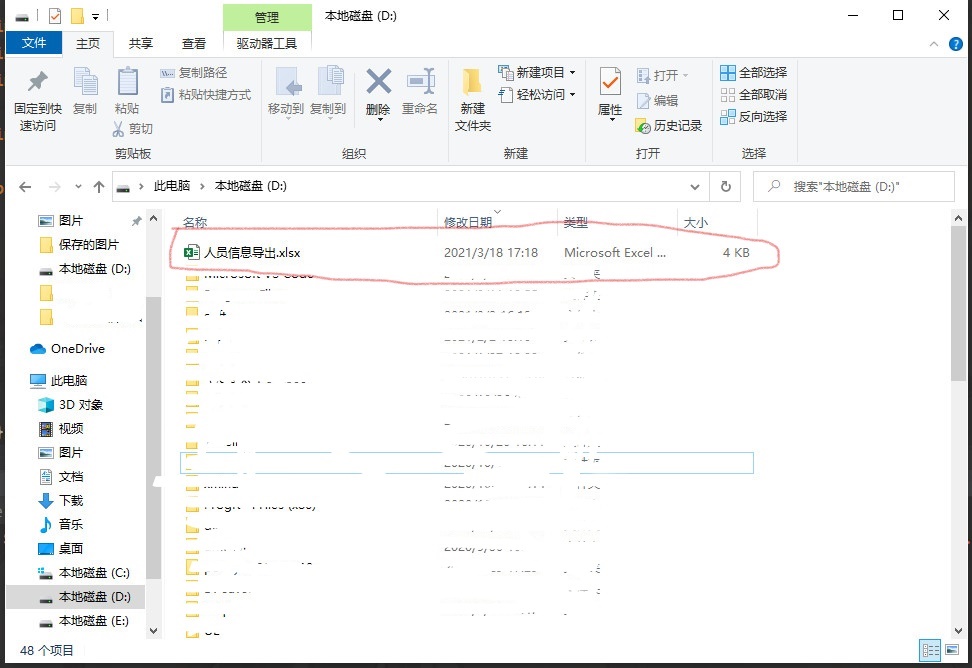
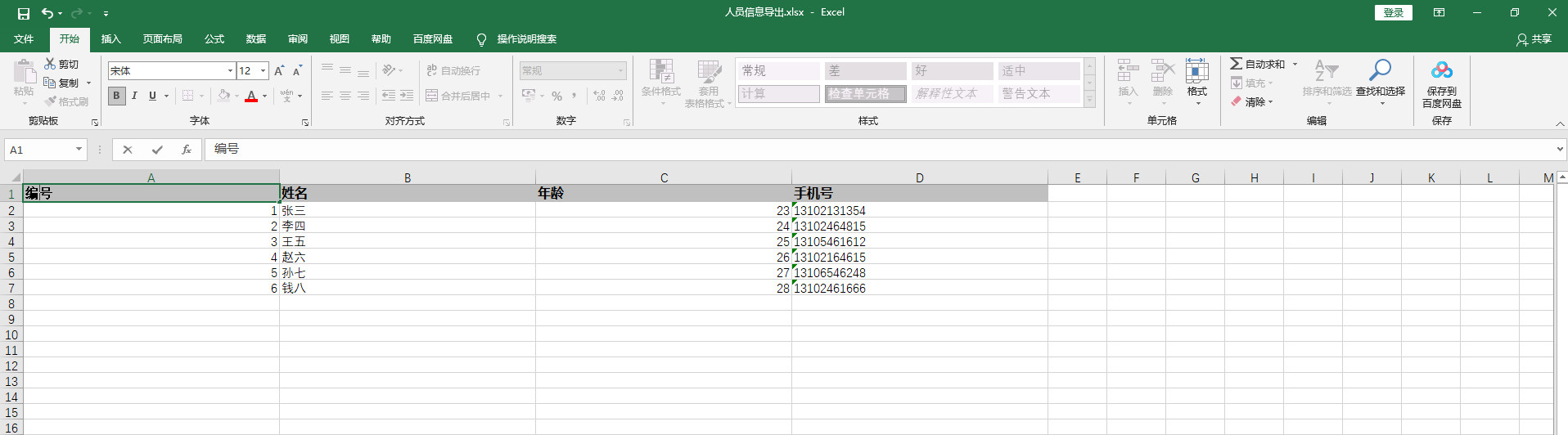
可以看出excel文件成功的导出到了D盘目录下面
总结
以上就是Java中使用JDBC连接数据库获取表数据,使用POI导出excel文件的基本方法,本文仅供参考,请以实际开发业务为准!
版权声明:本文内容由互联网用户自发贡献,该文观点仅代表作者本人。本站仅提供信息存储空间服务,不拥有所有权,不承担相关法律责任。如发现本站有涉嫌侵权/违法违规的内容, 请联系我们举报,一经查实,本站将立刻删除。
发布者:全栈程序员-站长,转载请注明出处:https://javaforall.net/230286.html原文链接:https://javaforall.net



